The best ways to share photos depending on your needs
Updated: February 19, 2026 Author: Vitaly
We're exploring the best photo sharing services – from traditional cloud storage to advanced workspaces. Learn how to transfer photos without losing quality or unnecessary headaches.
Gone are the days when sharing a digital photo required emailing or transferring it via Bluetooth. Today, there are many quick and easy options, including social media and specialized services, and choosing the right one is a matter of convenience, quality, earnings, or digital security. Photography has evolved from a "frozen moment" into a continuous stream of data. But the more we take, the more difficult it becomes to understand it all and, most importantly, to securely share photos.
For the average user, simplicity and emotional connection are priorities; for a professional photographer, it's monetization and presentation; and for creative teams and designers, it's seamless collaboration. Accordingly, each requires a tool tailored to their specific needs.
Requirements of different categories of users for photo sharing methods
Choosing an effective strategy and the best way to share photos is impossible without considering the specific needs of each user audience. After all, each user faces unique challenges that require appropriate technological solutions.
Regular users and family photo sharing
Most users perceive photography as a tool for preserving memories of significant events and everyday moments. The key requirement here is automation of processes. Users want their photos to be securely stored, easily found, and shared with loved ones. At the same time, the entire cataloging process should be performed without active user intervention.
Key factors for consumers are cross-platform compatibility, smart search for faces or objects, and affordable long-term storage. Recently, privacy protection has received particular attention, especially when it comes to children's photos.
Professional photographers
For photographers, photo sharing isn't just sending a picture; it's a full-fledged interaction with clients in their professional work. Business growth and income levels directly depend on how convenient it is.
Gallery aesthetics, copyright protection through watermarks, download control, and integration with sales tools (printing, digital purchases) are critical here. Furthermore, the chosen tool should offer convenient search tools. Ideally, these should be AI-powered solutions, allowing clients to instantly find their portraits in a vast dataset simply by tagging themselves in a photo or uploading a selfie.
Moreover, high-quality photos are large in size. Therefore, photographers need a photo-sharing service that offers sufficient storage space.
Creative teams and content creators
Photographs are an integral part of the modern information space. They are used in various visual content formats: stories, posts, thumbnails for YouTube and TikTok videos. When it comes to commercial projects, their creation is often the work of not just one but several people.
For such creative teams, simply "showing" photos isn't enough. They need precise feedback, detailed discussions, and the ability to work with demanding formats, including RAW and 4K video. Priorities here include upload speed, file versioning, and integration with professional software like Adobe Creative Cloud.
A review of photo sharing services for regular users
The consumer photo-sharing market is divided between tech giants and niche projects. The former offer powerful tools for automatic sorting and cataloging, including those powered by AI, but are plagued by privacy concerns.
Niche solutions are primarily focused on meeting specific needs, such as ensuring maximum photo protection or implementing specialized features.
Google Photos
Due to the dominance of the Android mobile operating system, Google Photos is the most popular cloud photo storage tool. The service uses advanced AI to automatically create albums, recognize faces, and search for complex natural language queries.
Google has made sure that the mobile app and web version of their cloud photo storage service have a similar look and feel. However, because Google Photos on your phone has direct access to contacts and source files, it offers slightly more options for sharing photos.
To begin, you should open or select several photos that you want to send and click the "Share" button.
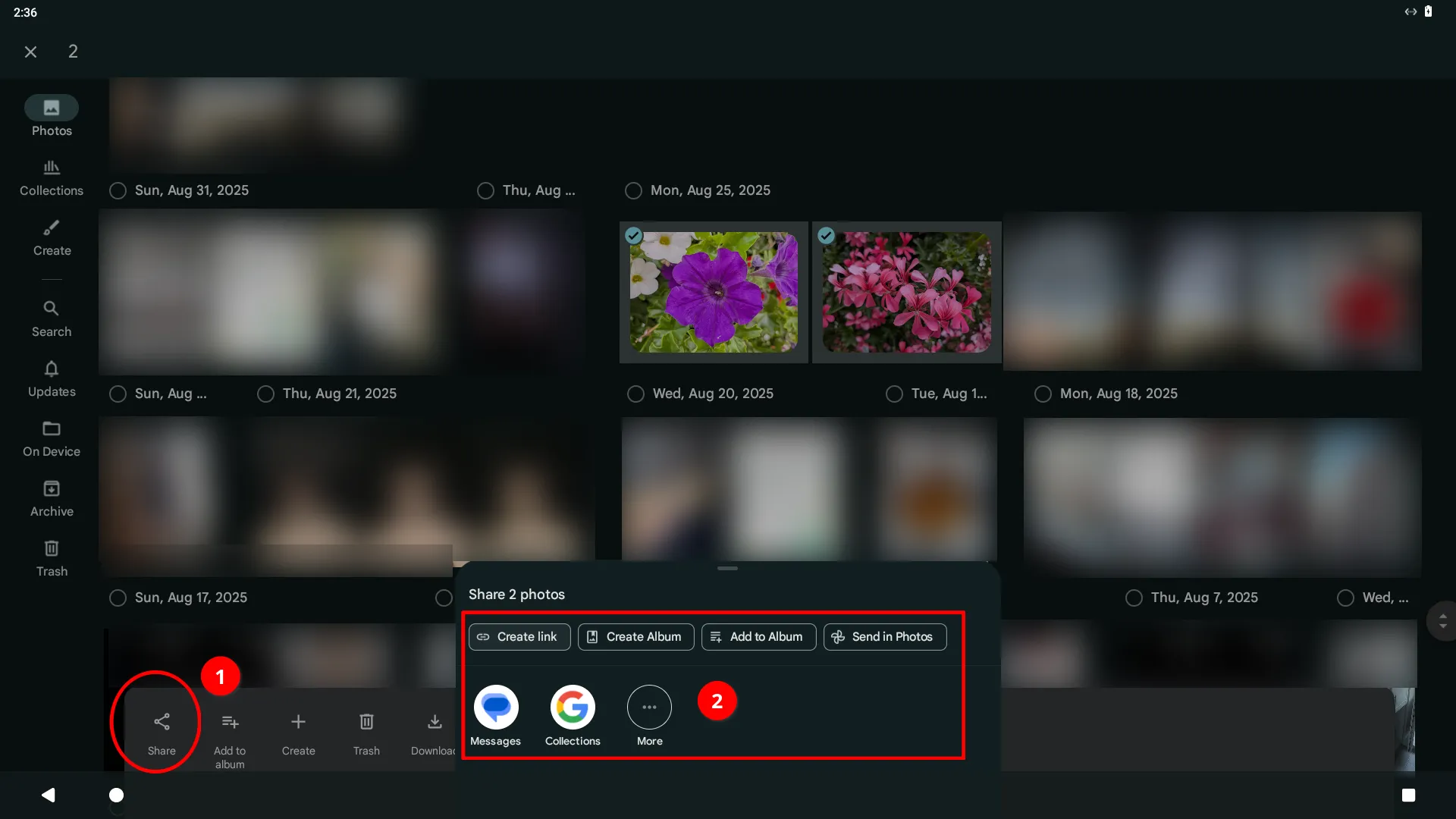
You will be offered several options on how to share the photo.
- Create link. This button generates a public or private direct link to the photo. It allows you to quickly send the photo via any messenger or social network to someone who doesn't have Google Photos. Anyone with the link will be able to view the image.
- Create Album. Creates a new folder (album) in the cloud and immediately places the photo there. An effective way to organize your archive. For example, if you want to start collecting photos from a specific trip or event in one place.
- Add to Album. This option adds the selected photo to an existing album. This helps you keep your library organized and expand thematic collections with new photos.
- Send to Photos. This feature is designed for internal sharing between Google Photos users. You select a contact from your address book (by email or phone number). The photo will appear directly in the Google Photos app under "Shared."
You can also directly share a photo via messenger or social network by selecting one of the suggested app icon options.
You can send not just one or several photos, but entire albums as well. The logic is similar, but the tools available are slightly different.
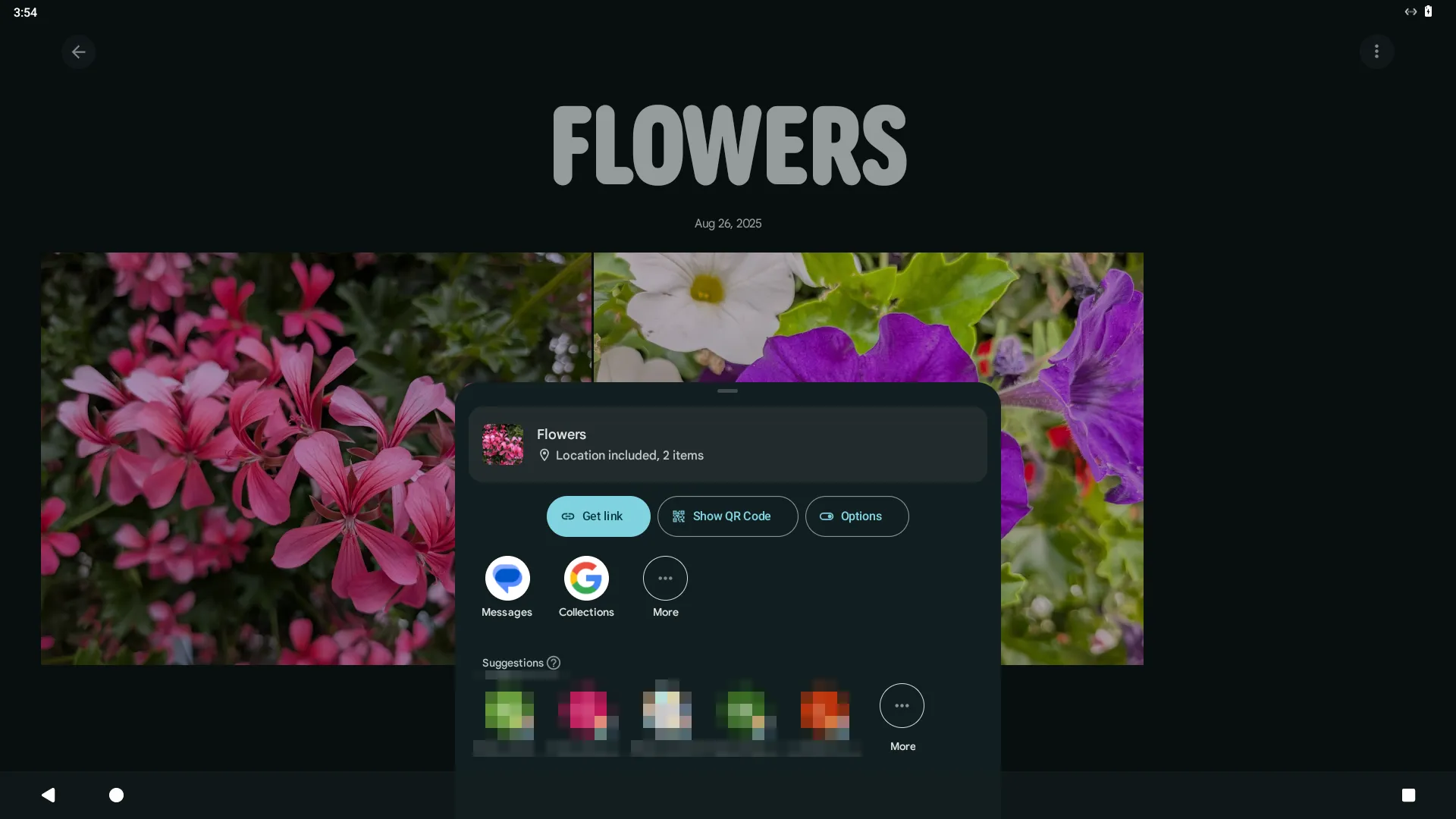
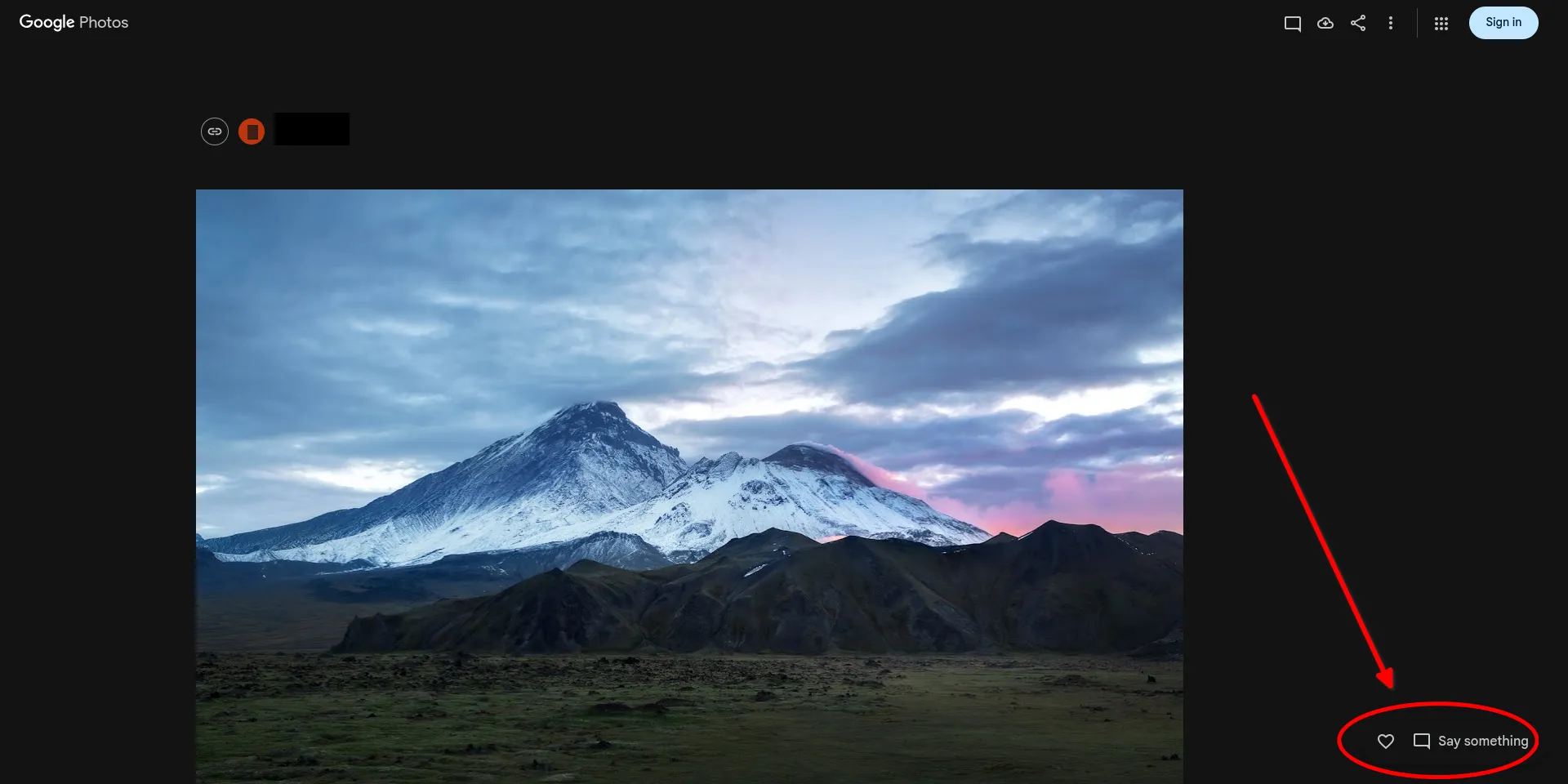
If you share a link to a photo or album with people who have a Google account, they can leave reactions and comments.
The "Share with a Partner" feature is especially worth mentioning. It's essentially an automated way to give another person access to your media library. You select one person (your partner) you trust. Once they accept the invitation, your new photos will appear in their app automatically as soon as they're uploaded to the cloud.
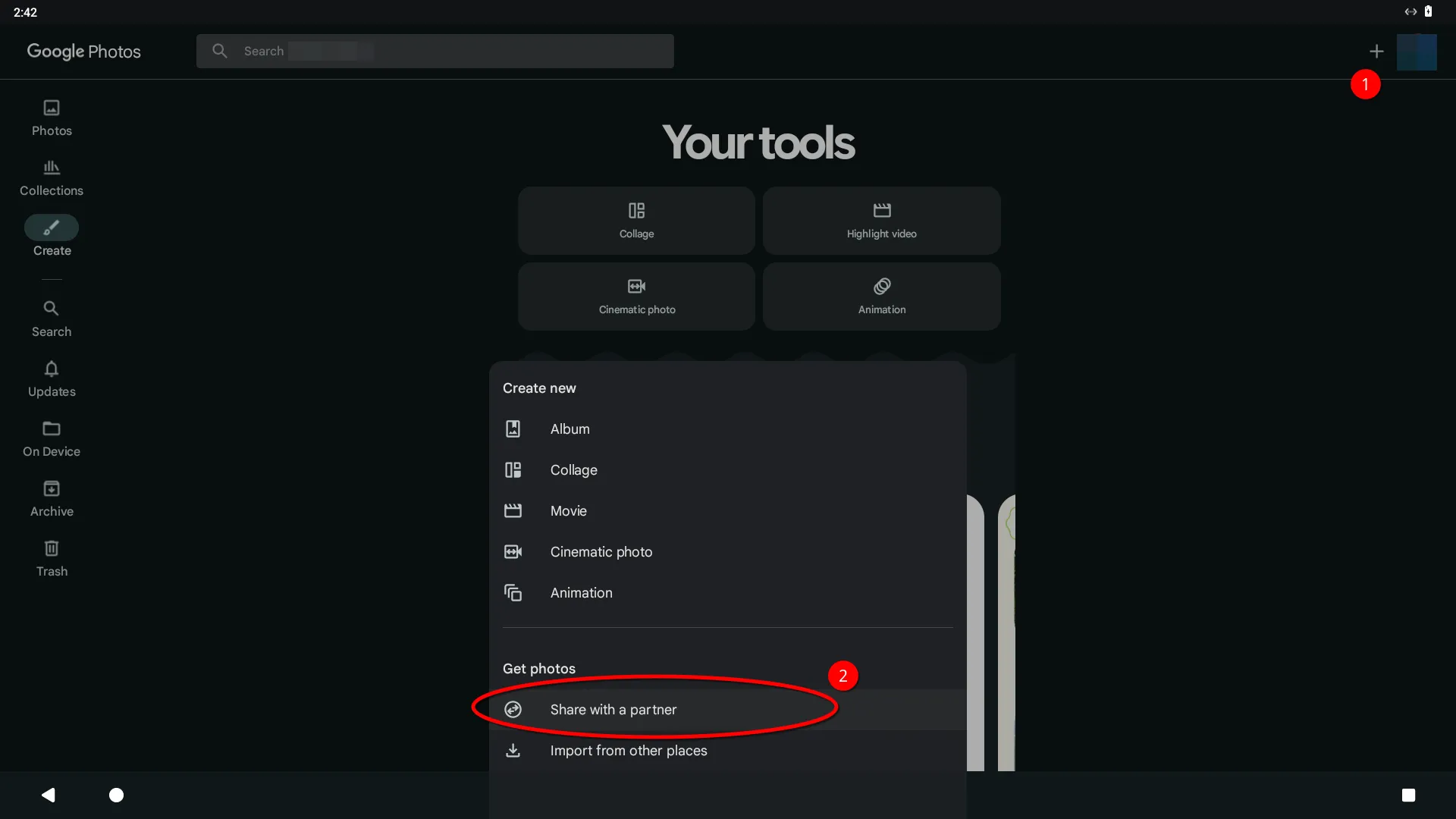
However, you can't add two or three "partners" at once. If you need to share with the whole family, it's better to use shared albums.
Overall, Google Photos is ideal for casual users who value maximum automation, convenient search, and easy photo sharing without technical complications. It's a good choice for those who actively take photos on their smartphone and want their photos to be automatically sorted and accessible across all their devices.
However, it's worth keeping in mind that storing large photo archives requires a subscription. Google only provides 15 GB of free storage.
Apple Photos
Apple Photos is the next most popular cloud photo storage service, especially among users of this tech giant's devices.
Like Google Photos, the service offers powerful tools for automatically sorting and cataloging photos, but their implementation is slightly different. This also applies to the methods for sharing photos.
Unlike Google, Apple Photos has both a mobile and desktop app for macOS. However, their functionality differs slightly due to the specific adaptations for each device type.
To share one or more photos in the Apple Photos mobile app, open or select the desired ones and tap the corresponding button at the bottom of the screen.
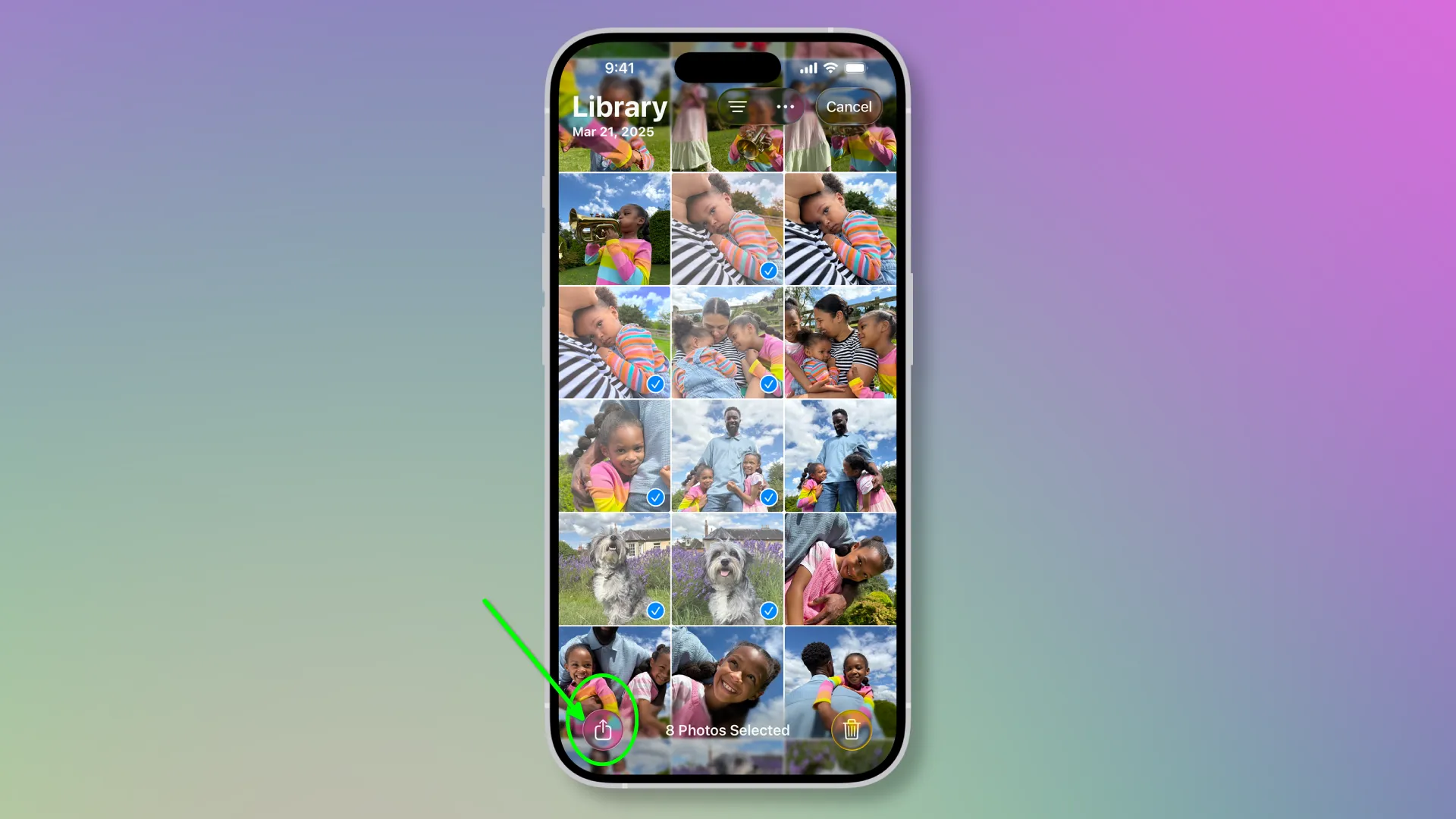
A dialog box will then appear offering options on how exactly you want to share the photo.

Notably, the app offers more pinned photo sharing options in a single menu, unlike Google Photos, where many of them are hidden behind three dots.
AirDrop. Quickly transfer files to nearby Apple devices (iPhone, iPad, Mac) without loss of quality. Messages. Send photos via iMessage or SMS. Mail. Create a new message with an attached image. Notes. Save a photo to a new or existing note in the Apple Notes app. Copy Photo. Places the image on the clipboard. You can then paste it into any text field or other editor. Add to Shared Album. Allows you to add photos to an album accessible to other iCloud users. Add to Album. Move or copy photos to one of your personal albums in your media library. Use as Wallpaper. Opens the lock screen or desktop settings, where this photo will be used as the background. Copy iCloud Link. Generates a temporary link to a photo that can be sent to anyone, allowing them to download the photo in full quality, even if they don't have an iPhone.
You can also share an entire photo album. There's a dedicated section on the Photos app's main page called "Shared Albums."
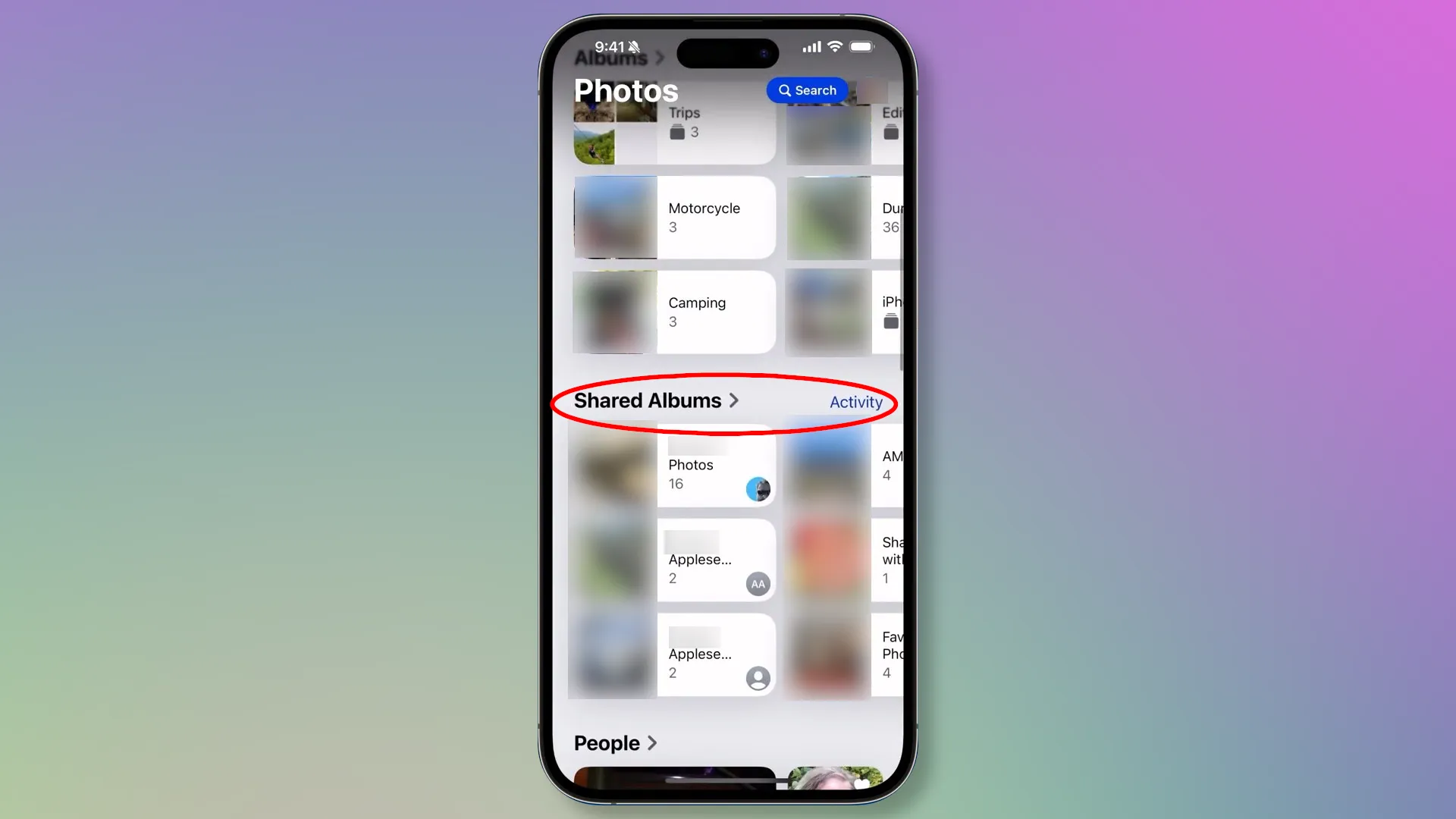
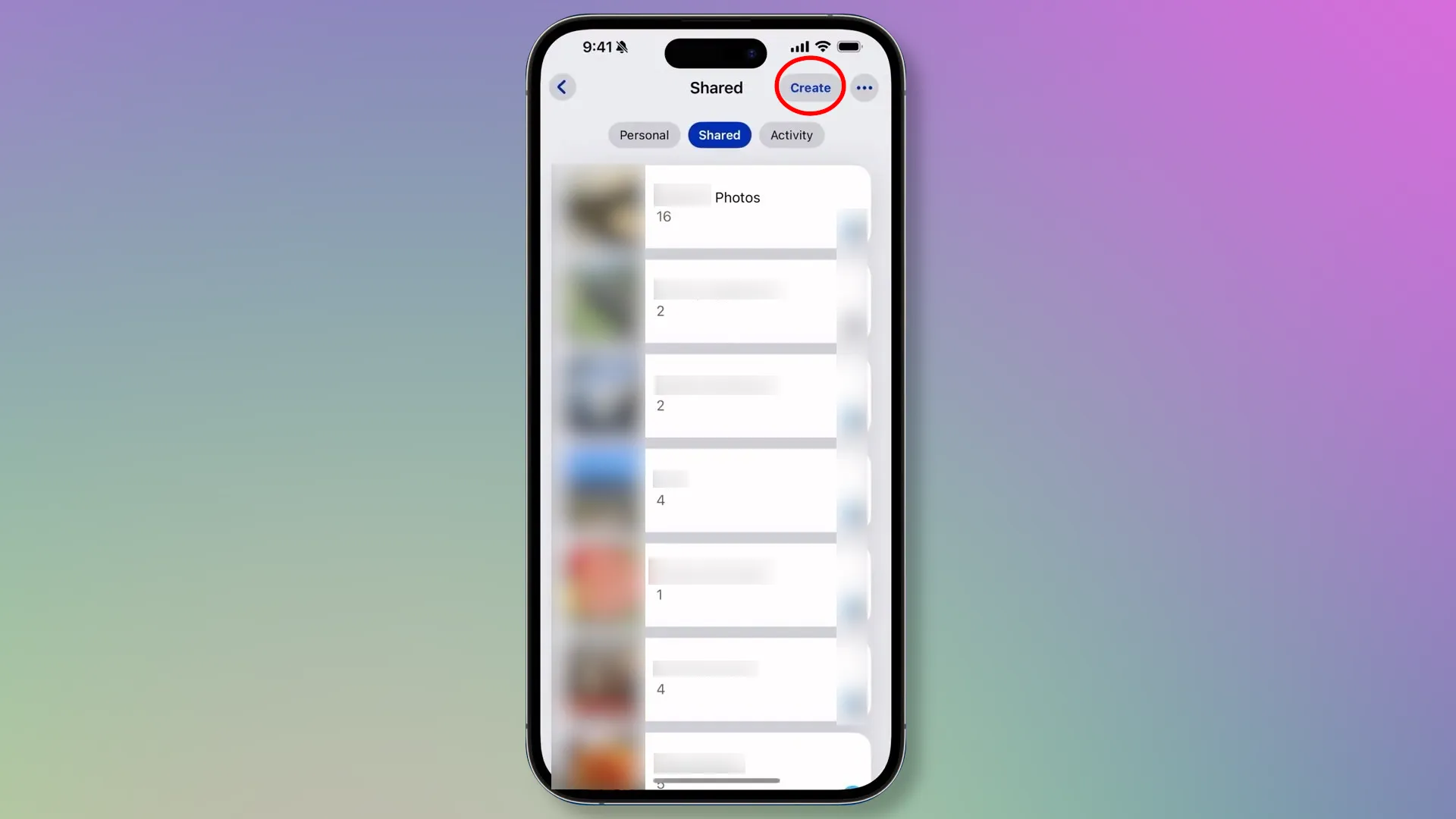
To share a new album, go to the section and click the "Create" button.
Create a name that's clear not only to you but also to those you want to share the album with. Add photos and specify the contact information of those who will have access to the "Shared Album."
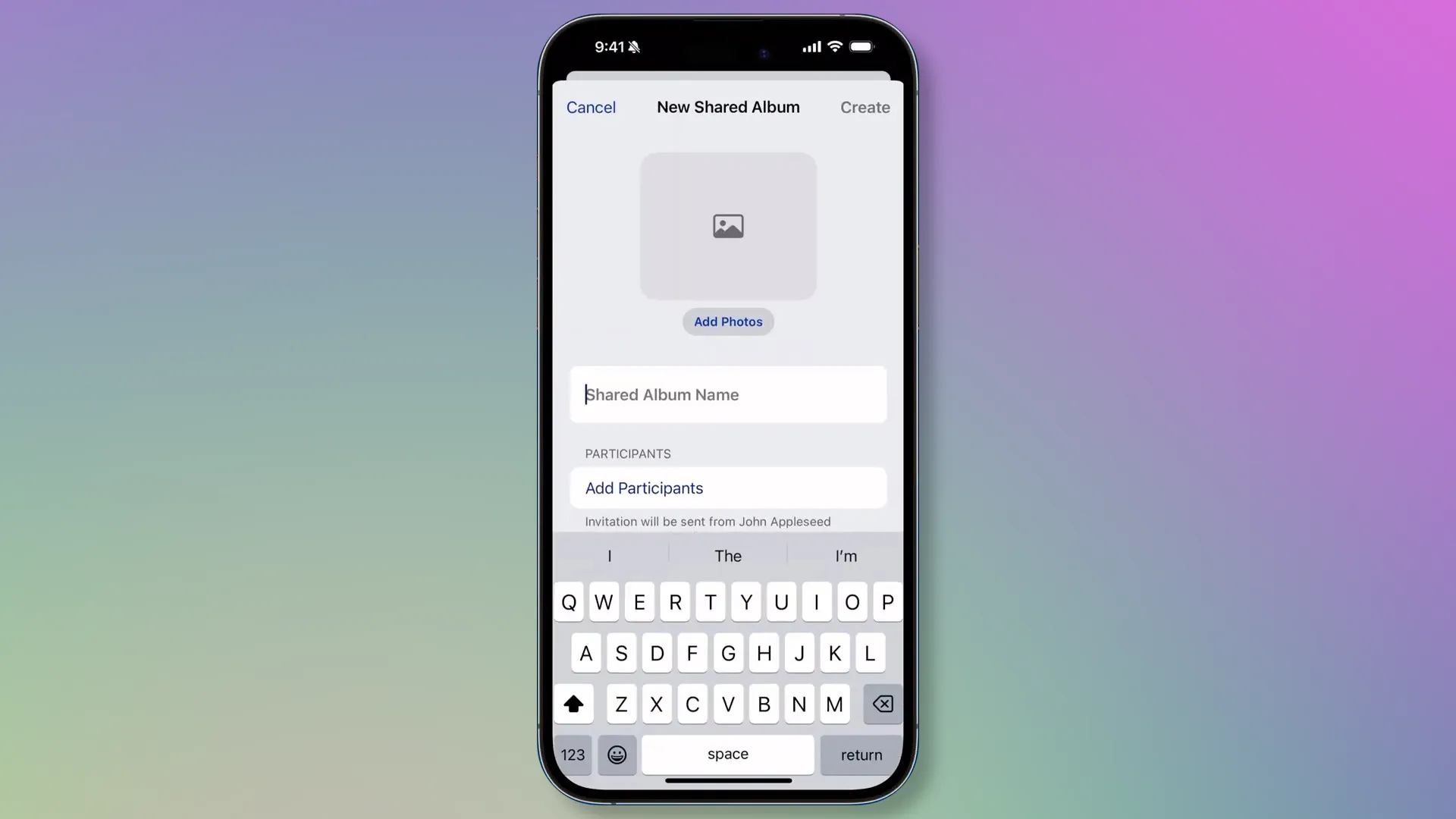
Please note that by default, this "Shared Album" can only be shared with users registered with an Apple ID. If you want to make it accessible to everyone via a link, you'll need to go to advanced settings.
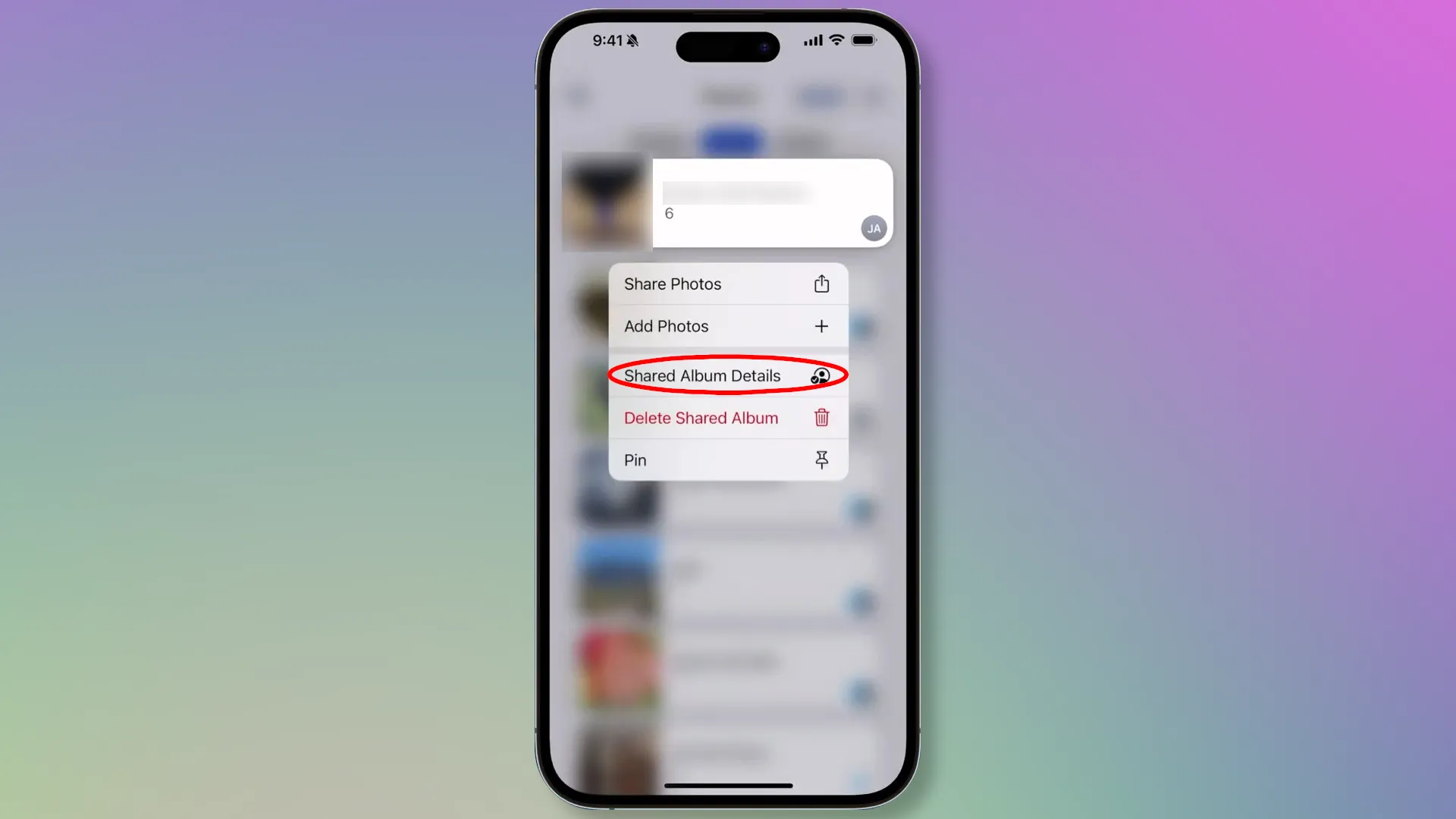
Here, simply toggle the "Public Website" switch. A "Share Link" button will appear below, which will lead to the "Shared Album" in iCloud.
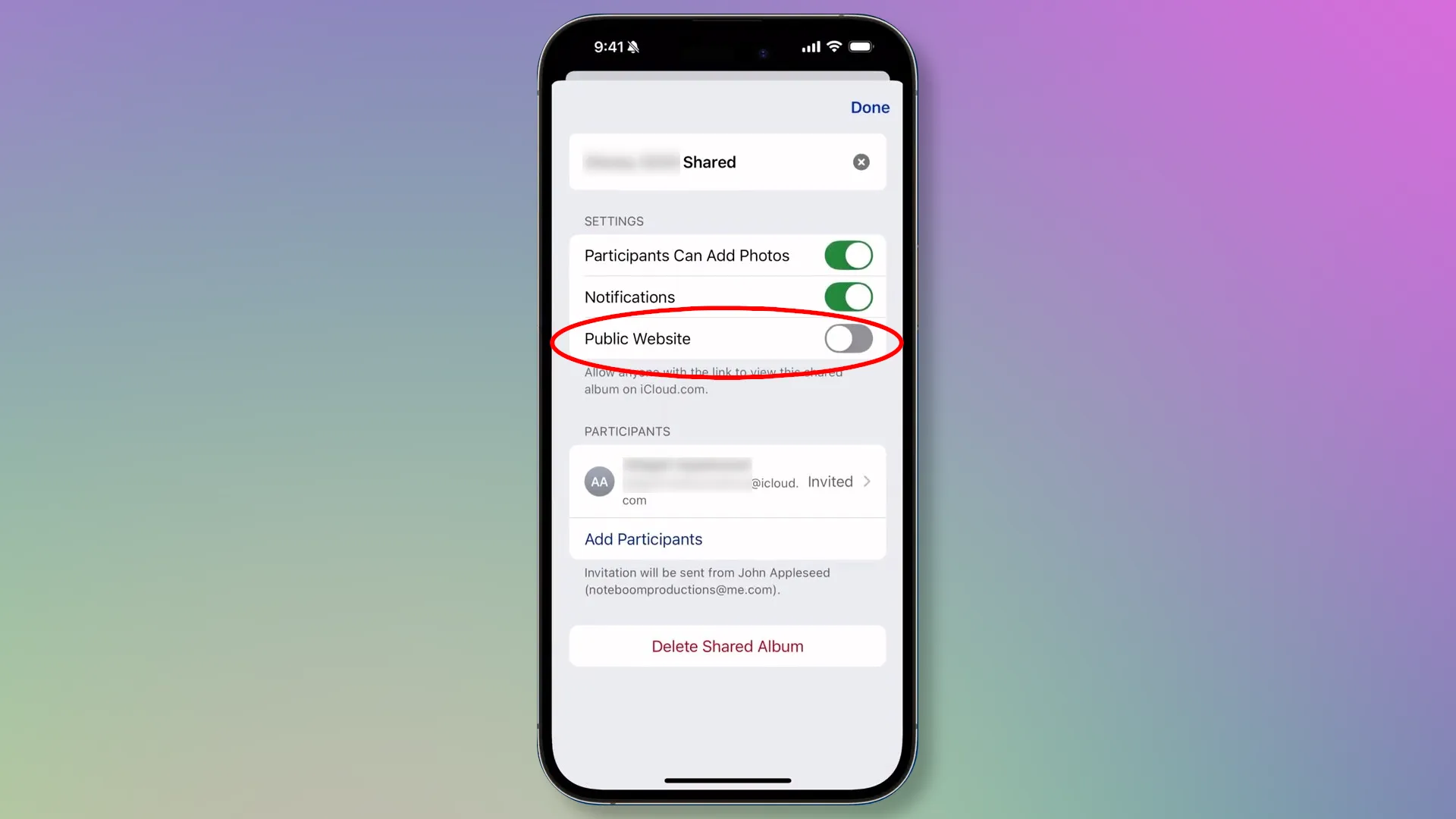
As with Google Photos, users with access can leave reactions and comments on both the entire album and individual photos.
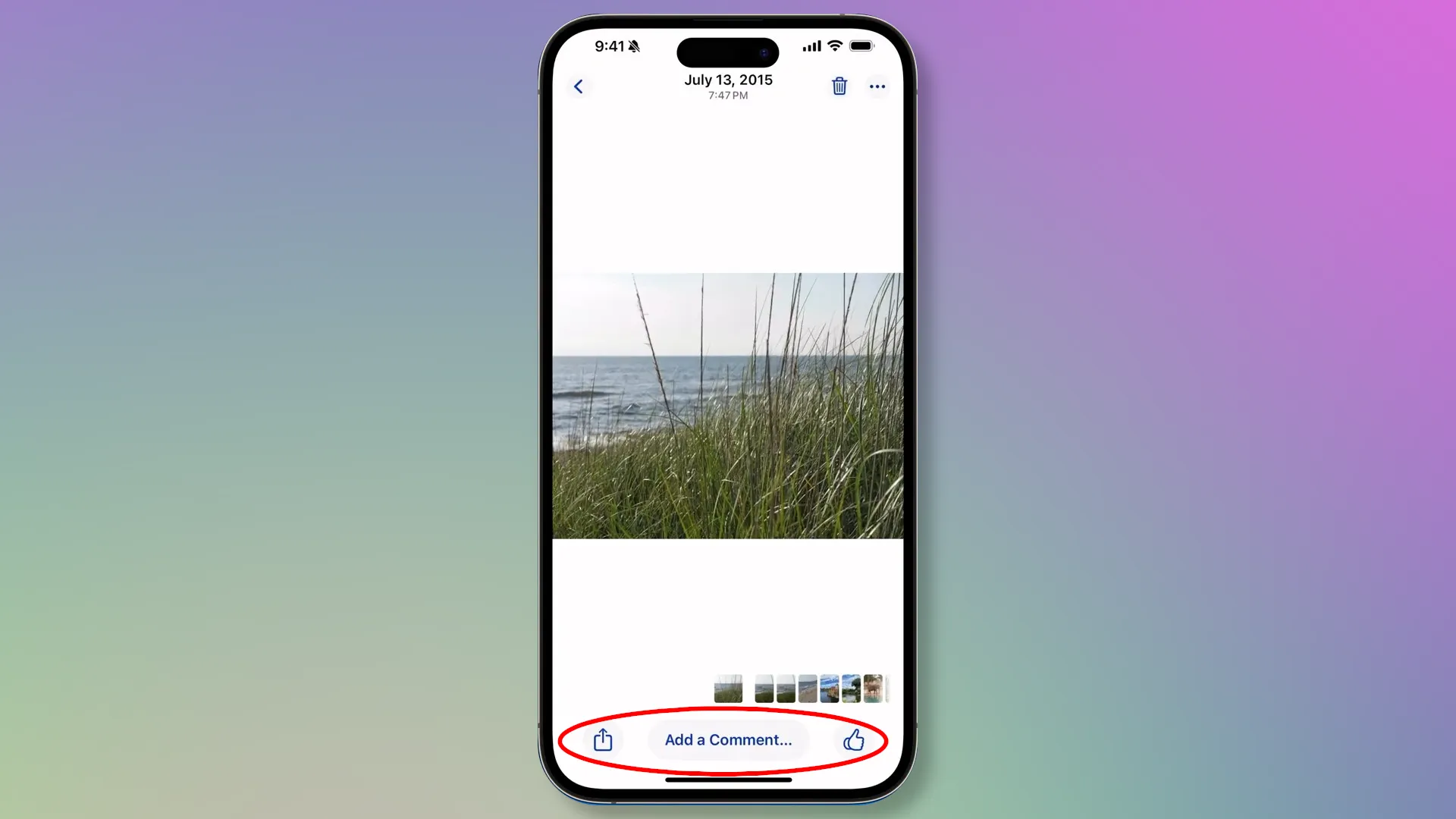
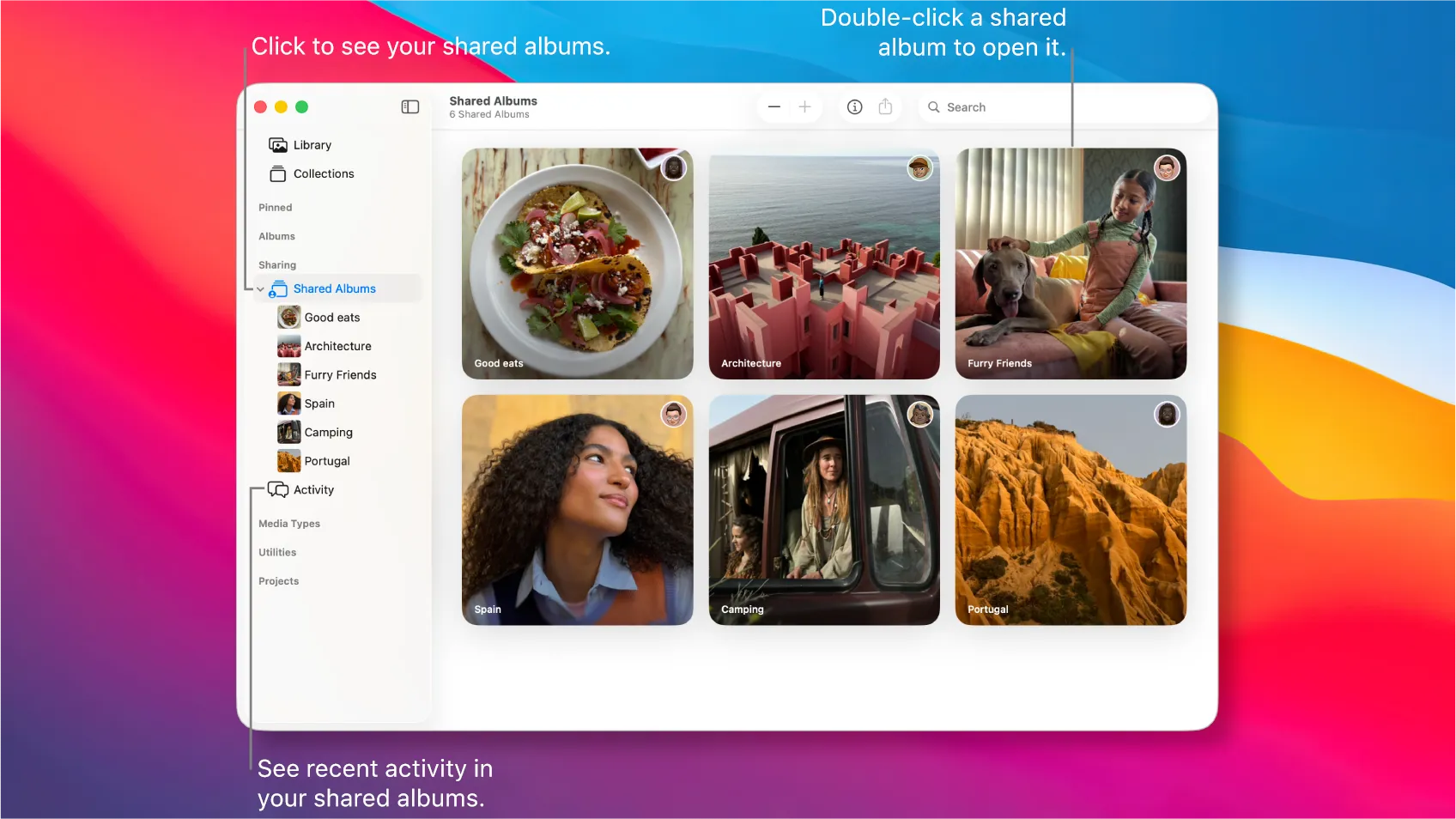
Similar operations can be performed in the Photos app on a Macbook. The only difference is the location of the photo sharing buttons.
Apple Photos is the perfect choice for Apple ecosystem users who value simplicity, privacy, and deep device integration. With Shared Albums, AirDrop, and iCloud Links, the app is convenient for quickly sharing photos privately, while built-in AI tools help organize your archive without manual sorting.
The downside is that the free cloud storage plan isn't large enough to create comprehensive family photo archives. Furthermore, cloud storage becomes more expensive over time, as you have to pay a monthly fee.
Tinybeans
Tinybeans is a niche project launched in 2012 and initially conceived as a secure alternative to Facebook and Instagram for family photo albums. It's aimed primarily at parents and their families. Essentially, it's a private family social network and a digital diary for children, where they can preserve memories and share them with loved ones.
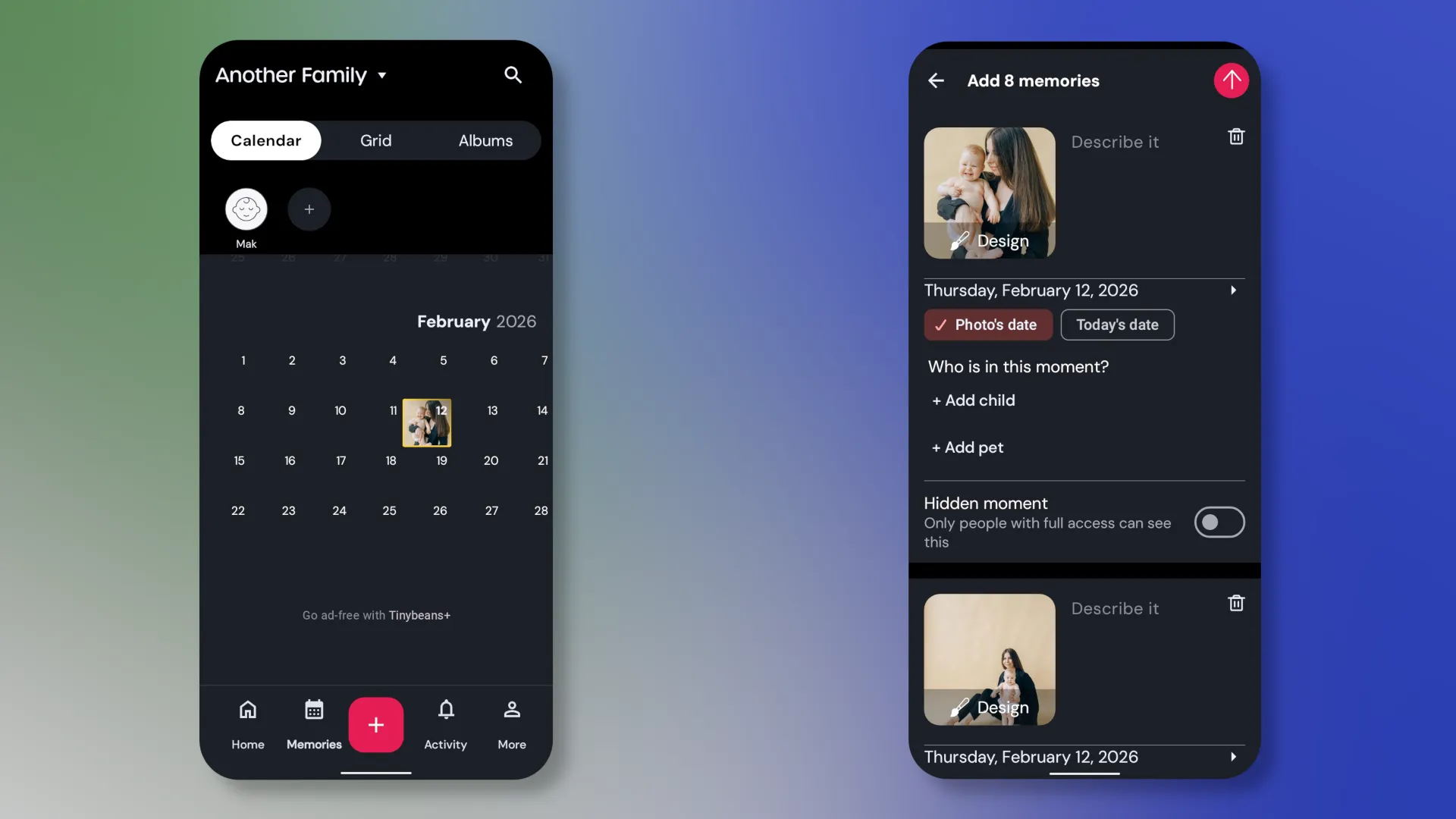
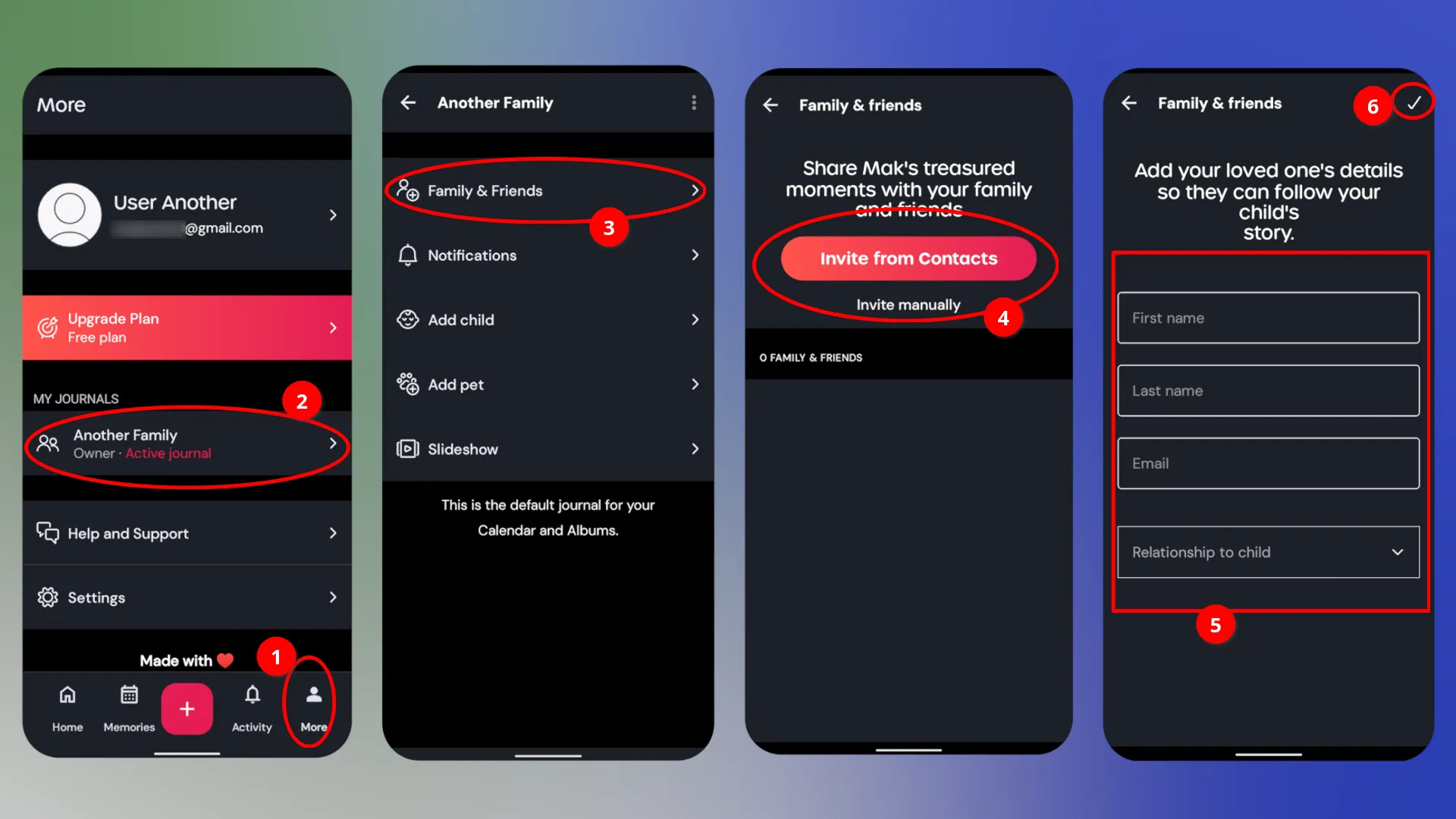
You don't need to create a separate album or personal link each time you share a photo. Simply add all family members once.
In addition to photos, Tinybeans allows you to create text notes, which are also automatically made publicly available to all connected participants.
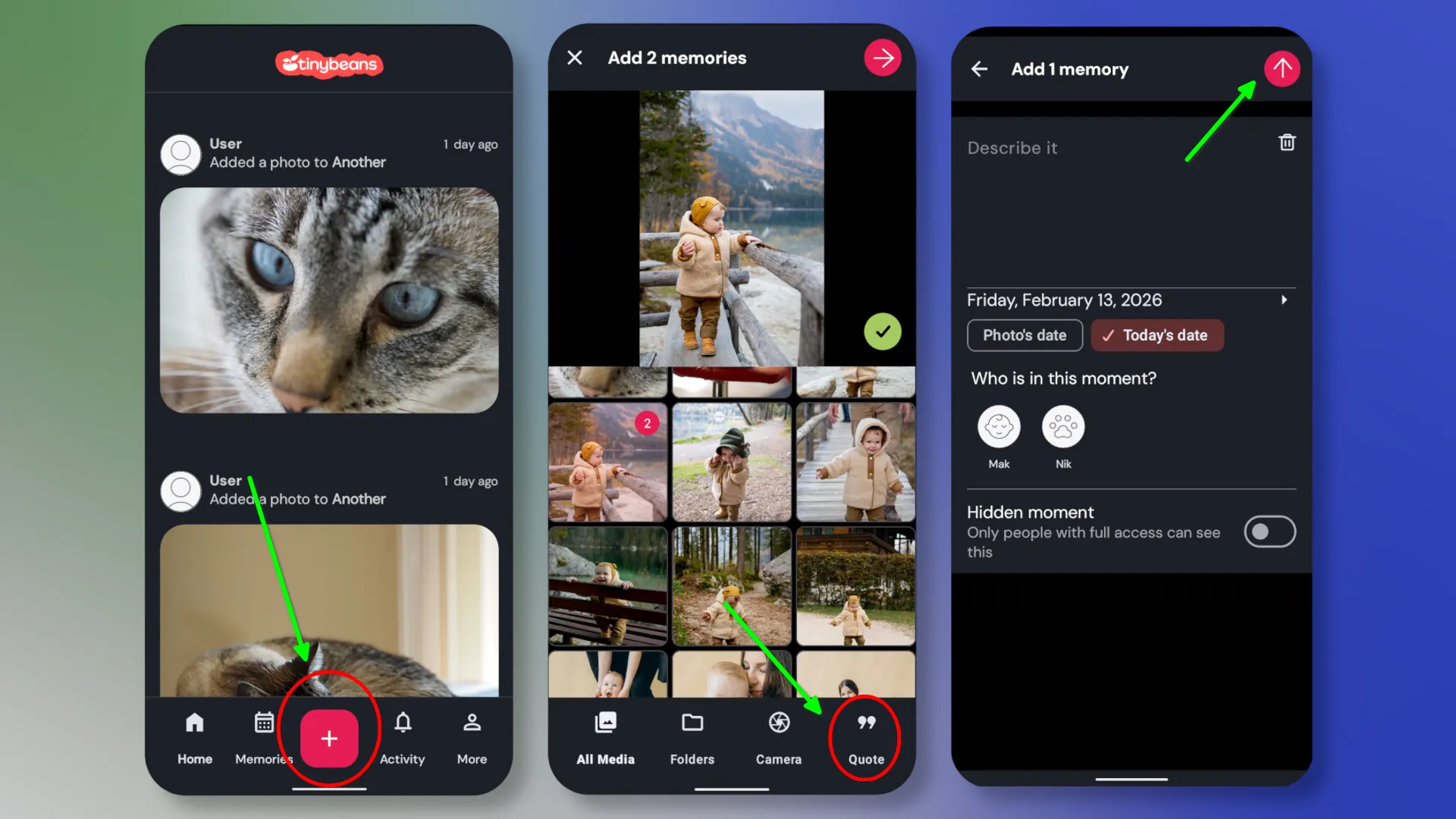
inybeans is perfect for parents and grandparents who want to share everyday moments in a private setting without the risk of public dissemination or social media algorithms. The service simplifies the process: photos and notes are automatically accessible to all invited relatives without the need to manually create albums and links, and the "diary" format helps organize memories by date.
However, Tinybeans isn't a universal cloud storage service. The free plan is severely limited in space and features, and full use requires a subscription (Tinybeans Plus), which unlocks more storage, advanced privacy settings, and data export. Importantly, the service lacks automatic sorting tools, face search, or contextual search for photos.
Tonfotos
If you're looking for a solution for maximum privacy, then you should consider local apps like Tonfotos.
Main features of the program:
- Automatic sorting and cataloging. Analyzes photo metadata during import, creating a convenient library by date without manual sorting.
- Facial recognition and people grouping. Built-in algorithms help find and group photos by people, which is especially convenient for family archives.
- Smart search. You can search images by date, location, keywords, and other parameters.
- Viewing and basic photo management. Quickly view, compare duplicates, and filter without the need for complex professional editors.
Choosing between Tinybeans and Tonfotos depends on your priorities. If you need a mobile "social diary" for quickly sharing photos with your grandparents in real time, Tinybeans is a great solution. However, for those with a huge family archive spanning decades and seeking maximum privacy without a subscription fee, Tonfotos is a more reliable and functional tool.
Messengers and social networks

At first glance, messaging apps and social media seem like the easiest way to share photos. Most people already have WhatsApp, Telegram, Viber, Instagram, or Facebook, and sending a photo takes literally a couple of seconds. However, in terms of quality, long-term storage, and privacy, this is far from the optimal solution, even when it comes to private messages and sharing with loved ones.
Almost all messaging apps and social networks use aggressive image compression. This saves bandwidth and server space, but significantly reduces detail. Even if you send a photo privately, the service may reduce the resolution, change the color profile, and apply compression algorithms that significantly degrade the image.
Another problem is metadata (EXIF). This contains important information, such as the date and time of shooting, and sometimes even geolocation. Most social networks and messaging apps completely remove or heavily restrict this data.
On the one hand, this increases privacy, but on the other, it deprives the photograph of context. After several years, it becomes difficult to determine where and when the photo was taken.
Messenger apps have issues accessing and storing sent photos. This is especially noticeable when changing devices or reinstalling the app. For example, Viber can delete all chat history and media when changing phones if backups aren't set up beforehand. WhatsApp also requires manual backups to iCloud or Google Drive. Without them, all photos and chats can be lost when reinstalling or changing devices.
Telegram's cloud storage is more reliable, but it still isn't a full-fledged photo archive with a convenient structure, search, and version control.
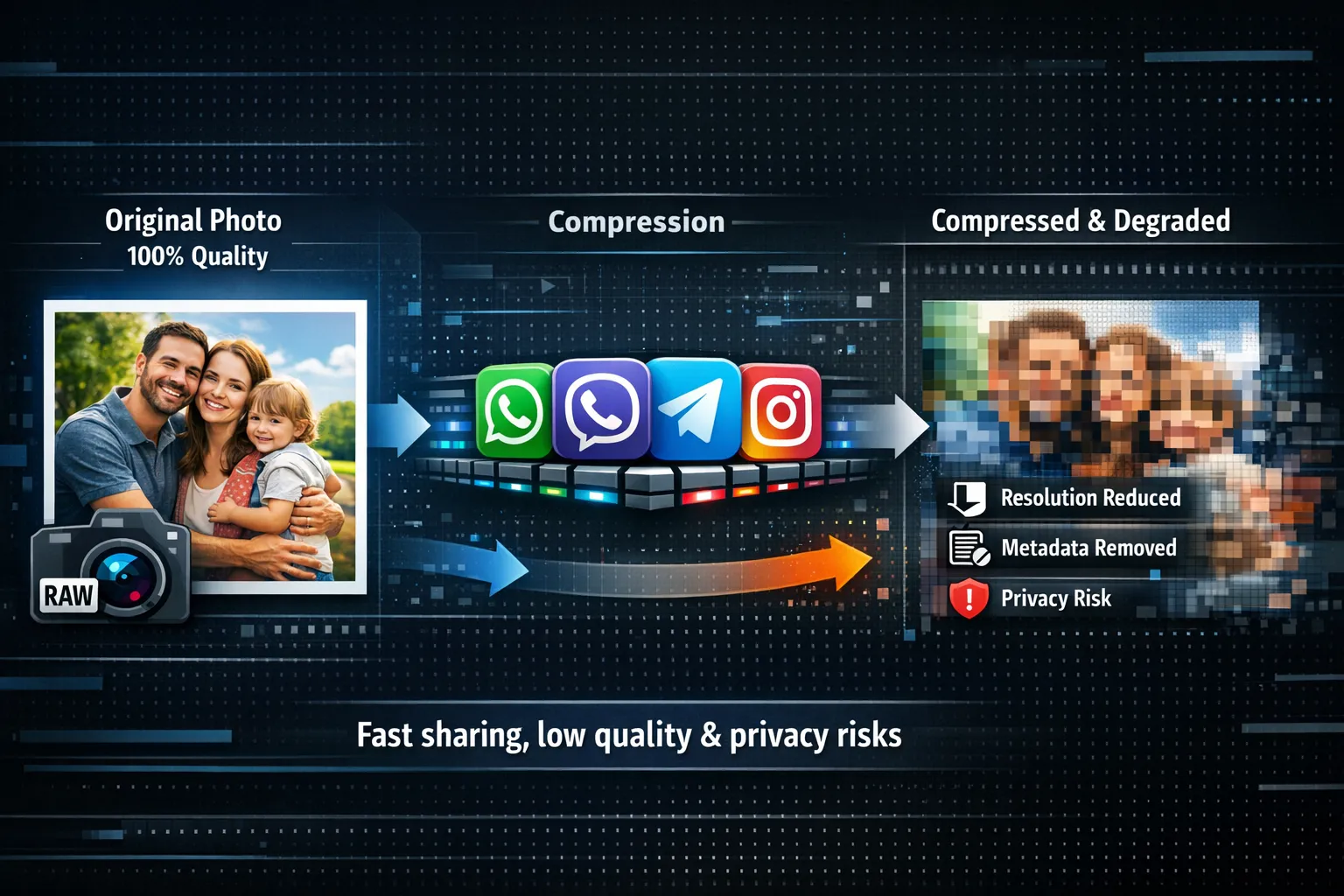
Therefore, using instant messaging apps and social media as a way to share photos is justified when speed and emotion are more important than quality and long-term storage. For example, for quickly sharing photos with friends, sending screenshots, or publishing content that has no archival value.
Professional platforms for photographers
Photo sharing services are a fully-fledged marketing tool for photographers, with revenue and customer loyalty dependent on the quality of their implementation. However, it's important that managing the service and creating galleries doesn't feel like an airplane's control panel.
Picdrop
Picdrop is a German service created in 2012 by a professional photographer for photographers. The project's main selling point is its simple and convenient tools, allowing you to share photos with clients in just a few clicks.
There are no complex gallery settings, and the asset management panel consists of just two sections. However, this doesn't mean there are no necessary access or copyright protection settings.
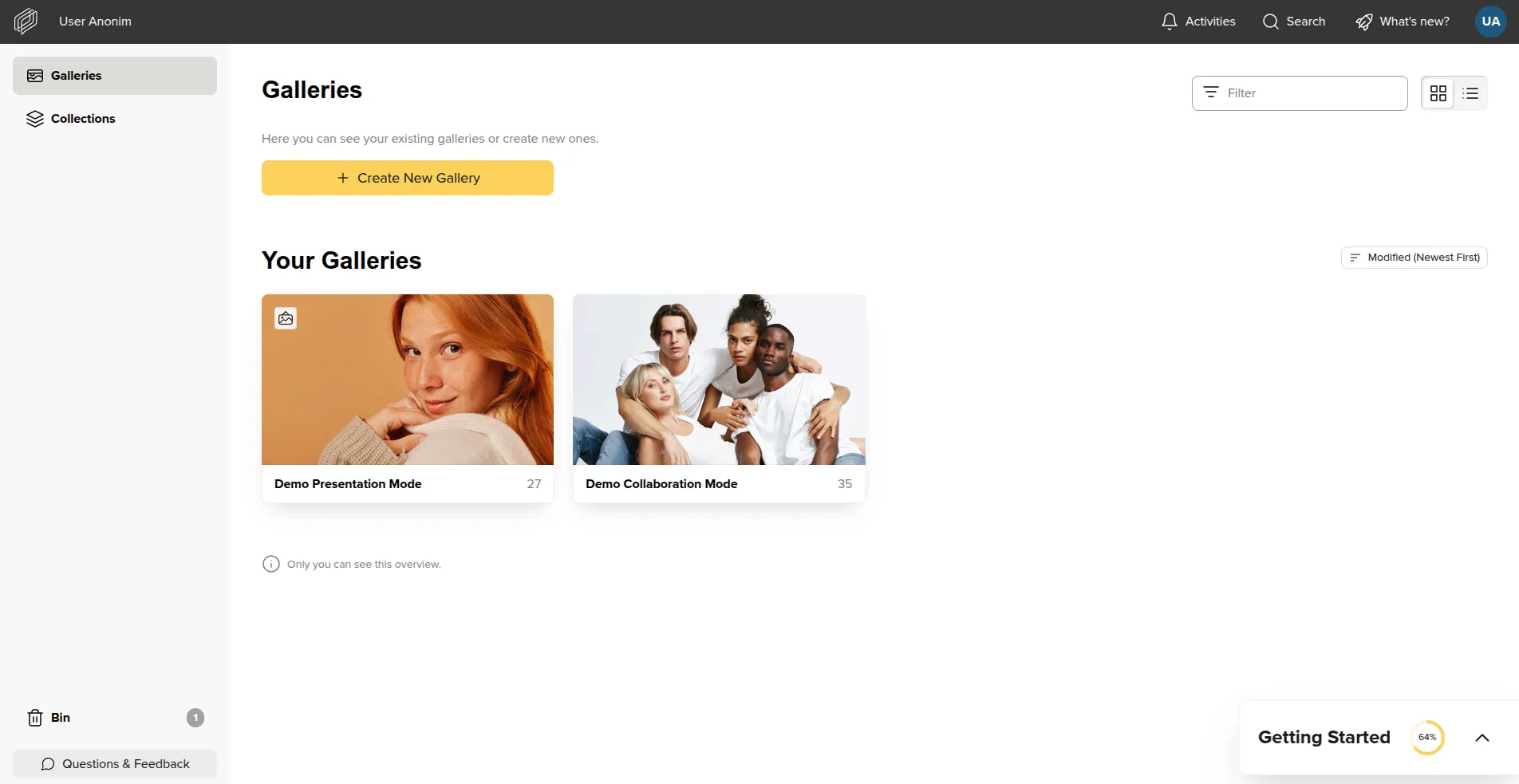
To share photos, you first need to create a gallery. The service supports two display modes: collaboration and presentation. In the former, users can view, rate, and comment on photos, while in the latter, they can only browse them.
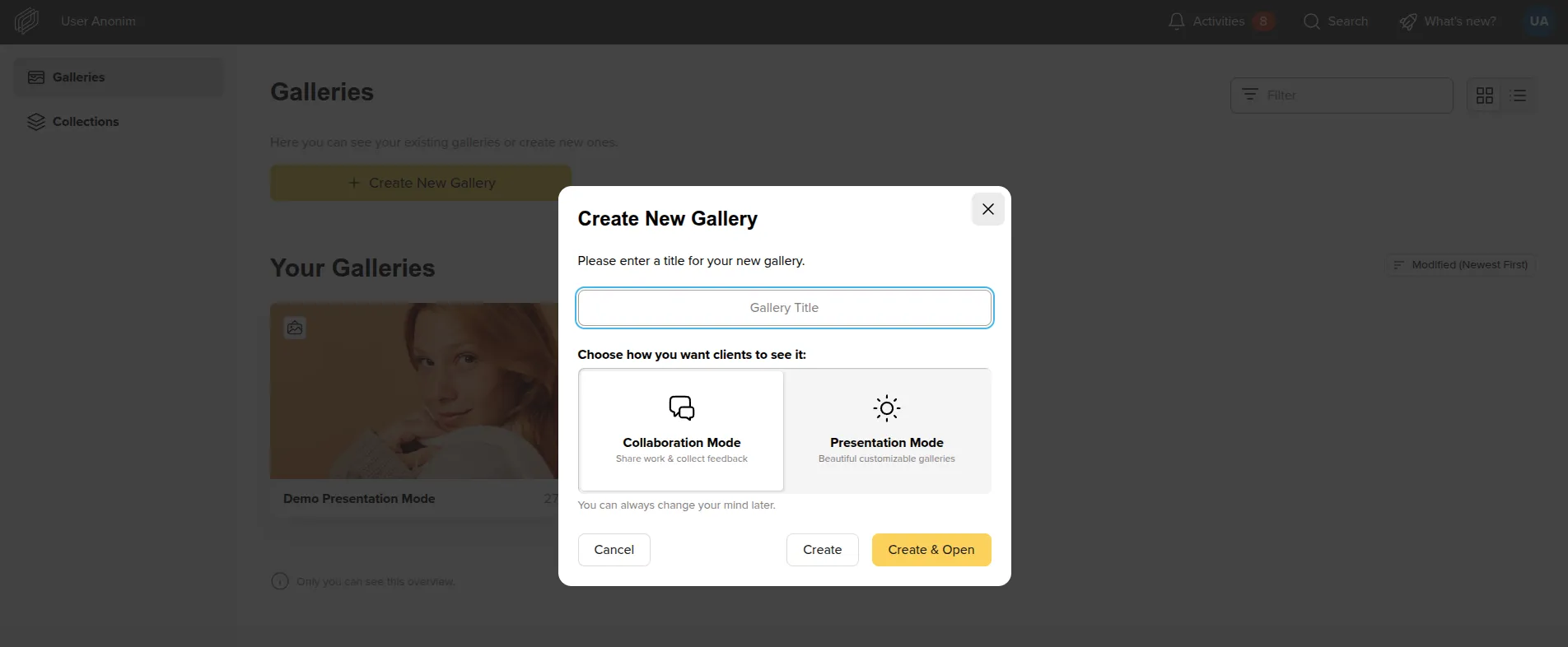
You can upload photos to the service either by selecting a folder through the File Explorer dialog box or by dragging and dropping. Once all photos are uploaded, you can proceed to display and access settings.
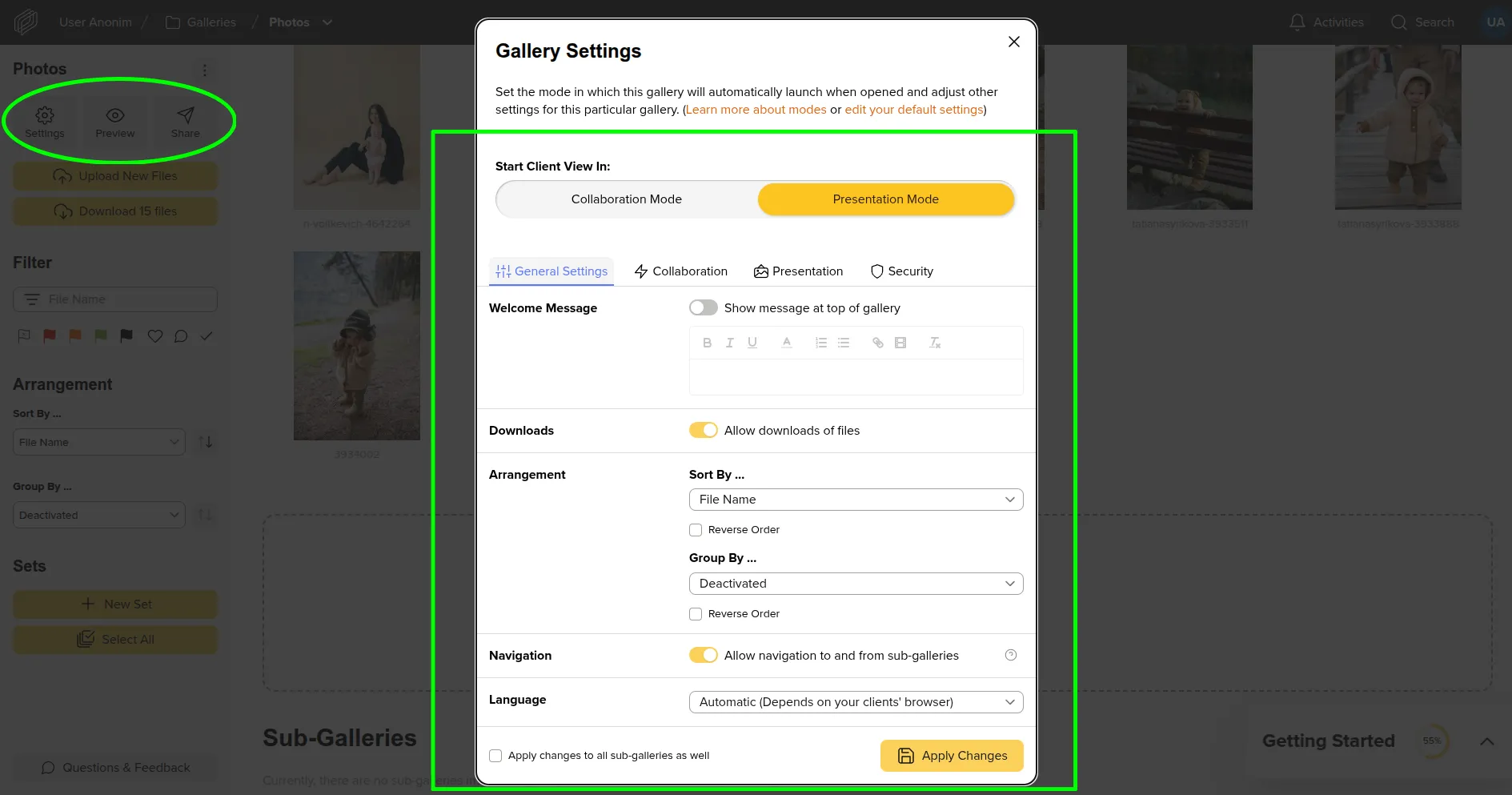
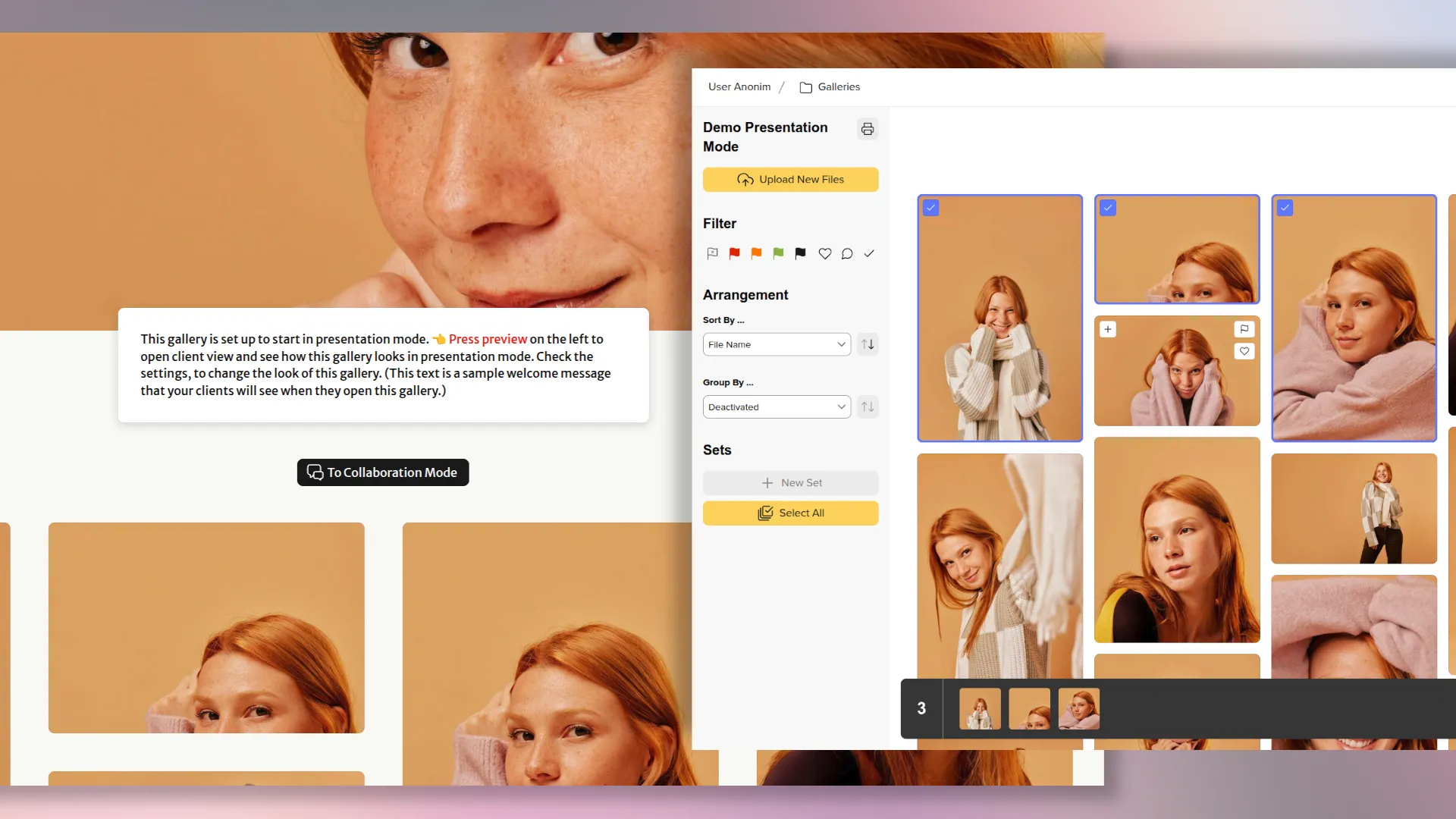
Depending on the selected viewing mode, the appearance of the gallery differs after the client opens it.
You can share not only photos but also the original materials. The service supports various image formats, including RAW camera files.
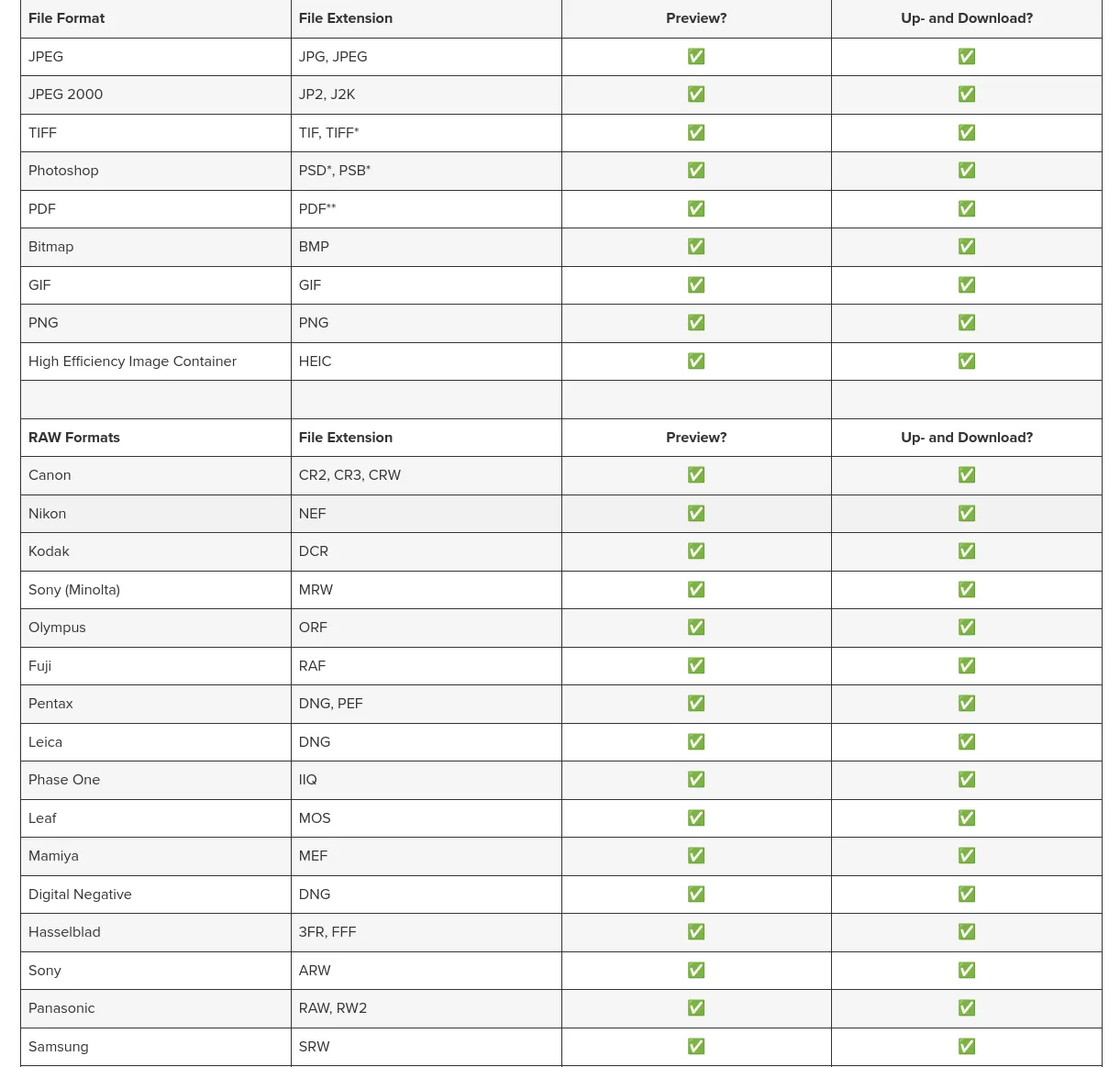
Picdrop is a professional photo sharing tool designed for photographers, studios, and creative teams who value more than just sending files, but also building a convenient and manageable workflow with clients. The service allows you to quickly create neat galleries, customize access levels, add watermarks, disable original uploads, and collect feedback in the form of ratings and comments. This makes Picdrop an excellent solution for sharing previews, coordinating shoots, and final delivery of materials without the chaos of messaging apps and emails.
The service's key advantages include a minimalist interface without overloaded settings, support for RAW and other professional formats, high loading speeds, and a clean gallery appearance.
Disadvantages include the lack of AI search and automatic cataloging tools, limited functionality of the free plan, and dependence on a subscription when working with large volumes of data.
Zno Cloud
Compared to Picdrop, Zno Cloud is a more advanced service that allows you to share photos with clients and offers various tools for managing your photography business. In addition to creating an interactive gallery, it offers a full-fledged CRM system, a website builder, and e-commerce tools.
Despite its extensive functionality, Zno Cloud tools are intuitive to use and can be managed through a single interface.
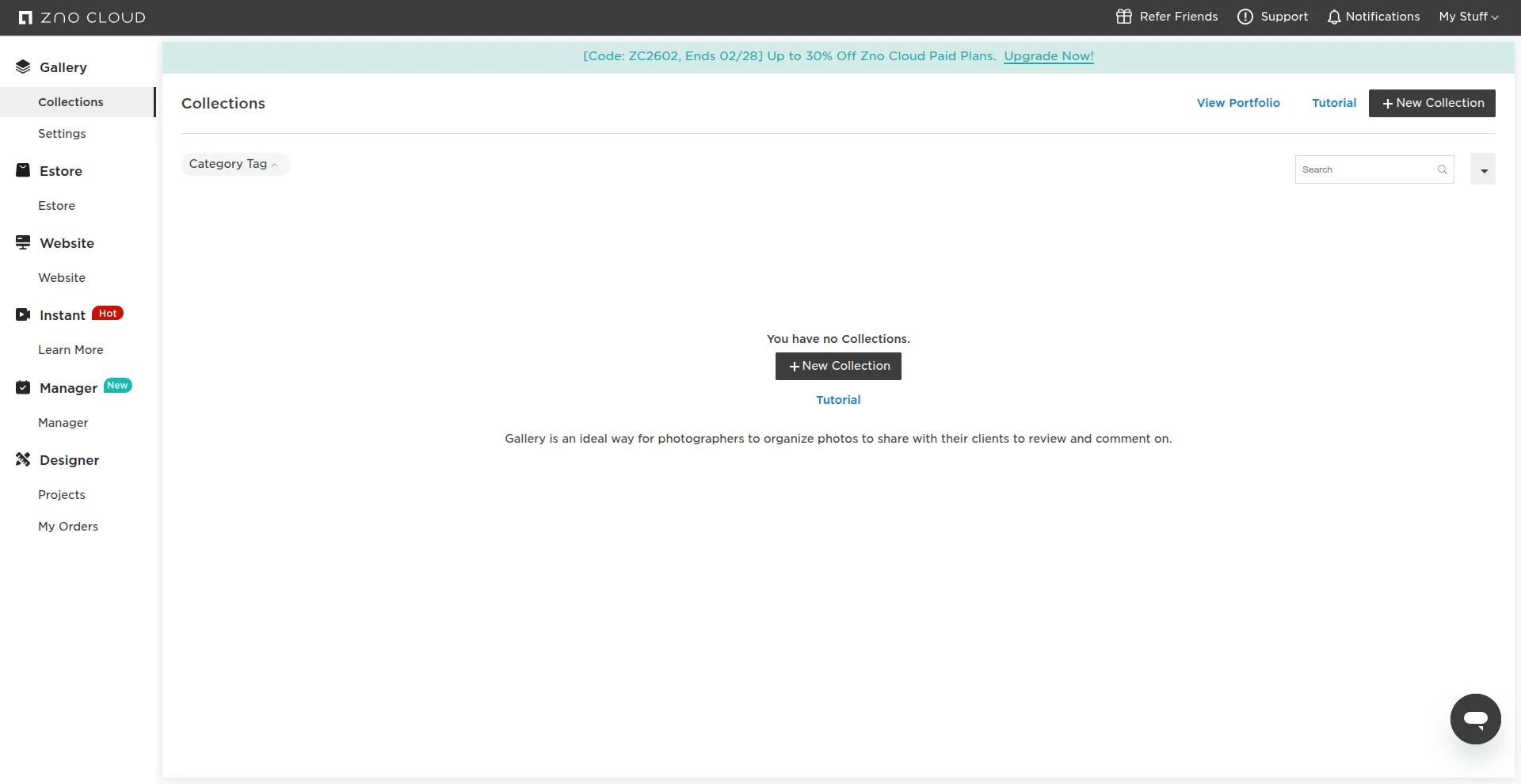
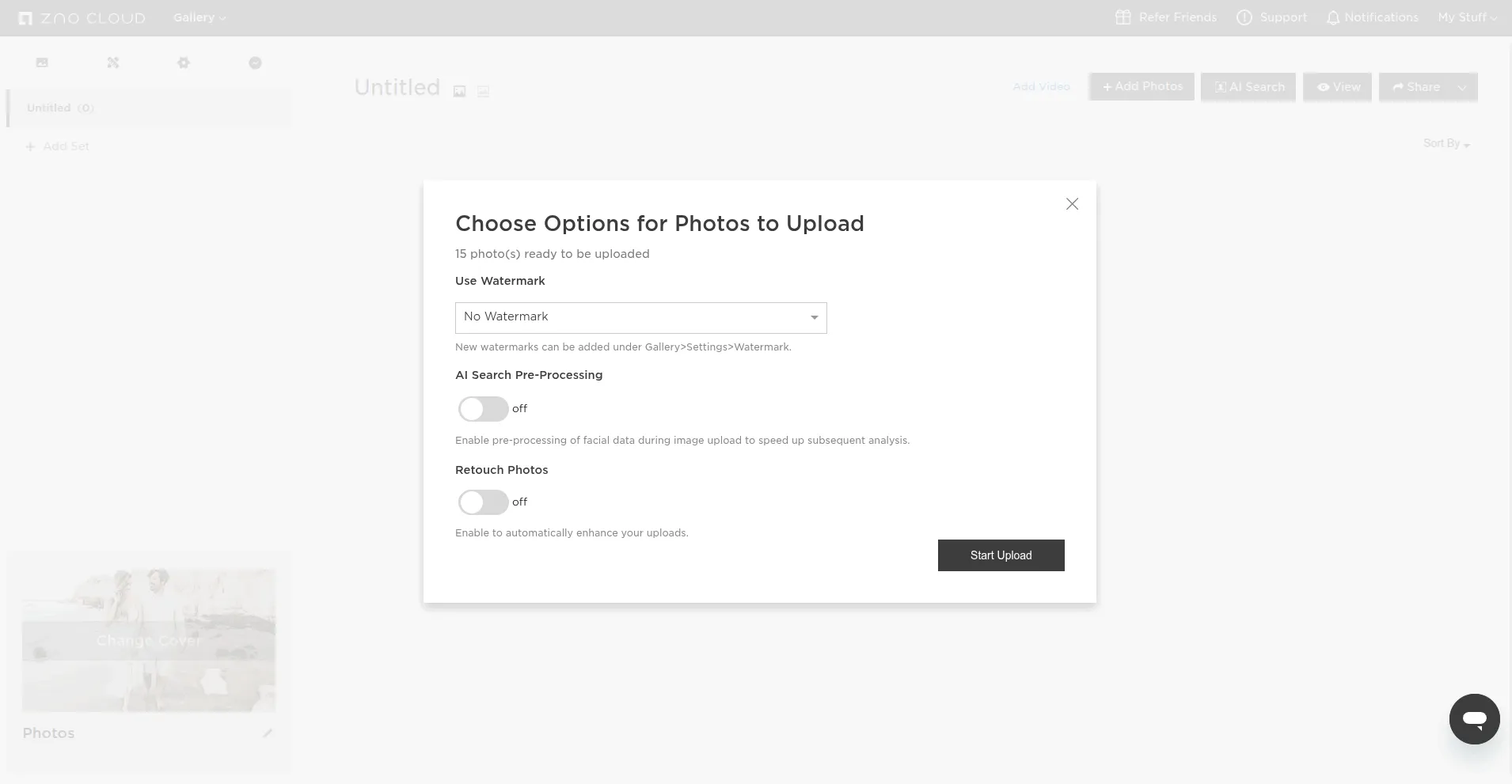
To add photos, you first need to create a gallery. It's worth noting that before uploading, you can add a watermark and specify the AI face detection and automatic retouching modes.
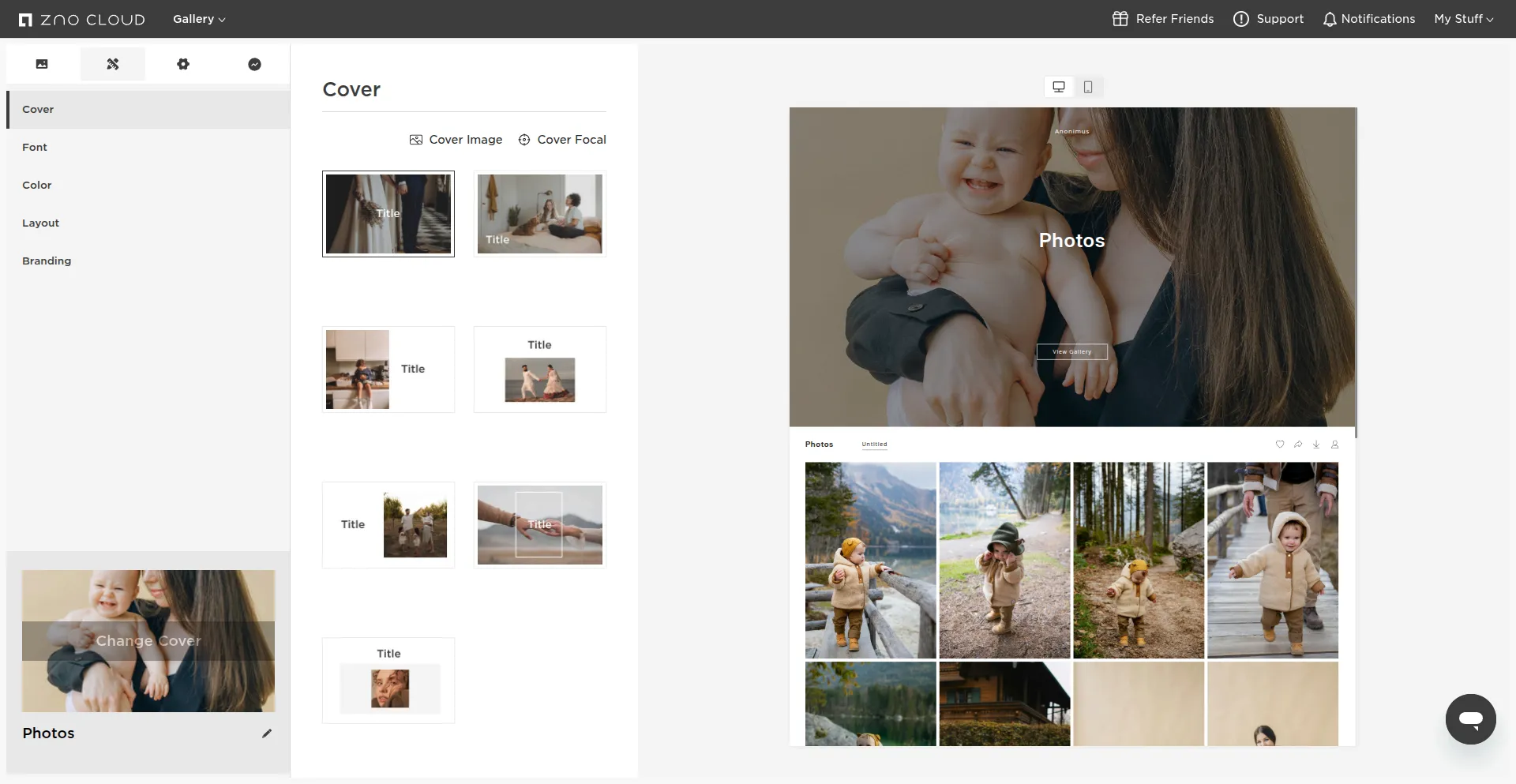
After this, various settings for customization and managing access to the gallery open.
It's worth noting that while you can share photos by creating a link for viewing without authorization, you can only leave a reaction or comment after providing an email address.
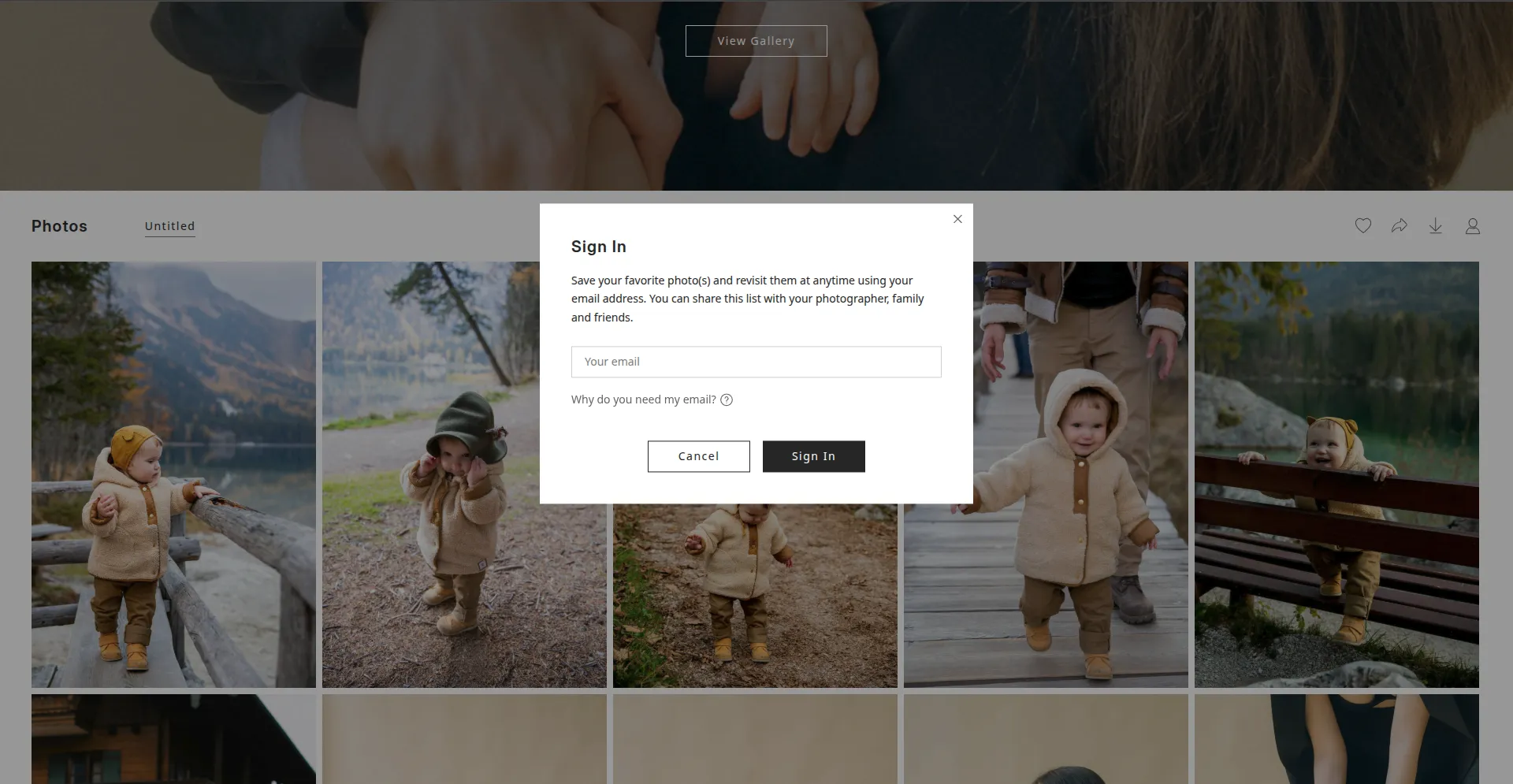
While this may be inconvenient for clients, it allows photographers to identify who has left a comment and provide feedback.
Zno Cloud is a comprehensive platform for professional photographers and studios who want to do more than simply share photos, but rather build a complete business process around content delivery. The service combines cloud storage, client galleries, AI tools (facial recognition, automatic selection, and retouching), a CRM system, a website builder, and an e-commerce module for selling digital files and printed products.
Cons: high cost compared to niche services, difficulty for beginners. A key feature of the pricing policy is its modular approach: the price increases depending on the features used (storage, AI tools, CRM, website). Therefore, Zno Cloud is worth considering if you have a high turnover of clients with medium to high checks.
ShootProof
[ShootProof](https://www.shootproof.com/{target="blank" rel="nofollow"}) is another service that allows photographers to send clients a link to a stylish, responsive page rather than just a boring folder of files. You can brand your galleries with your logo, customize color schemes, and choose display layouts. This creates a premium feel, increasing trust and loyalty.
To share photos in ShootProof, you need to create a gallery in the corresponding section of the control panel.
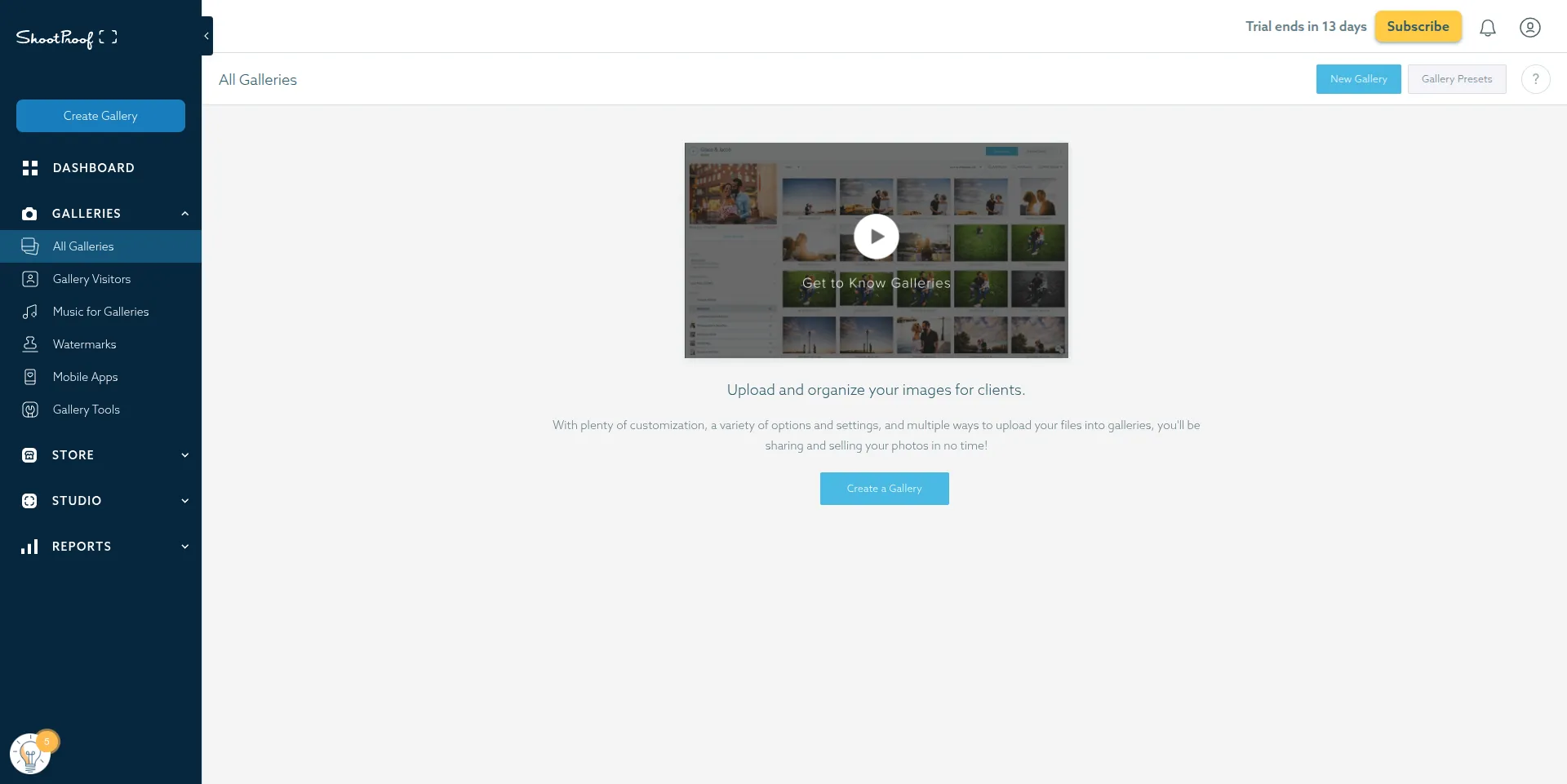
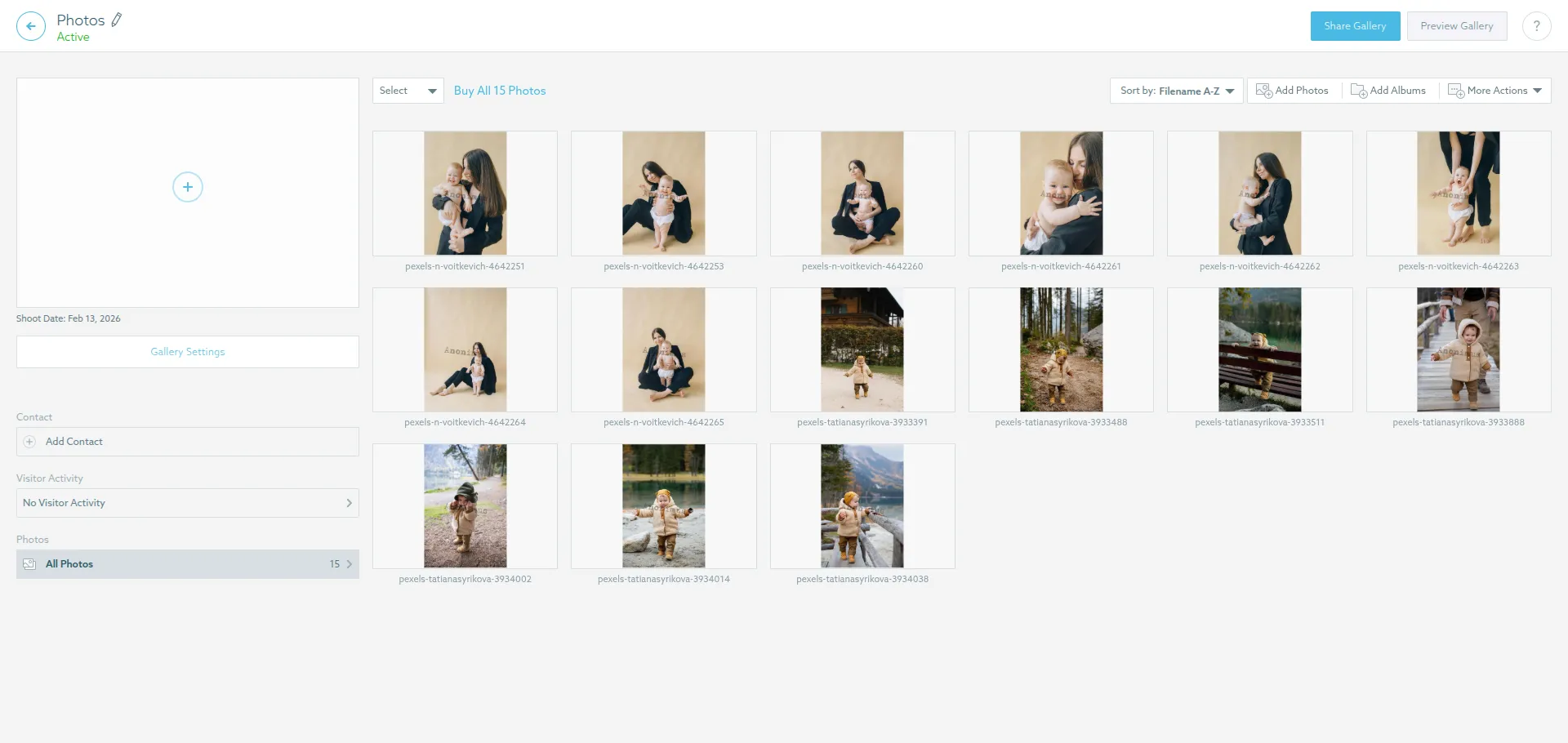
Once you've uploaded your photos, you can choose a cover photo, customize the grid layout, add client contact information, or create a public link.
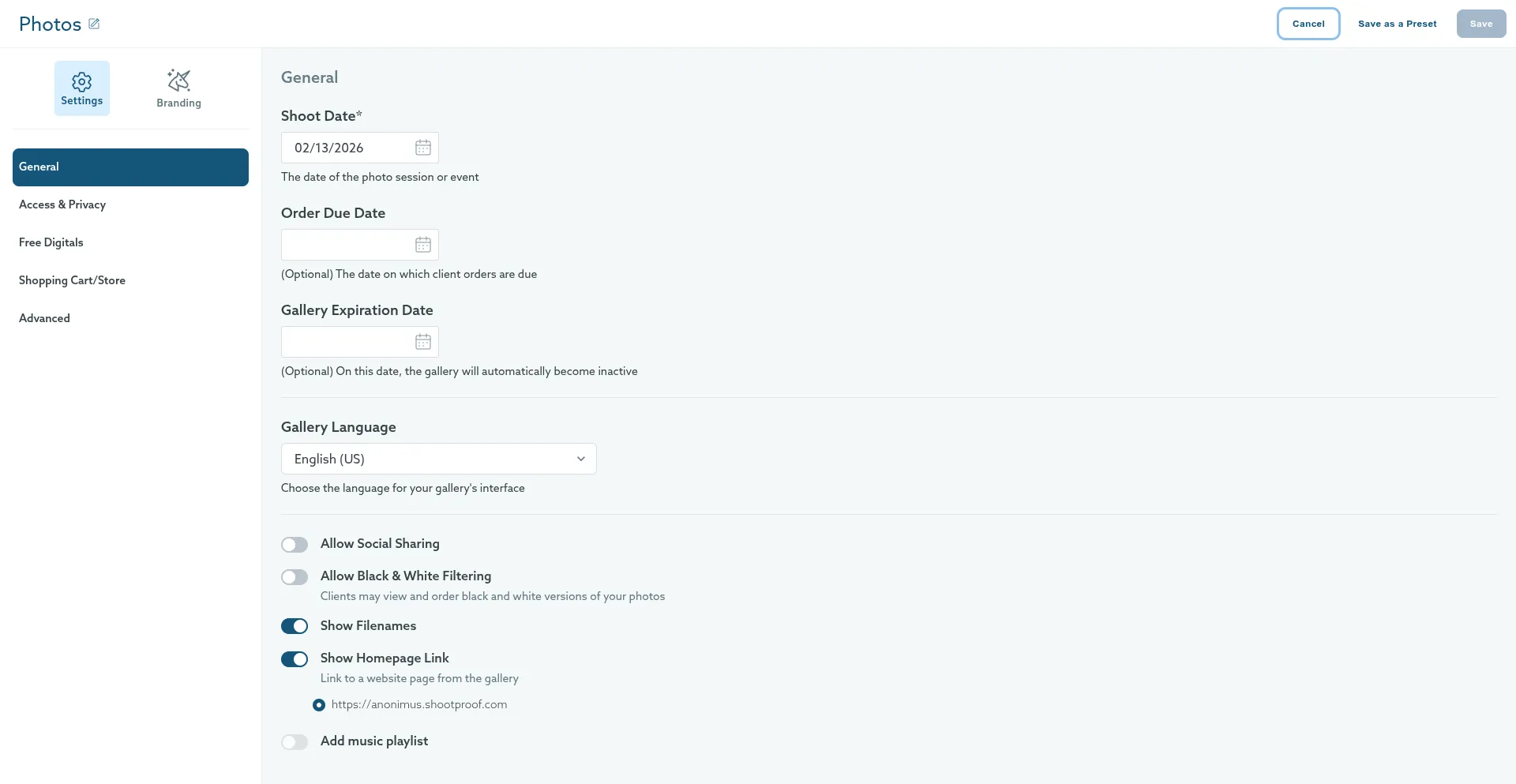
Additional settings allow you to set various access parameters and specify the cost for a digital photograph or printed material.
Unlike its competitors, ShootProof doesn't take a percentage of your sales. You pay a fixed subscription fee, and all profits from digital file or print sales remain yours.
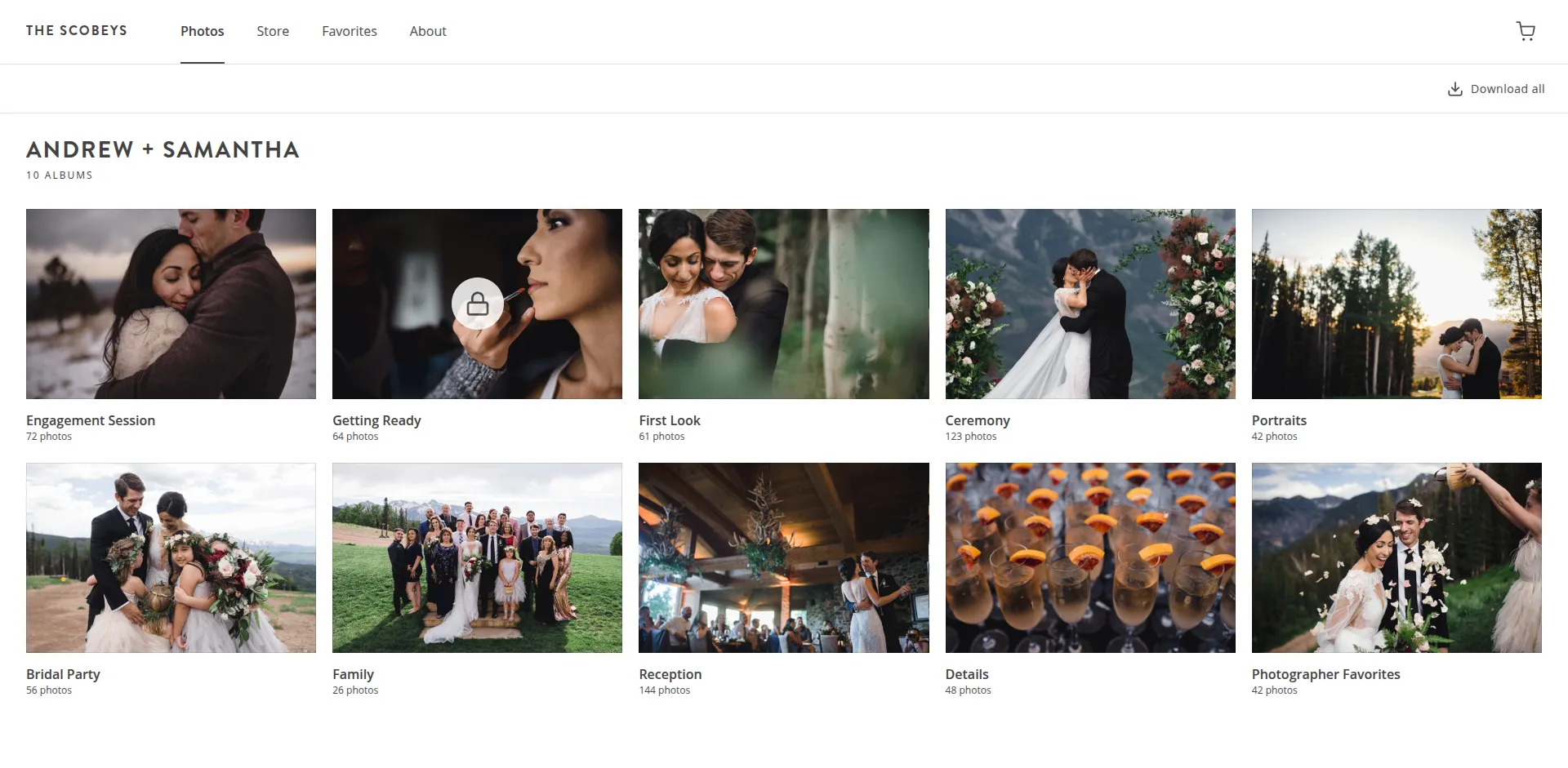
ShootProof is a balanced solution for professional photographers who want to do more than simply share photos, but rather turn this process into a commercial interaction with clients. The service is especially well-suited for wedding, portrait, and family photographers, as well as small studios looking for a beautiful, branded gallery and a convenient way to sell digital files and prints without transaction fees.
It's worth noting that the service's functionality is focused specifically on sales and presentation, not advanced cataloging or AI-powered archive search. These features simply aren't available.
Platforms for advanced tasks and publishing
In 2026, the line between "photo hosting" and "design environment" has become virtually blurred. Even the services reviewed in this overview for regular users offer collaboration features like reactions and comments. However, creative teams require more powerful tools that allow for discussion of visual content, almost in real time.
Picflow
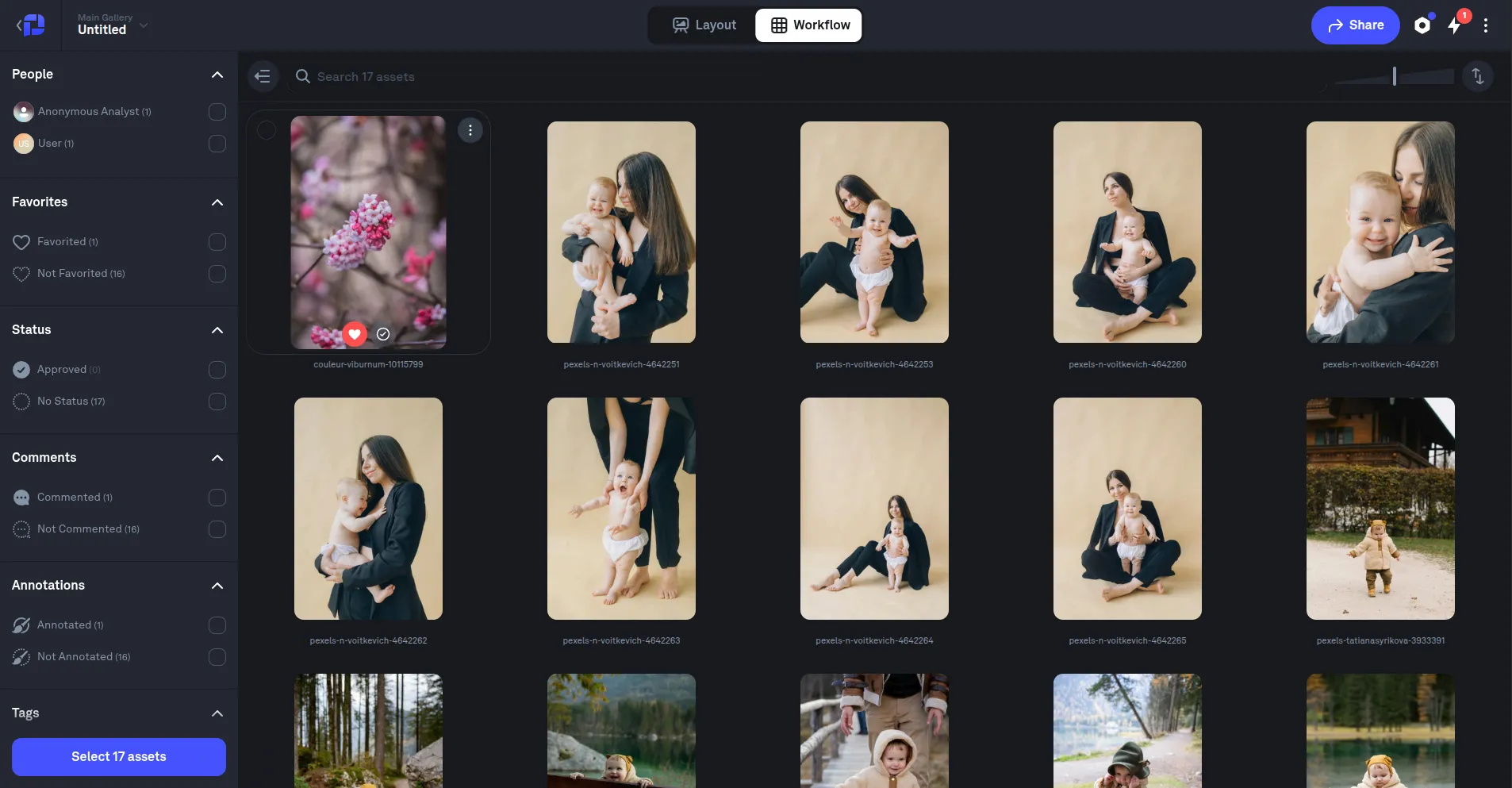
Picflow is a modern cloud platform for photographers, videographers, and creative agencies, designed to simplify the process of sharing assets with clients and collaborating on them. To achieve this, the service offers two photo display modes: "Layout" and "Workspace."
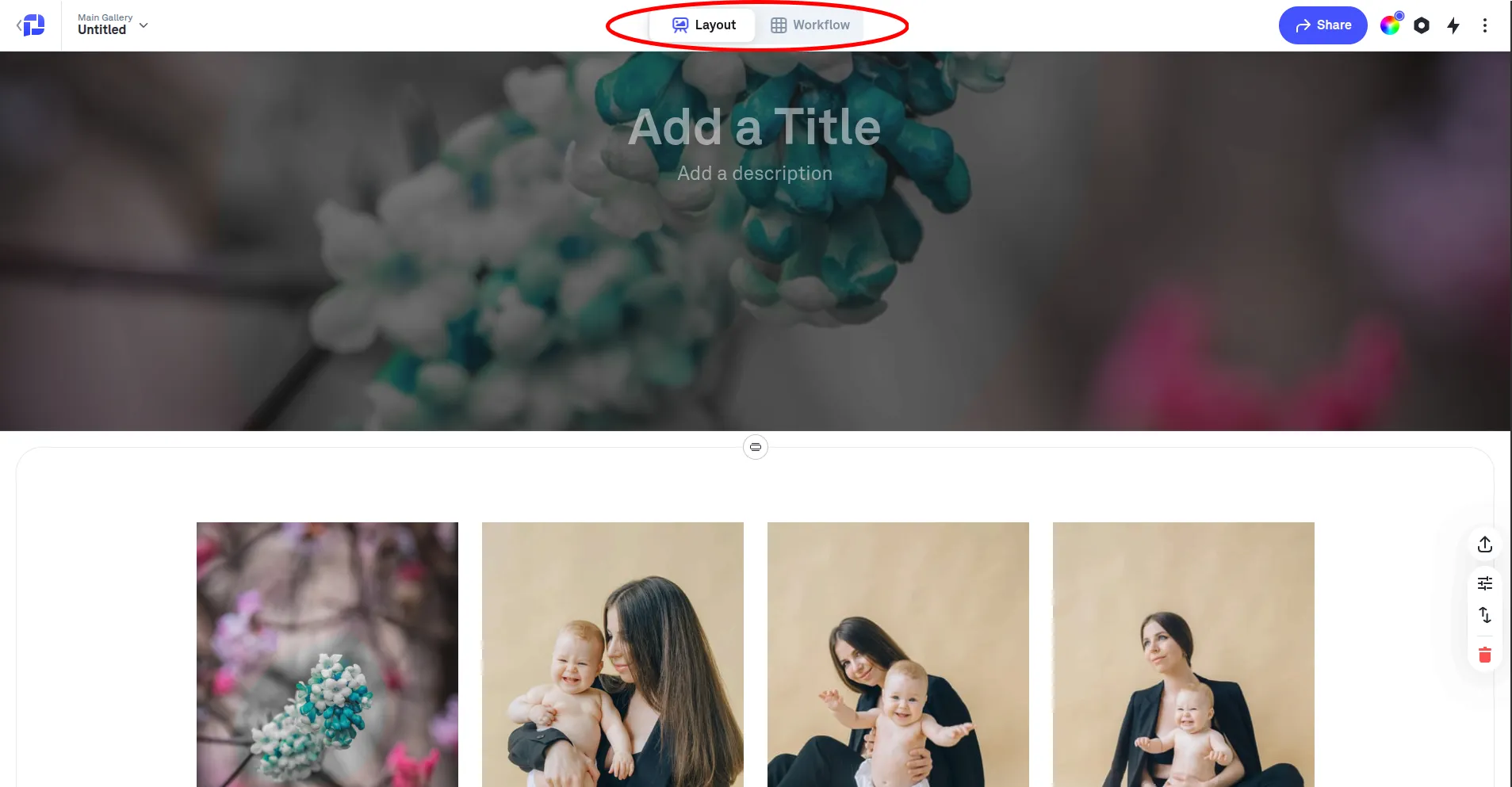
Essentially, the "Layout" is a beautifully designed presentation page for sharing photos with clients as finished product. Here you can set a cover photo, add a text description, and configure viewing and download rules.
The Workspace mode offers various sorting options, including by camera settings, the photos were taken with, and tags. You can immediately see how many people are in the gallery at the same time, and who exactly is in it.
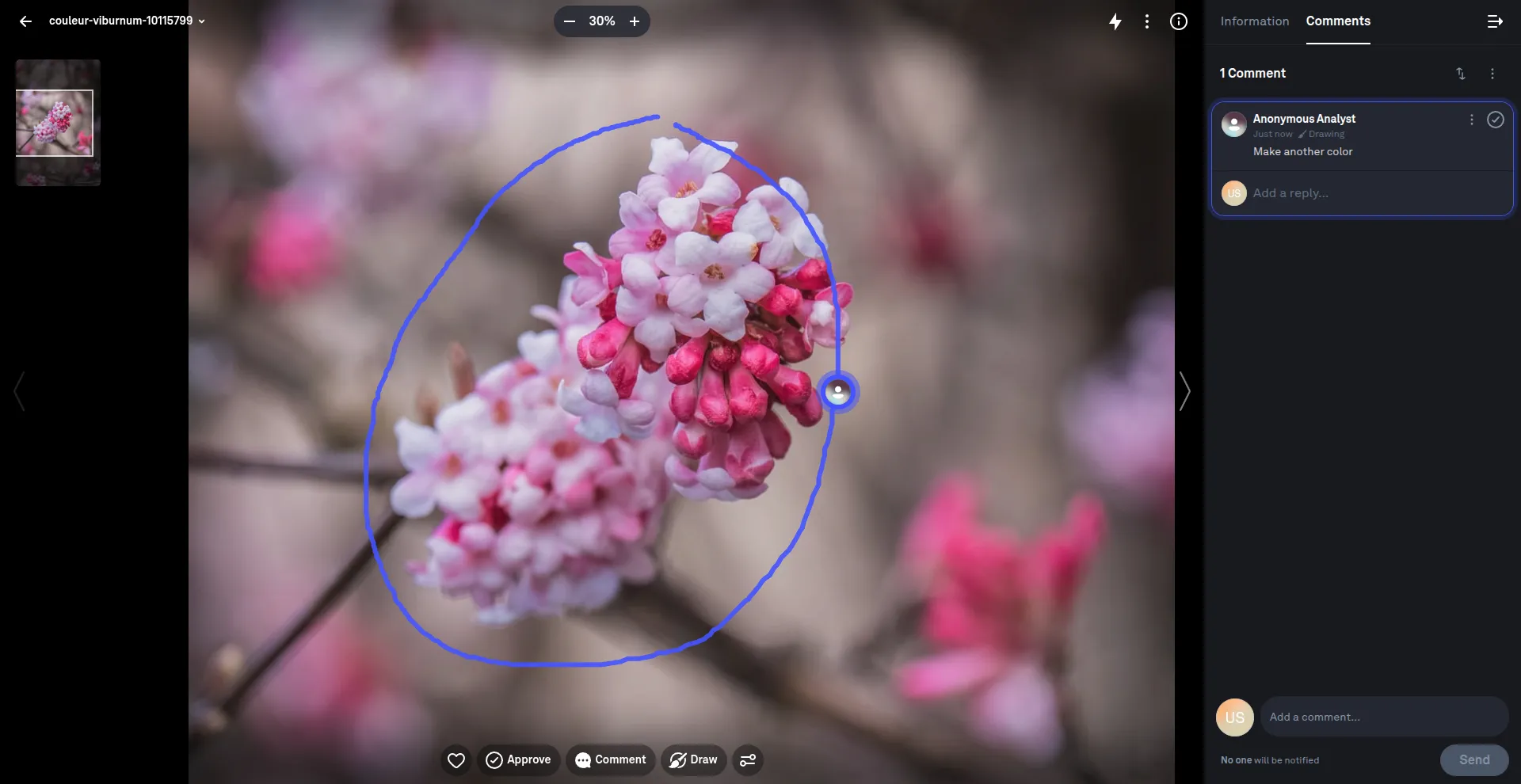
Particularly noteworthy is the ability to leave comments and draw annotations directly on images. With these, a project manager, art director, or photographer's client can pinpoint exactly what aspect of the photograph needs to be corrected.
You can always roll back to any previous version of the photo you're editing. However, this feature is only available after purchasing the PRO package.
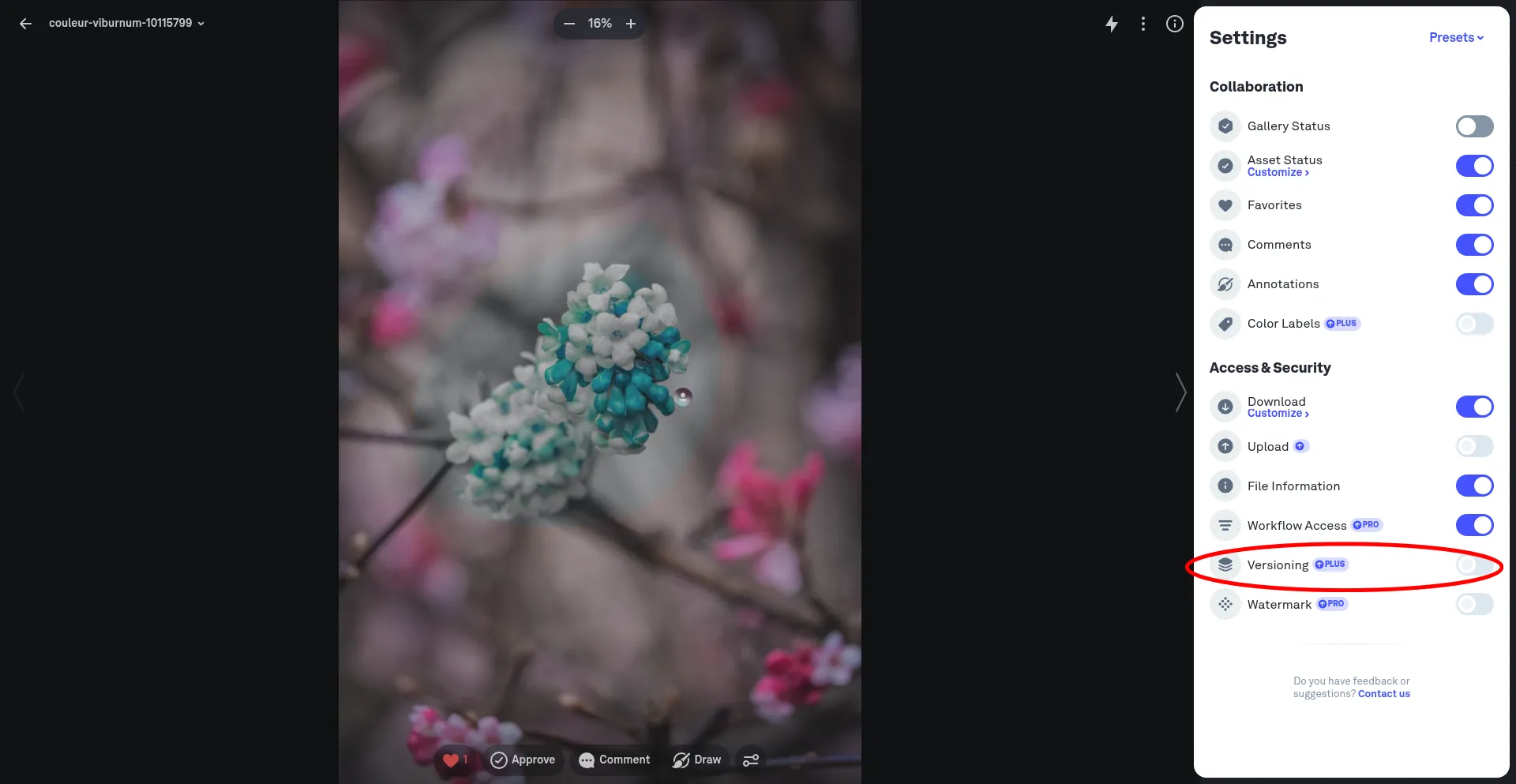
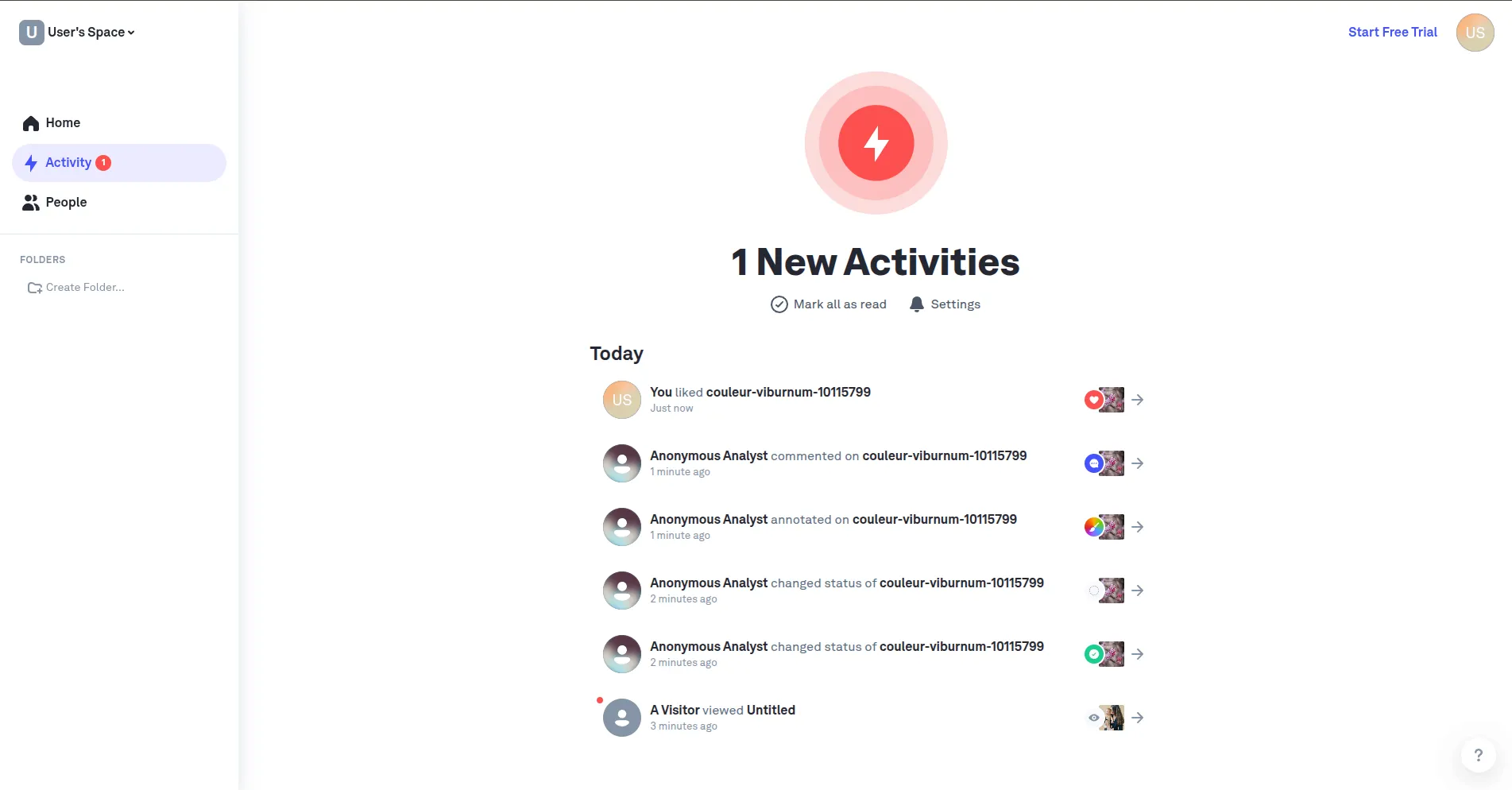
If you have a large team, to avoid confusion about who made what changes, where, and in what ways, the Picflow dashboard has a separate activity section.
Picflow is the ideal tool for creative teams, design agencies, photographers, and video production companies who want to do more than just share photos, but rather organize a comprehensive collaborative process for visual content. This is especially true for projects that require precise feedback, edits to specific image areas, and version control. For example, when preparing advertising creatives, branding materials, or visuals for social media and YouTube.
Imgur
If you need an instant link to an image to embed in a chat, forum, or article without the hassle of creating complex albums, consider Imgur. It was originally created as a tool for sharing images on Reddit, and its philosophy of simplicity and speed remains.
Artistic value or metadata are not as important here as the content's one-click availability.
To submit a funny photo or meme, simply click the "Create Post" button in the site menu.
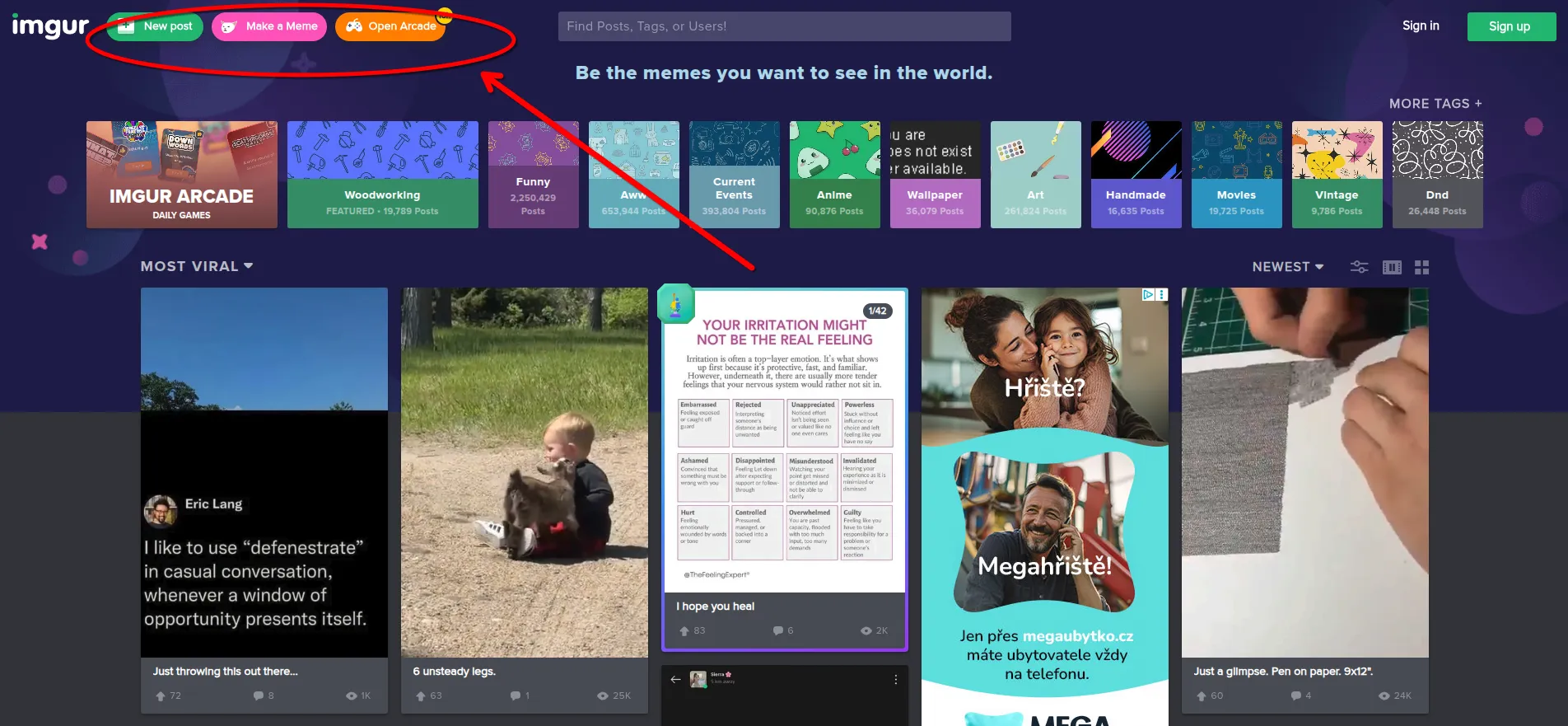
After that, you add the file and receive a link that you can share on a website, forum, or social network.
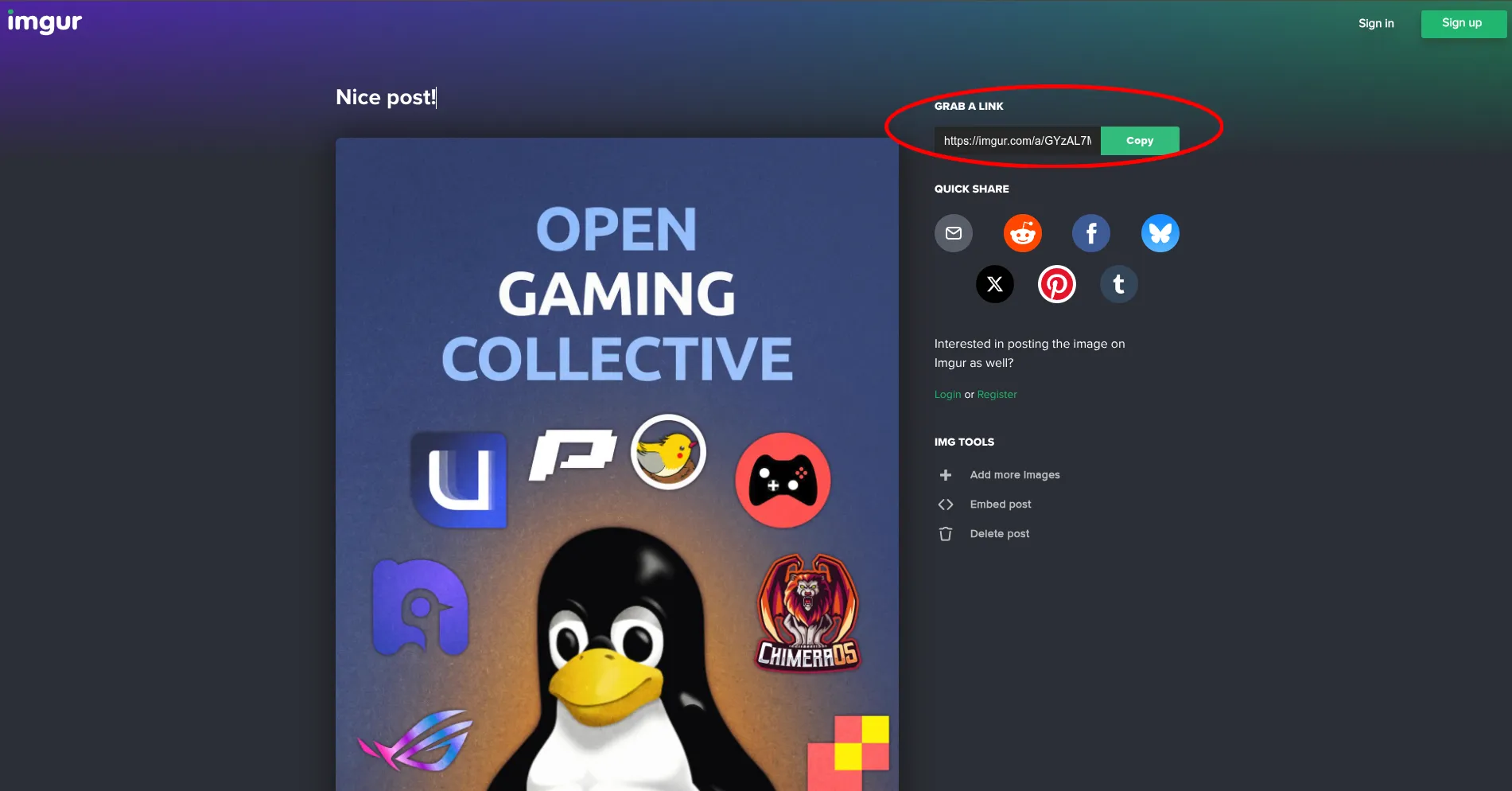
Imgur is the best choice for those who value anonymity and speed. You don't even need to register to upload a file and receive a link. However, the service is not suitable for sharing sensitive data, such as personal documents, photos of children, screenshots containing passwords, or confidential work information.
Imgur's key feature is that all uploaded images receive a public link. Even if you select "hidden," this only means the photo won't appear in the service's general feed. However, the photo itself will be accessible to anyone with the direct link.
Flickr
The oldest service for photographers, which over the decades has evolved into a full-fledged social network for professionals and enthusiasts. Here, photography is not just content, but an object of art.
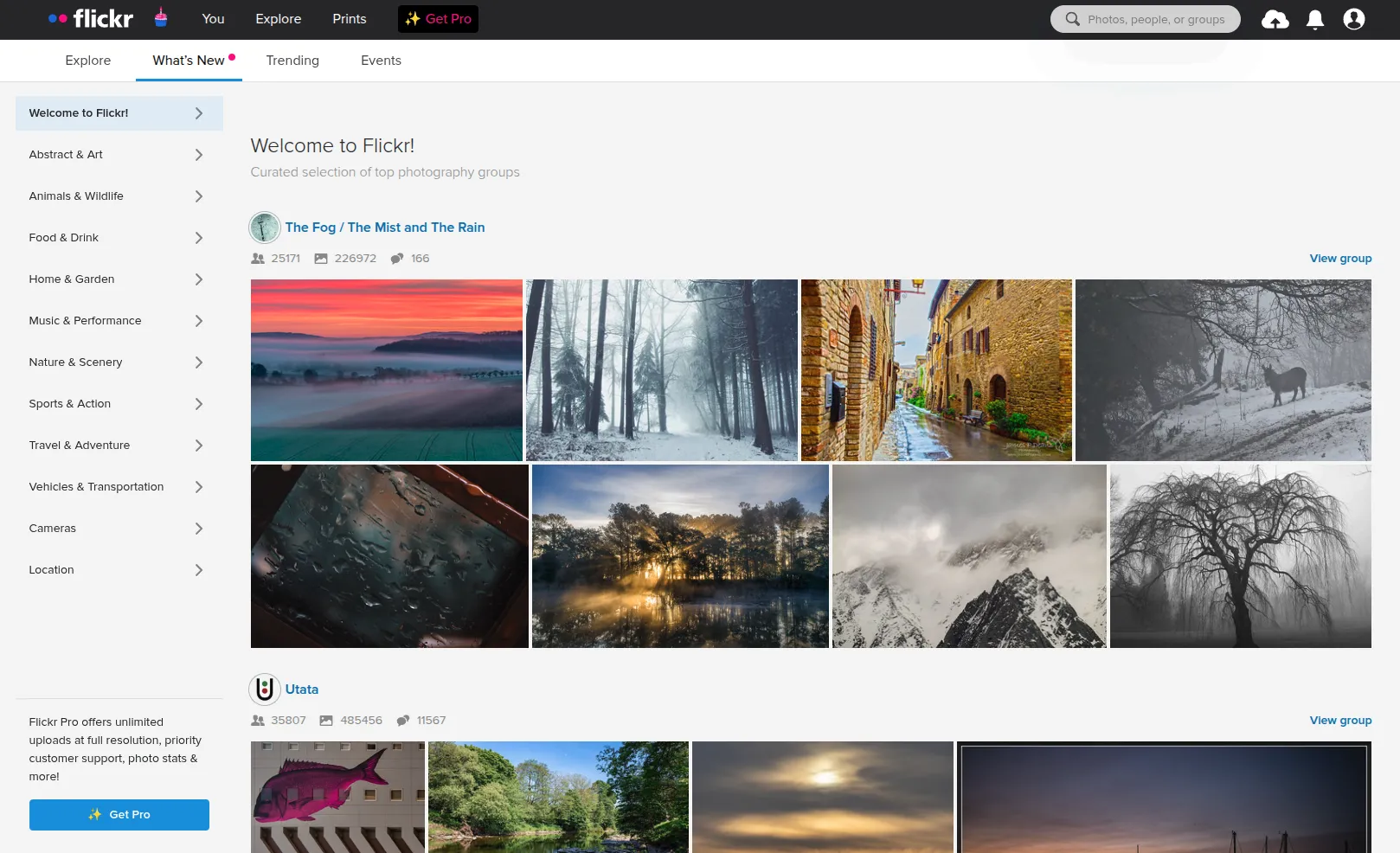
The main value of a photo-sharing service is the preservation of technical information (EXIF) and the ability to display photos in their original quality without aggressive compression.
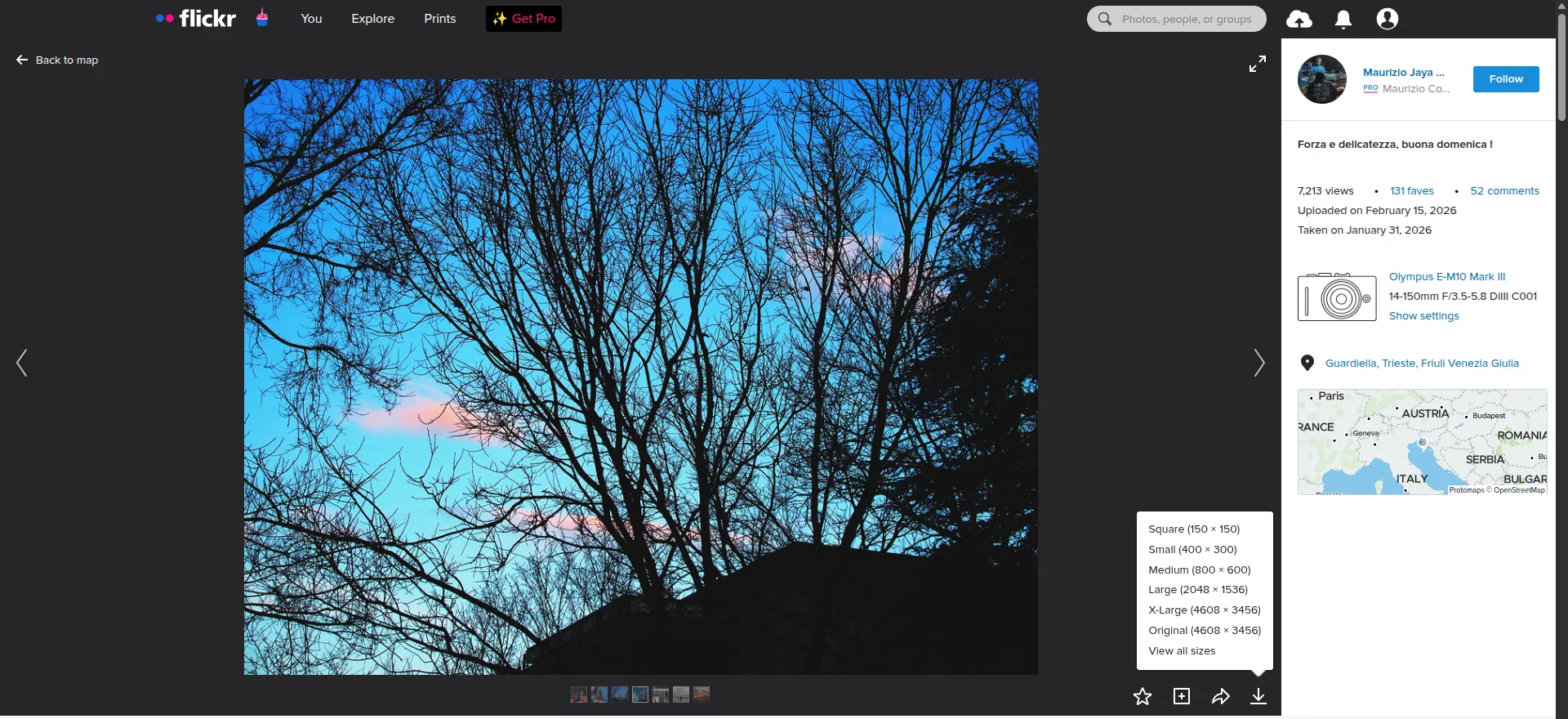
Flickr is the best choice for creating a public portfolio and storing high-quality archives. It's a platform for showcasing photos and receiving constructive criticism from peers. However, the interface can feel overwhelming due to its abundance of social features, and the free version has a strict upload limit (up to 1,000 photos).
Conclusion
There's no universally "perfect" way to share photos. The modern ecosystem of tools is too diverse, and user requirements vary widely. Some value emotion and simplicity, others value quality, access control, and monetization, while others prioritize collaboration and version control. Therefore, choosing the right service isn't a matter of popularity, but rather its suitability for a specific task.