Most AI services genuinely do have free tiers and trial credits. We decided to run an experiment and tested several services. So, which free AI image to video generator actually deserves your attention?
What Task We Set
We generated an image: a woman standing on an ordinary city street. Natural daylight, houses, trees, and passersby in the background. Her hair rests loosely on her shoulders; her clothing is simple; she's looking slightly to the side, not directly at the camera.
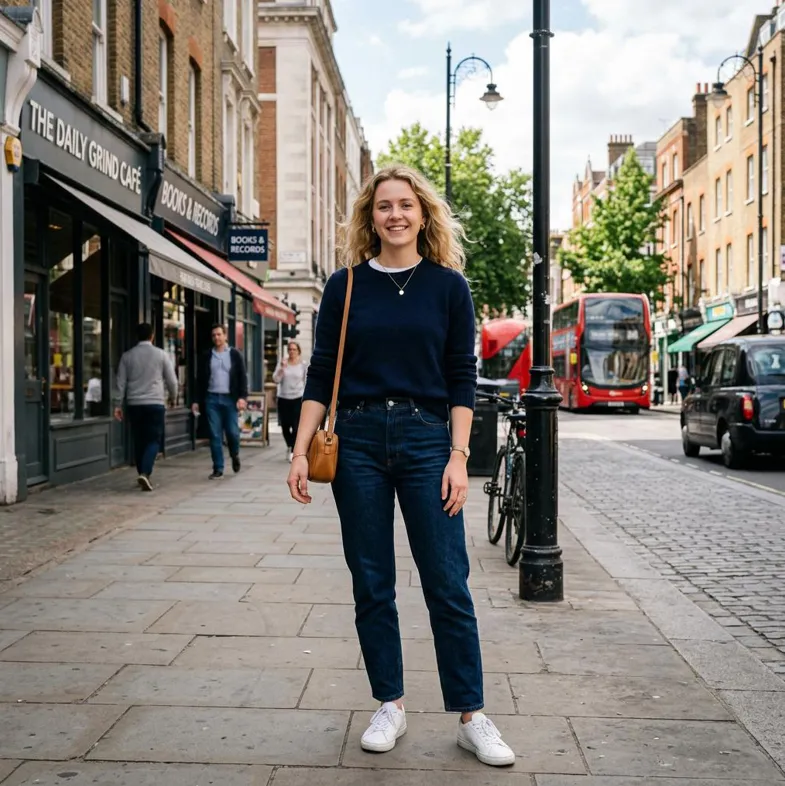
Here is the prompt we used: "The woman slowly turns her head and looks to the left. Her hair flows gently in the wind. Leaves sway slightly in the background. Passersby walk by, and cars drive past. The camera slowly zooms in. The woman adjusts her hair with her left hand. A natural, realistic movement."
What We Checked
- Face: does the person stay recognizable when the head turns?
- Hair and leaves: is fine-grained motion natural?
- Clothing: do extra details appear?
- City background: are objects preserved or lost?
- Glass and reflections: a good stress test for consistency.
- Camera movement: does the image stay sharp as the camera zooms in?
And one more thing: when we ask an AI model to perform several tasks at once, there's a good chance that one of them won't come out the way it was intended.
To keep the experiment clean, we won't push every parameter to the maximum. This is a single test with one image and one prompt, not a scientific benchmark. Results may differ with other images, prompts and models. We'll create a 5-second clip at 720p resolution.
So, let's get started!
Dreamina
Website: https://dreamina.capcut.com/
For our test we used Seedance 2.0 Mini — a lightweight version of the Seedance video model, designed for faster and more economical generations. Compared to the full Seedance 2.0, the model uses fewer credits and generates clips more quickly.
Specs
- Model: Seedance 2.0 Mini.
- Free access: yes.
- Credits available at test time: 180 per day.
- Clip length: 5–30 seconds.
- Resolution: 720p–1080p.
- Aspect ratio: 16:9, 4:3, 1:1, 3:4, 9:16.
- Credits deducted: depends on the specific generation's cost — video length, resolution, audio, and any additional references.
- Watermark: none.
What We Got
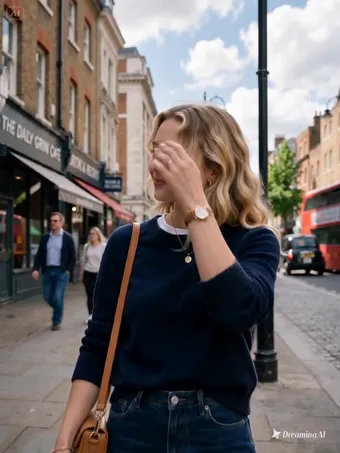
Generation took 3 minutes. The woman turns her head and adjusts her hair, and also smiles, which we didn't ask for. Passersby walk by, blurred just like in the source image. Even public transport passing by is reflected in a glass storefront. The camera zooms in, and there's no watermark. At first glance it looked pretty decent! By the way, we had 136 credits left, so the clip cost 44 of our 180 daily credits. We downloaded the clip in mp4 format.
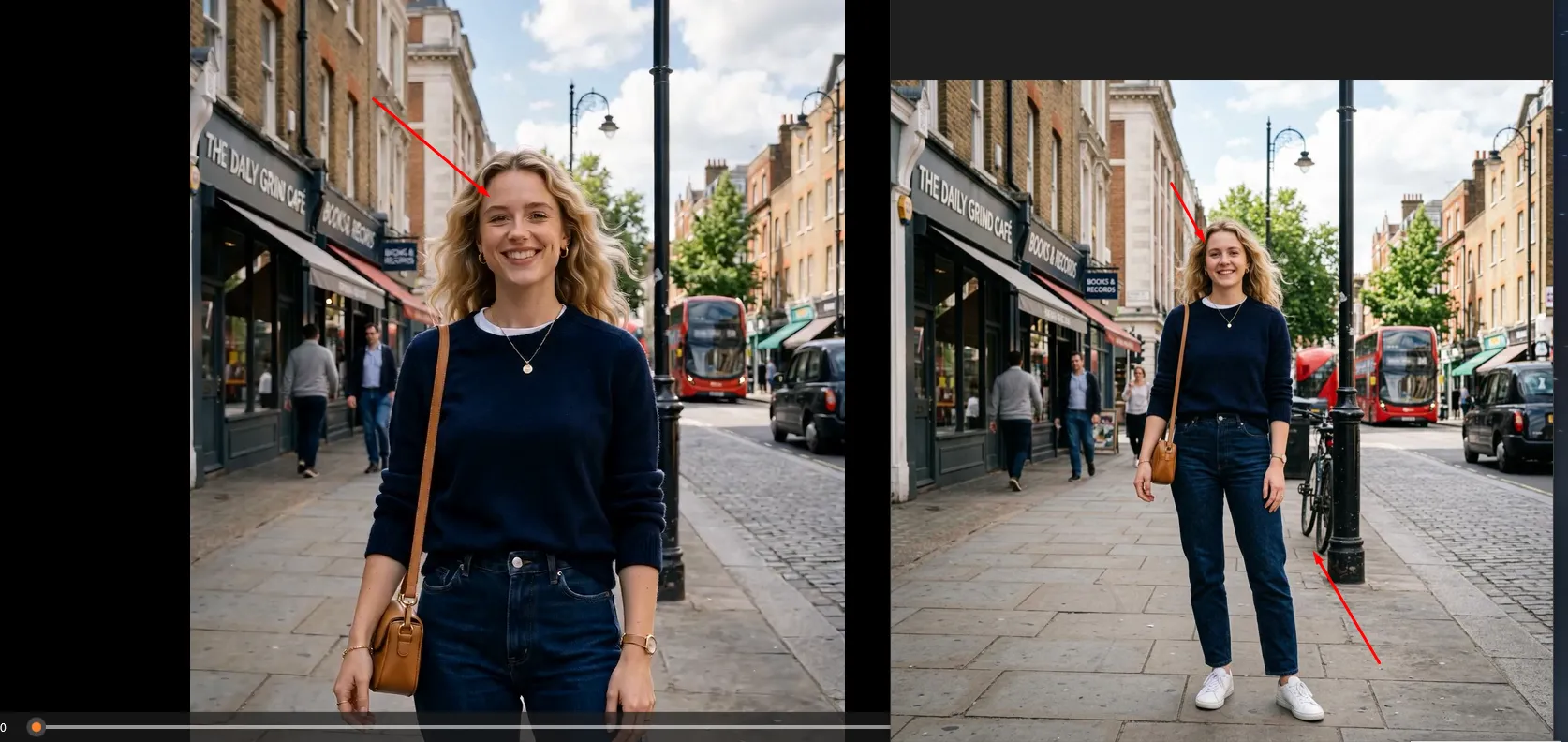
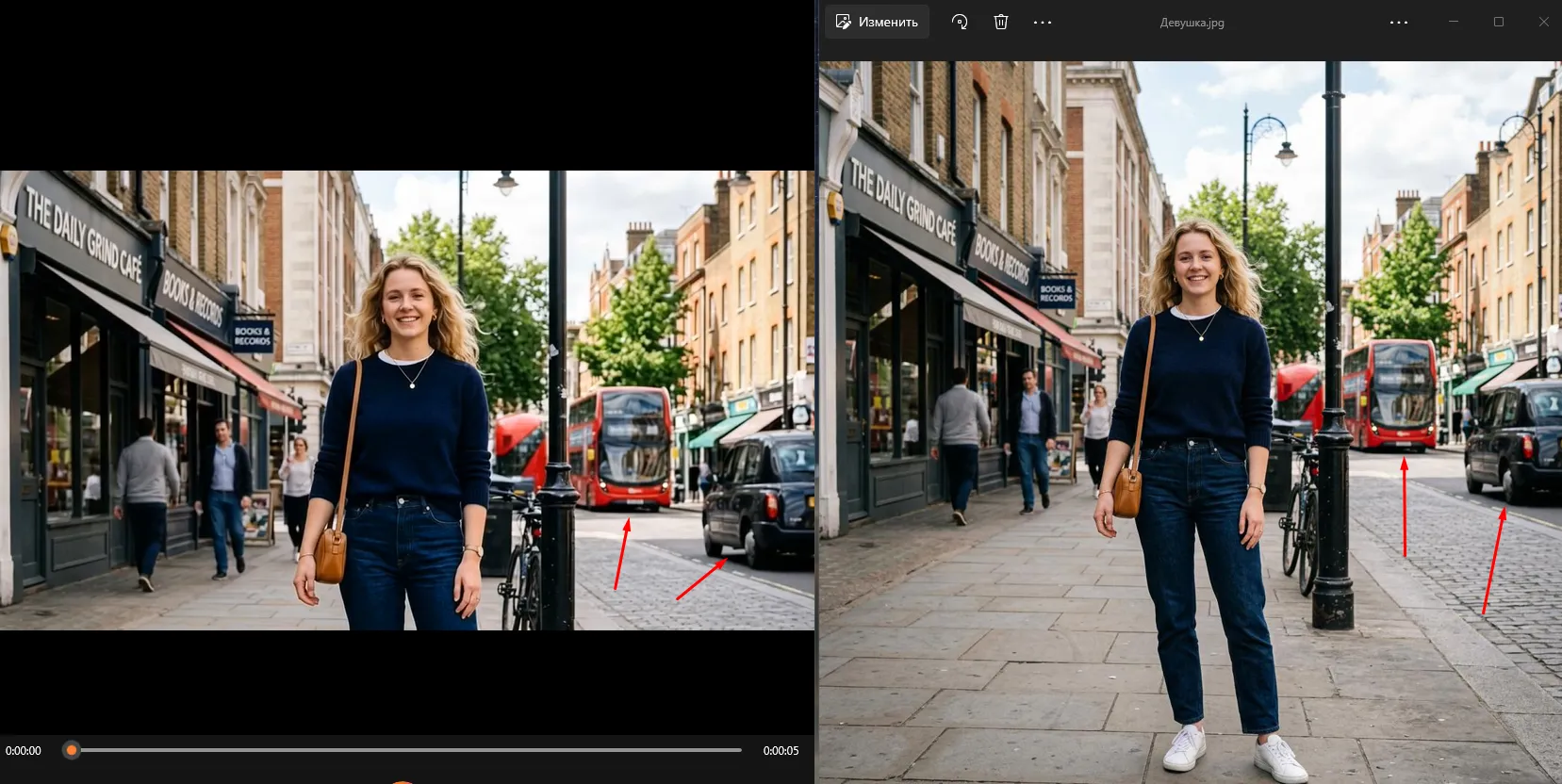
Zooming in and comparing the images (a freeze-frame from the video and our earlier generated picture), the woman had changed. She ended up with a different face. Overall, it's still "the same" woman, but as if she'd had subtle cosmetic work done. The AI model also ignored the fact that the woman was shown full-length, and cropped her from the bottom. As a result, some background details disappeared from the video (a bicycle, for example).
Leonardo AI
Website: https://leonardo.ai/

Leonardo gives you a choice of several video models (such as Motion 2, Veo 3, Kling and Hailuo), and the available settings depend on the model you pick. We used the default one, Hailuo 2.3.
Specs
- Model used: Hailuo 2.3.
- Free access: yes.
- Limit: 150 credits per day, refreshed daily.
- Clip length: depends on the selected model.
- Resolution: depends on the model — 480p–2160p (4K).
- Watermark: none.
This matters in practice: with 150 credits a day, one clip on an expensive model can eat most of your allowance.
What We Got
We ran it with the default settings. The generation used 98 of our 150 daily credits, which means one clip and almost nothing left for retries.
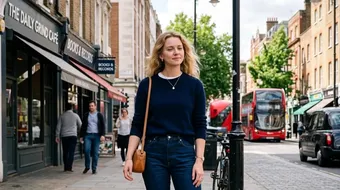
Our woman, just like in Dreamina, was cropped from the bottom. This may have happened because we didn't change the default video format. Unfortunately, we couldn't retest with a vertical format — we ran out of our daily credits.
The woman turns her head and adjusts her hair with her hand. Her face didn't change. The camera moves very slowly, which makes the scene feel unnatural. People behave the way we specified in the prompt: they move and are even reflected in storefronts. The leaves don't just sway — you can tell there's a strong wind bending the treetops. But for some reason, the cars are standing still.
ImagineArt
Website: https://www.imagine.art/ai-video-generator
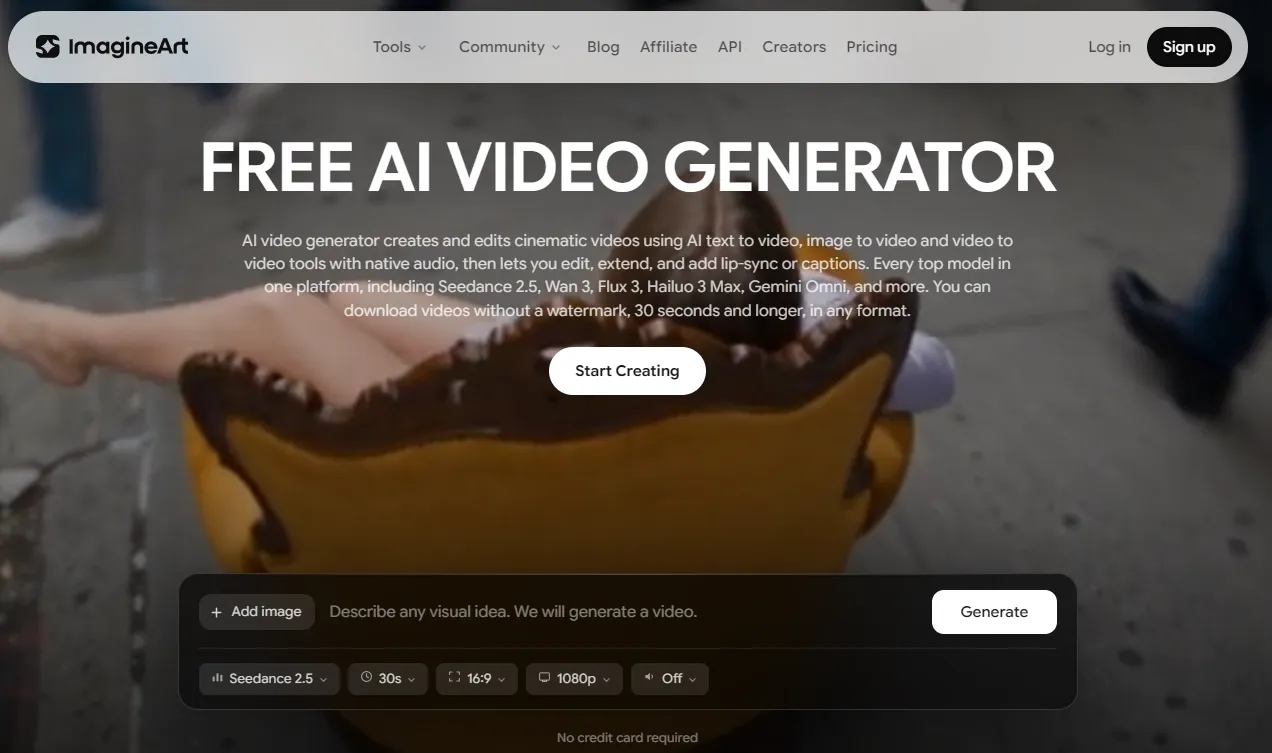
On the free plan, you get daily credits that refresh every 24 hours.
Specs
- Free access: nominally yes.
- Free credits: a daily limit, refreshed every 24 hours.
- Resolution: up to 720p on the free plan.
- Commercial use: the free plan has restrictions — the service labels it as non-commercial.
- Watermark: we couldn't verify.
At first glance, ImagineArt looks very appealing for our experiment. The official site is positioned as a Free AI Video Generator. But there's a catch here, and we only discovered it during hands-on testing.
What We Got
Before generating, you can choose the clip's length — up to 30 seconds (we left it at 5). You can also increase the resolution (for a clean experiment, we left it at 720p). Unfortunately, we couldn't view or download the video we generated for free. The system immediately demanded payment.
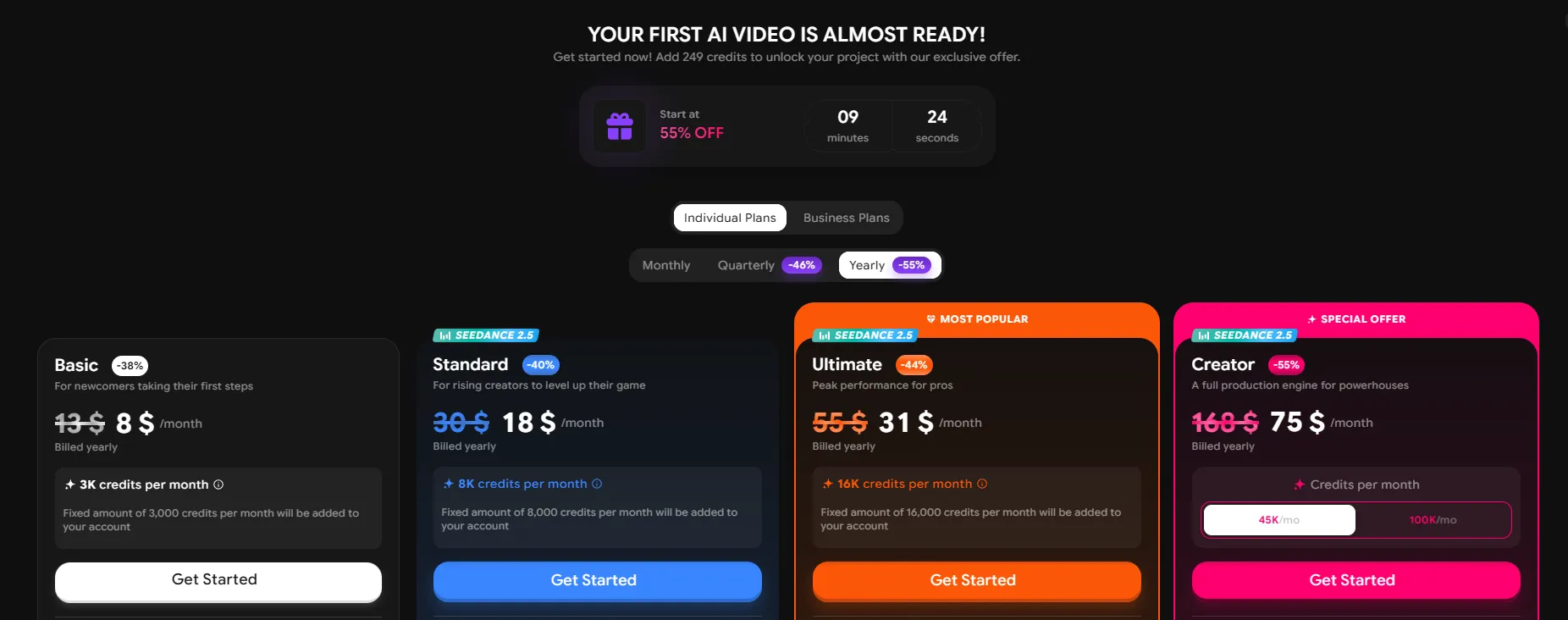
The paywall page showed only a preview frame, and even that was enough to see that the image had been altered.
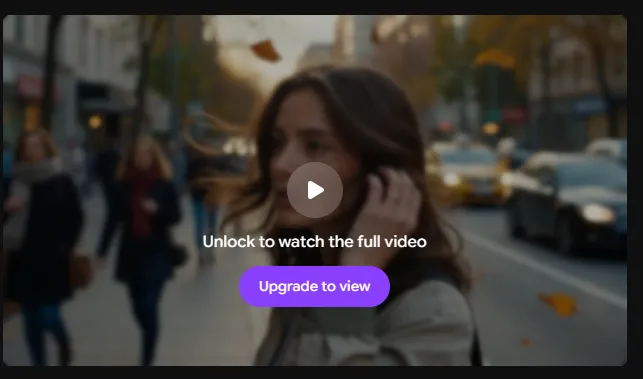
The service really does offer free generation. But it's important to distinguish between:
running a generation for free ≠ getting the finished video for free.
JAI Portal
Website: https://www.jaiportal.com/
This is a platform you can use to run various AI models. After registering, a user gets 10 free credits, and no bank card is required to get started. The service gives access to 40+ image-to-video models, but most of them cost more than the free credits cover.
Specs
- Free access: nominally yes.
- Starting limit: 10 credits.
- Number of models: 40+.
- Clip length: depends on the selected model.
- Payment model: pay-as-you-go, no subscription required.
- Watermark: we couldn't verify.
In our view, this format is especially interesting for experimenting — you can try several models through a single platform.
Ten credits turned out not to be enough.
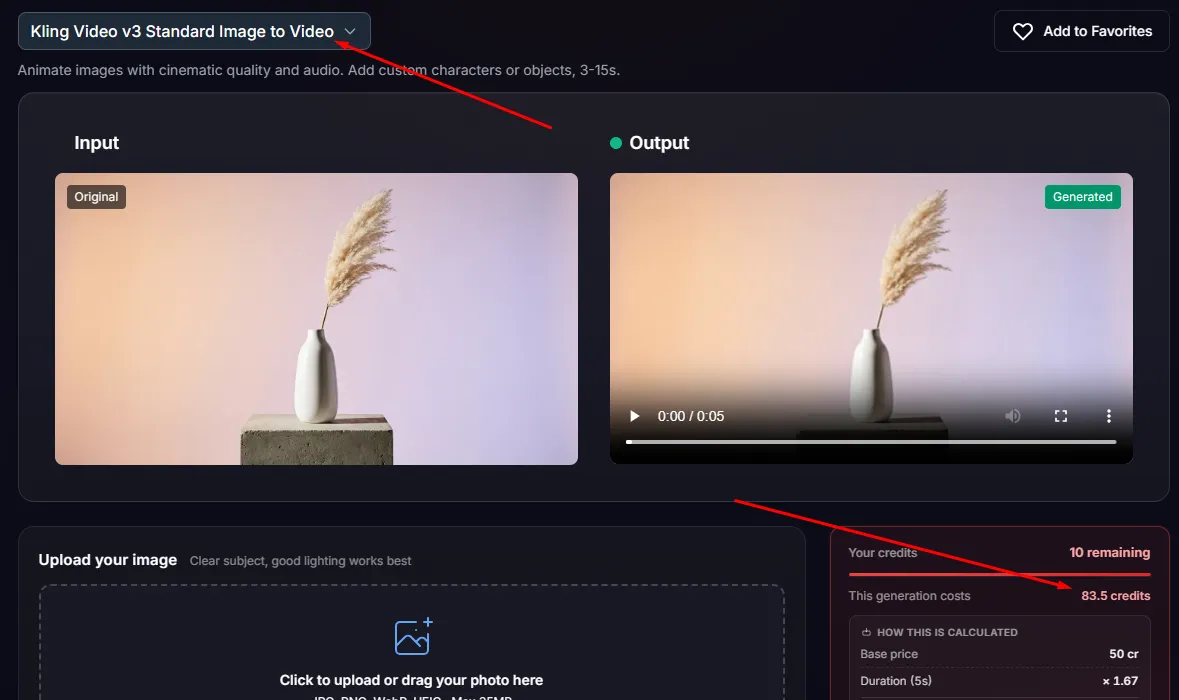
We had to experiment with different AI models, but the generation cost was very high for each one — the average price was 50–80 credits.
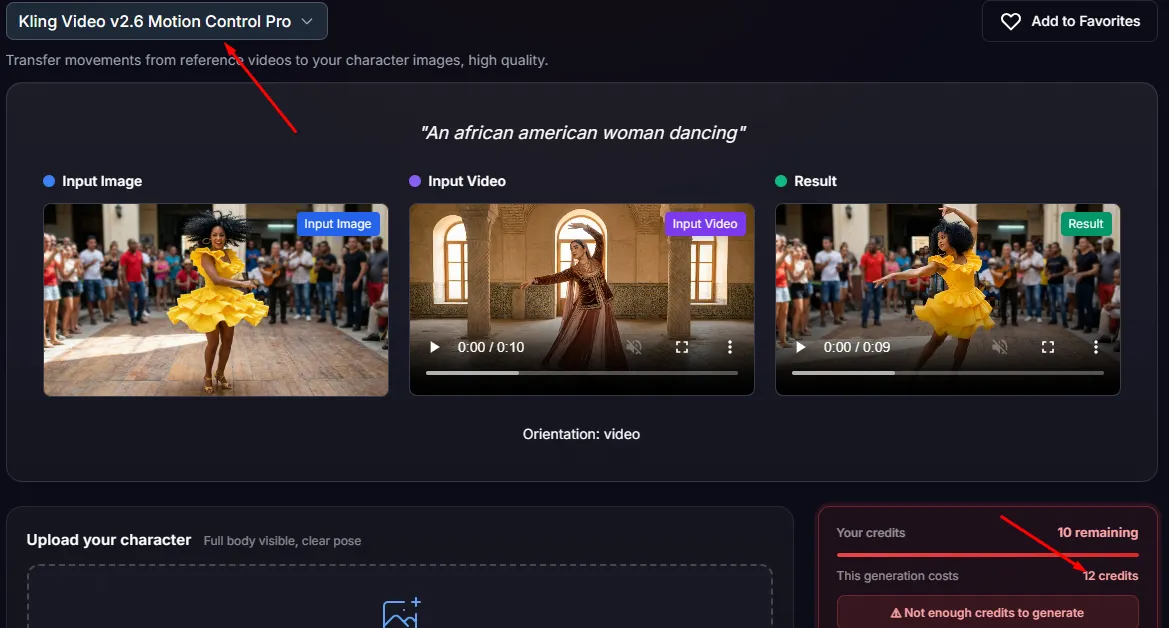
Unfortunately, we couldn't find a single model that would bring the picture to life from a prompt for 10 credits.
What We Got
We did eventually find a model that could do at least something with the image, and it only cost 8 credits. Let's see what it could do.
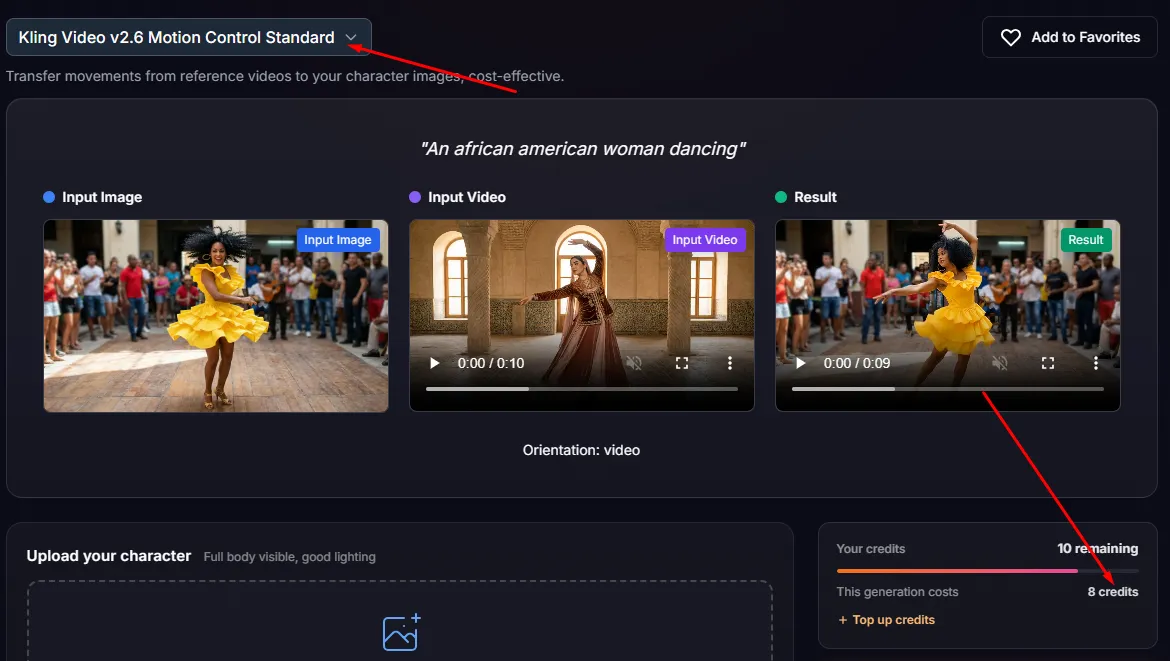
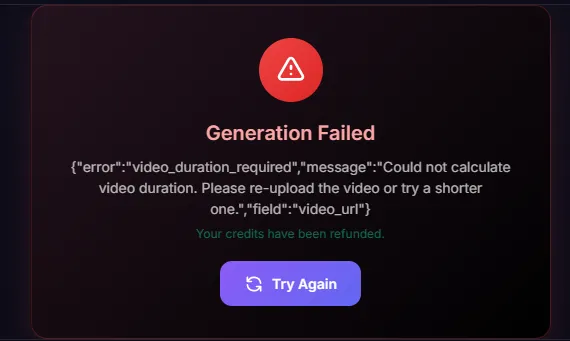
We uploaded the picture and even entered our own prompt. The platform suggested slightly modifying it — we agreed. But the result turned out to be disappointing.
What Our Experiment Showed
We tested four AI platforms and learned one thing: having a free tier doesn't necessarily mean the service will actually let you get a finished video for free.
The table below shows the results of the hands-on test conducted at the time this article was prepared.
| Service | Free access | Clip length | Drawbacks | Score (0 to 5) |
|---|---|---|---|---|
| Dreamina / Seedance 2.0 Mini | + | 5 sec. | The face changed, the source image was cropped. | 3 |
| Leonardo AI | + | 5 sec. | The cars don't move. | 4 |
| ImagineArt | Nominally yes | – | The source image was altered. Can't view or download for free. | 1 |
| JAI Portal | + | — | Free credits aren't enough for generation. | 1 |
Conclusion: "Free" Isn't Always Free
- Dreamina genuinely let us create and download a finished clip at no cost. The neural network also completed most of the tasks from the prompt. But a close comparison of the original picture with the video revealed that the woman's face had changed and some objects had disappeared.
- Leonardo handled the main character's movement well: the woman turned her head and adjusted her hair, her face stayed recognizable, but the cars didn't move.
- ImagineArt is the clearest example of the gap between an advertised "Free" label and the real ability to use the result. The service genuinely lets you start a generation, but you can't view or download the video.
- JAI Portal offers 10 free credits and a very large selection of video models. At first glance that looks tempting. But most of the models we found cost far more than the free limit. In the end, the platform returned a generation error.
A tip for any of them: ask for one or two actions per prompt. Our prompt contained six, and every service dropped at least one.
The label "Free AI Image to Video Generator" doesn't guarantee a usable result. Sometimes you can make a clip for free, sometimes you can only start the generation, and sometimes the credits only show you that a model isn't right for you.