The Best Free AI Headshot Generators
Updated: March 24, 2026 Author: Vitaly
Finding a high-quality service for free AI-powered portrait generation is like searching for a photographer through an ad. To save you time, we've compiled the best portrait creation services suitable for social media and resumes.
The advent of specialized neural network models capable of generating high-quality headshots (professional portraits) has fundamentally changed the labor market, corporate branding processes, and approaches to personal image formation in the digital space. Now, to get a professional photo for a resume or work social media account, you don't need to hire a photographer, waste time visiting a studio, and then wait for the photos to be ready. You can do it all yourself, using AI, from the comfort of your home.
Besides, research confirms, that 73% of recruiters admit that they can't tell the difference between a high-quality AI portrait and a studio photo when quickly scanning a resume.
The problem is that, amid the boom in neural network technologies, users are faced with a huge number of headshot generation services. These range from completely free tools to high-tech platforms that require significant computing power and training of customized models. Determining which ones are best is only possible through trial and error.
This review includes the best free services that are suitable for 95% of professional tasks: LinkedIn, access cards, corporate messengers.
Key signs of artificial headshots
Before we dive into specific solutions, let's look at some visual cues that indicate a headshot was generated, rather than taken in a studio with a photographer.
- Excessive symmetry. Real people's faces are always slightly asymmetrical. AI often strives for perfect proportions, which is subconsciously perceived as false.
- Skin texture. The absence of pores, fine wrinkles, or natural shadows under the eyes creates a "plastic" effect.
- Background artifacts. Incorrect blurring, where the edges of hair blend into the background, or strange geometric shapes in the reflections of glasses or eyes.
- Loss of identity. A situation where, in ten generated photos, a person looks like ten different, yet similar, people.
The absence of obvious presence of these problems is the very indicator of a high-quality AI portrait photo generation service.
Features of using free and shareware solutions for generating headshots
Specialized platforms require uploading between 6 and 20 original user photos to train a temporary model, which guarantees a high degree of similarity. These services are designed to produce results that can be used on LinkedIn, resumes, or corporate reports without additional processing. However, the cost for using them is corresponding.
| Service | Entry requirements | Package cost |
|---|---|---|
| Aragon AI | 14 selfies | $35 – $75 |
| HeadshotPro | 12–20 selfies | $29 – $59 |
| BetterPic | 10–15 selfies | $35 – $79 |
| Sect Labs | 15–25 selfies | $49 |
| Dreamwave | 5–10 selfies | $35 |
| HeadshotsByAI | 10–15 selfies | $29 |
Of course, compared to the cost of a professional photographer and studio rental, such expenses may seem insignificant. However, if you're unsure whether the subscription you purchased will meet your expectations, you can use free services. These offer solutions with limited functionality or a daily credit system. They often use less resource-intensive generation methods, such as direct face swapping (Face Swap) rather than training a full-fledged model, which can impact the detail of backgrounds and clothing.
Depending on the specific service, other restrictions may apply:
- Quality and resolution. Free plans often deliver images at lower resolutions, such as 512×512 or 1024×1024. This may be sufficient for LinkedIn, but not for print or corporate materials.
- Watermarks. Many services add a watermark to the final images. You can only remove it after payment, which effectively turns the "free" result into a demo version. Alternatively, you can use our recommendations for removing watermarks.
- Results are unstable. Unlike paid solutions with model training, free services produce less predictable results, are less good at preserving facial features, and can distort age and facial expressions.
Free and shareware services are a good way to test the technology and determine whether AI headshots are right for you.
Canva
Canva is a unique service that has made graphic design truly accessible to everyone. But its capabilities aren't limited to creating banners or images for social media posts. Thanks to built-in apps from third-party developers, its capabilities extend far beyond a simple web designer.
Using the ProfilePhoto app within the Canva ecosystem, users can transform a regular selfie into a studio-style shot. The system automatically adjusts lighting and replaces the background with a neutral office-style or gradient color. However, for serious iterations, one credit per day may not be enough, prompting users to purchase additional packages.
To use the add-on, the user simply uploads one photo, selects a reference, and specifies a processing model depending on the desired quality of the final result.
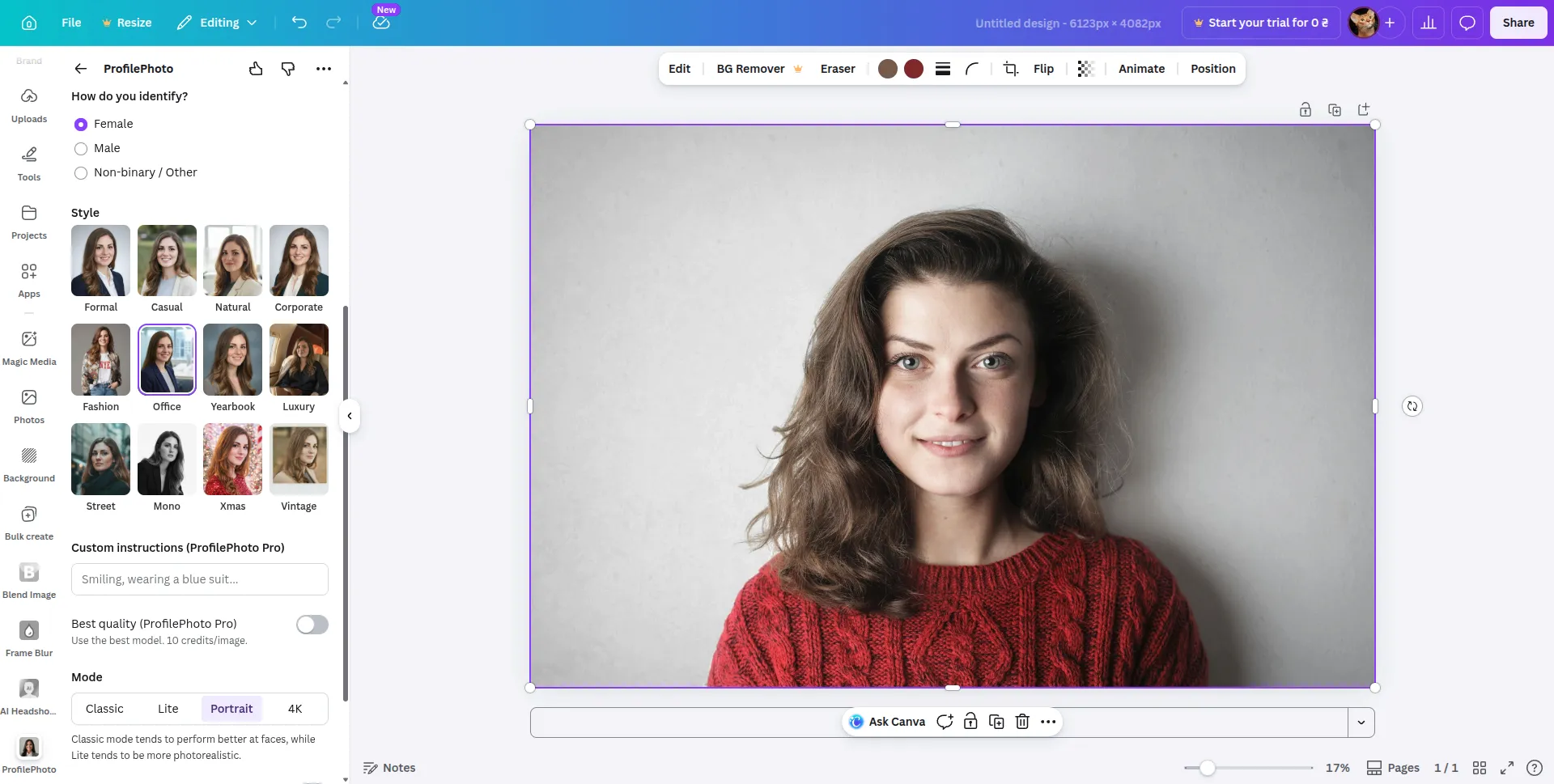
The photo processing process takes less than a minute. The result is a finished portrait photo.
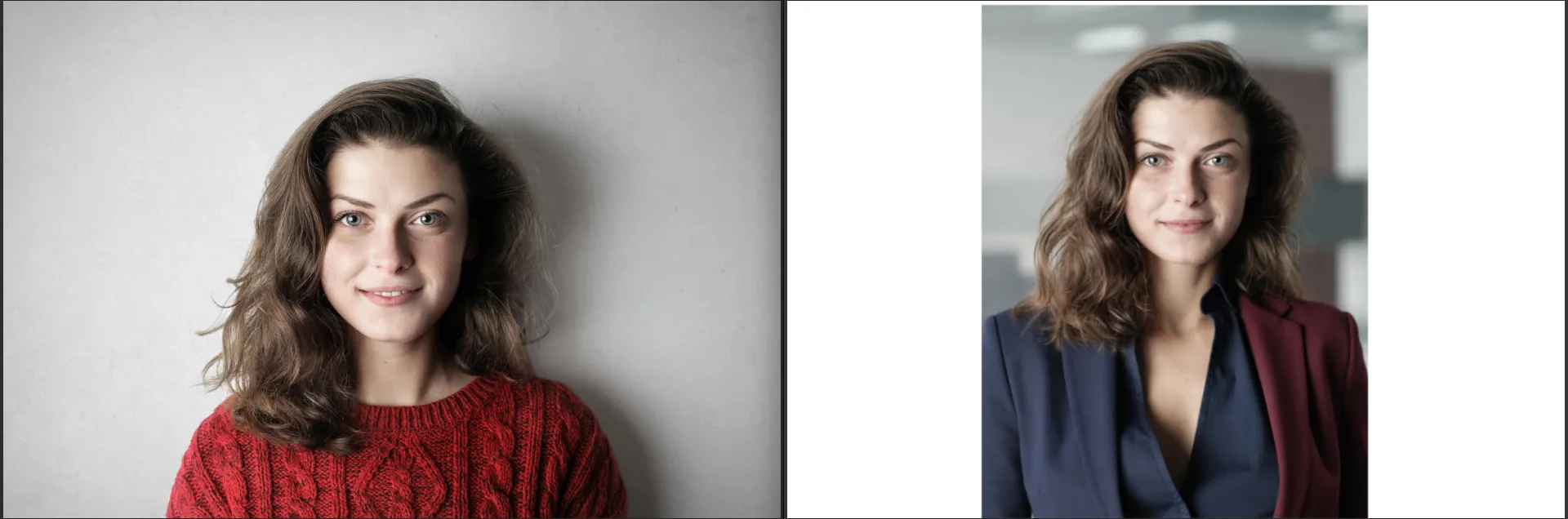
The plugin did a good job of detailing the face, even deciding to make the jacket in a bold style – color blocking.
If you search for headshot in the apps menu, you'll find tools from other third-party developers, but like ProfilePhoto, you can generate 1-2 portraits for free.
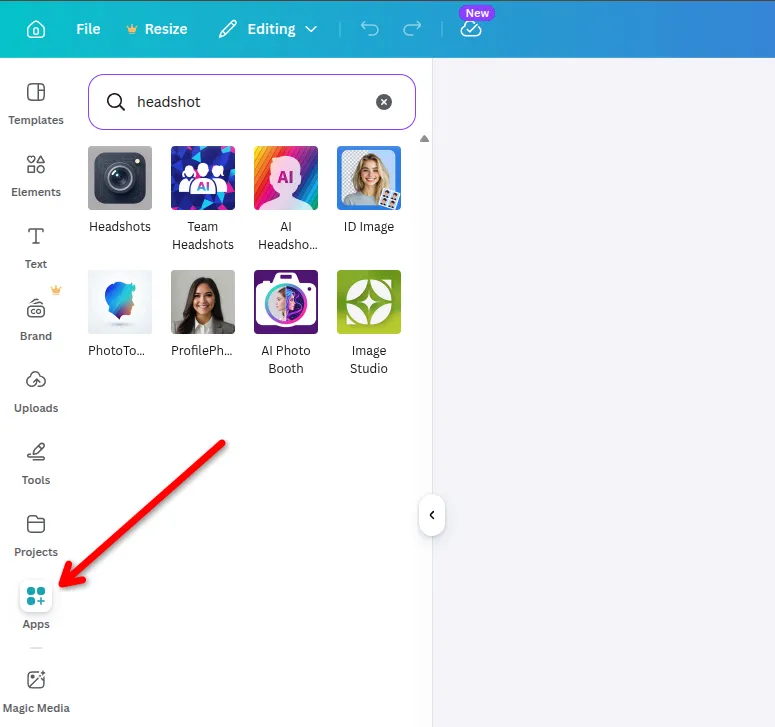
Canva is a good option for generating headshots for free, but only at a basic level. It's user-friendly, fast, and requires no preparation, with results available in just a minute. However, its free features are severely limited (1-2 generations per day), so for regular use or more precise design, its functionality won't be sufficient.
Advantages
- Easy to use, so even beginners will appreciate it.
- Fast generation (up to 1 minute).
- Does not require a set of multiple source photos.
- Integrated into the Canva ecosystem, it's easy to edit and use your image right away.
- Pretty good basic retouching and background replacement.
Disadvantages:
- Strict limitations in the free version (credits).
- Less variability compared to specialized AI services.
- Limited control over appearance details and style.
- The result may look less realistic in complex scenarios.
Supawork.ai
Supawork.ai positions itself as an AI hub that brings together various tools for working with images, videos, and text, including a free professional portrait generator for resumes and corporate accounts.
To get the result, simply upload one high-quality selfie, choose one of 300+ pre-made styles, and wait for processing. The entire process takes about two to three minutes, making it ideal for those who need a quick resume photo.
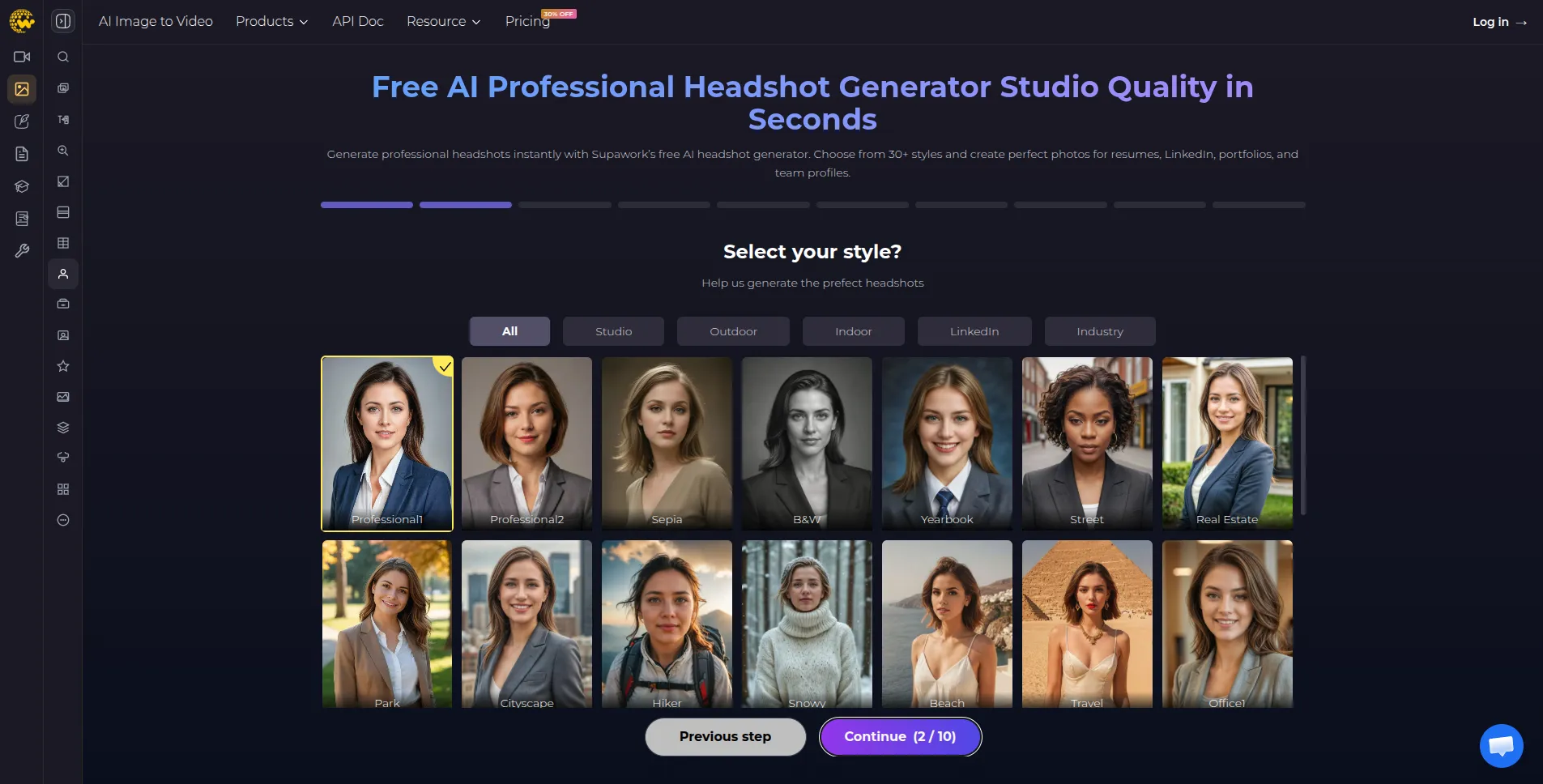
Supawork's results often look impressive thanks to high-quality lighting and clothing, but sometimes suffer from a "masking effect," where the face appears overly artificial due to excessive retouching. However, for 90% of tasks on LinkedIn or corporate messaging apps, this quality is more than sufficient.
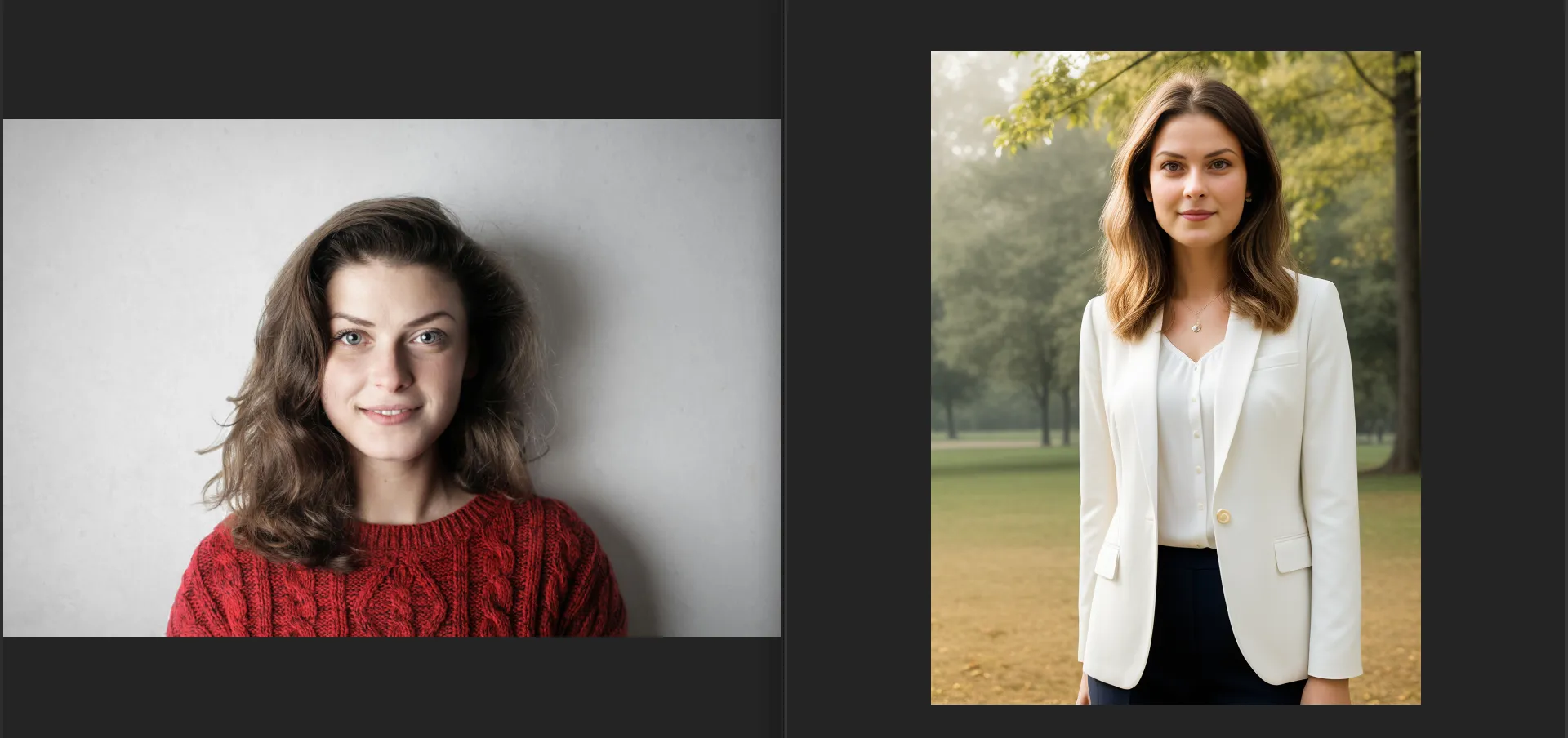
Overall, Supawork.ai can be considered a practical tool when speed and affordability are more important than maximum image realism. It covers basic needs well and doesn't require diving into complex settings, but for more demanding naturalness and detail, the results are inferior to specialized paid solutions.
Advantages
- Generation takes a few minutes.
- A wide selection of photo design styles that differ not only in background, but also in clothing.
- No watermarks on the generated portrait.
Disadvantages:
- Upon closer inspection, traces of AI processing are visible.
- Because the system resamples the face using a pre-made template, the final image may slightly distort the actual proportions of the head or neck.
- The downloaded portrait has a low resolution. The resulting example is 600*800 pixels.
Mango AI
Mango AI is an entire ecosystem of various AI tools, covering virtually all areas of visual, text, and audio content. Essentially, this single service can replace an entire online brand promotion team.
This is a freemium project, so a limited number of generations are available without replenishing your account, but they are enough to evaluate the service's quality.
The Free AI Headshot Generator feature allows you to transform a regular selfie into a professional portrait in just a few seconds. This high speed is achieved by Mango AI's intelligent transfer of facial features onto pre-designed professional templates.
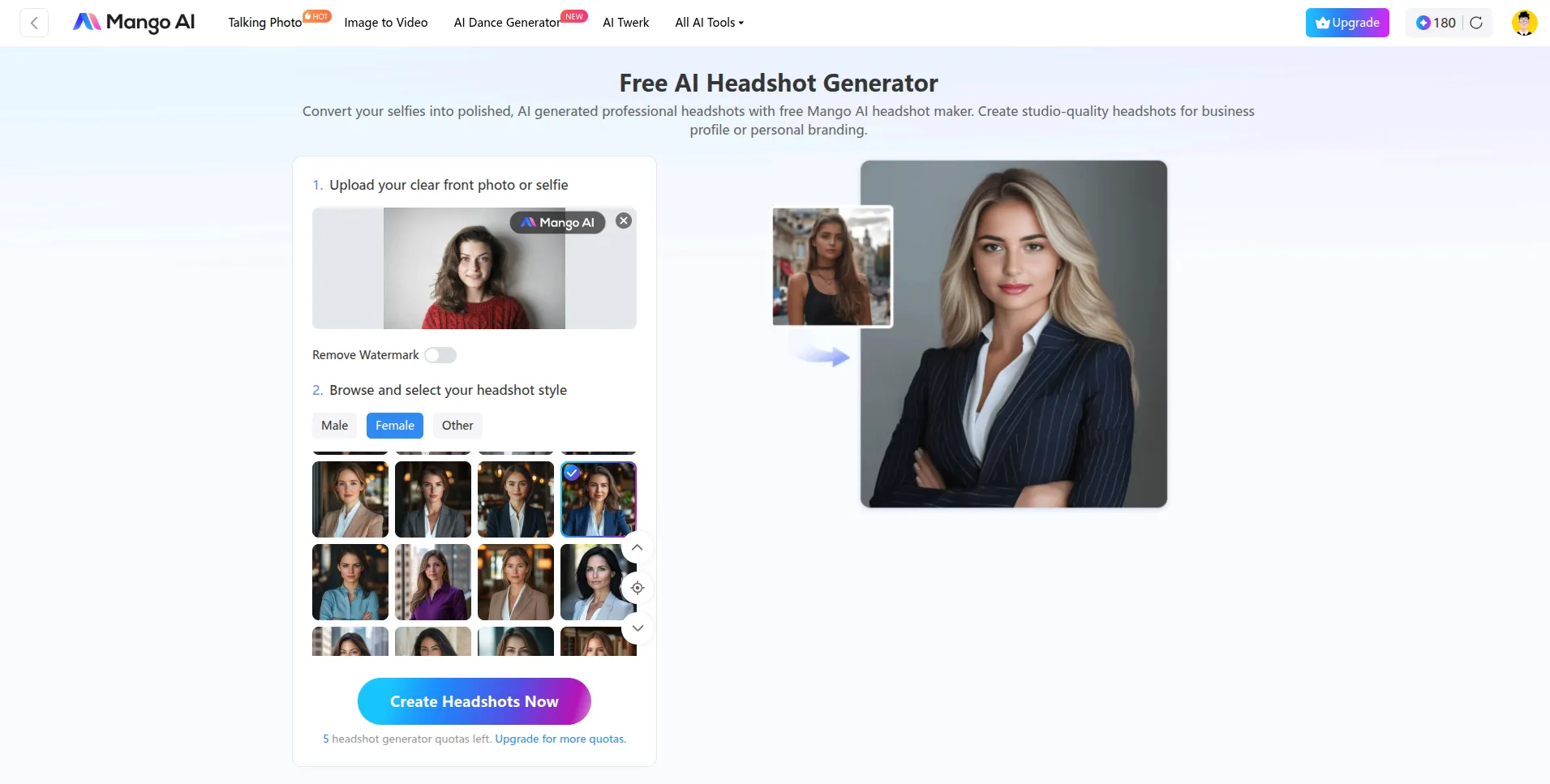
The process of creating a business portrait from a home photo is as simple as possible: you upload one photo, choose your desired style, and start generating. The system analyzes key points of your face and integrates them into the selected setting, maintaining lighting and shadows to achieve realism.
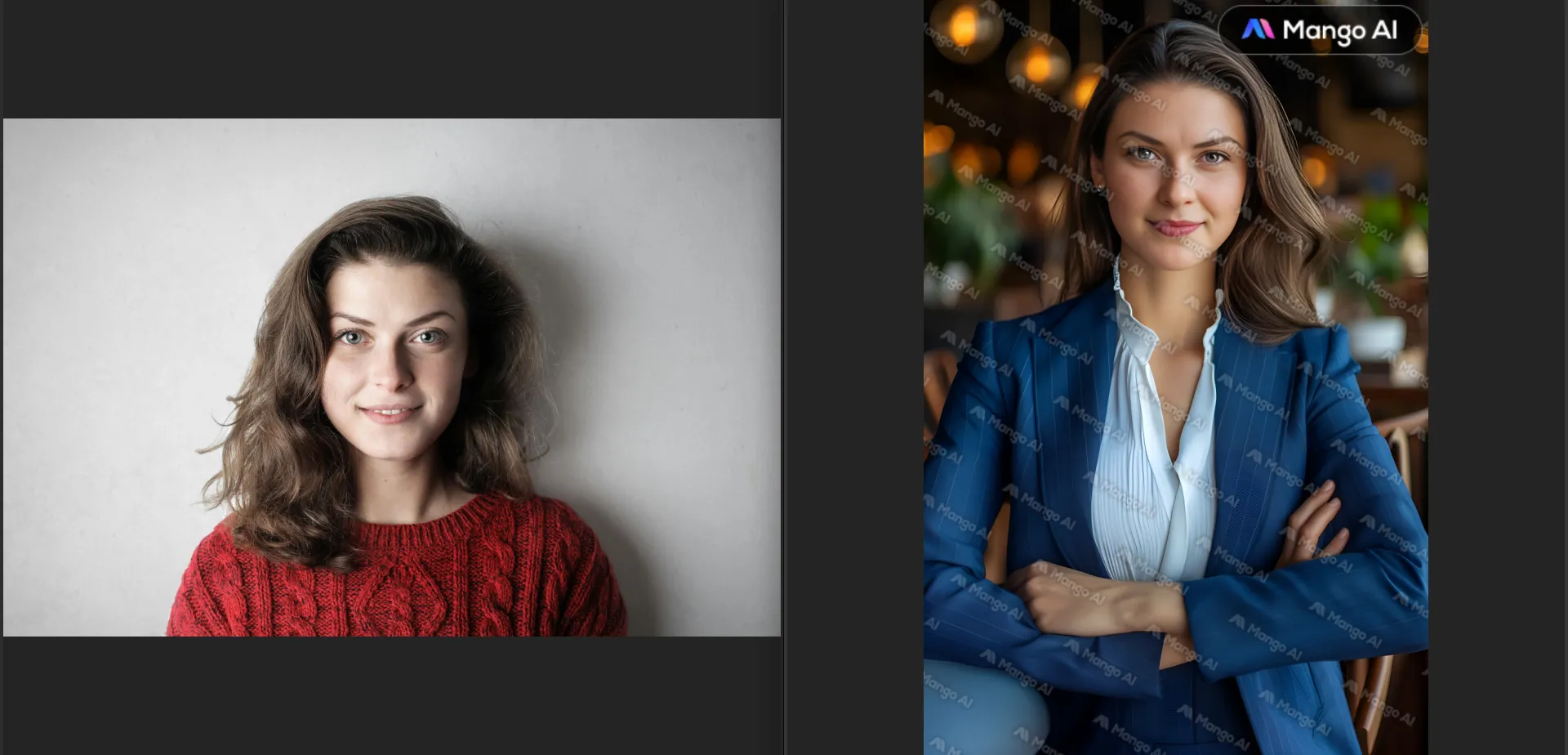
The main drawbacks of the generated headshot are the unnaturally smooth skin texture, devoid of pores and microrelief, giving the face a "plastic" appearance. Artifacts are also noticeable at the edges of the hairstyle, where the hair blends unnaturally into the background. Of course, a quick glance at the image might not notice that it's a generated portrait, but it's hardly suitable for a resume.
Advantages
- A simple and intuitive interface for generating headshots.
- High speed of operation.
- A large selection of ready-made poses and clothing options eliminates the need to manually select backgrounds.
- The ability to use the resulting portrait in other Mango Animate products to create animated presentations.
Disadvantages:
- AI can over-comb your appearance, making your face look overly symmetrical and glossy.
- In the free version, the service's watermark covers part of the image.
- Since the reference base is limited, there is a chance to encounter a user with exactly the same pose and clothing, but with a different face.
Instant.photos
Like other free headshot-generating services, there are no user accounts or cluttered interfaces. Simply visit the website, upload a single photo, and get the result in a minute. This makes the service indispensable when you need to quickly update your avatar in a messenger or on a social media page.
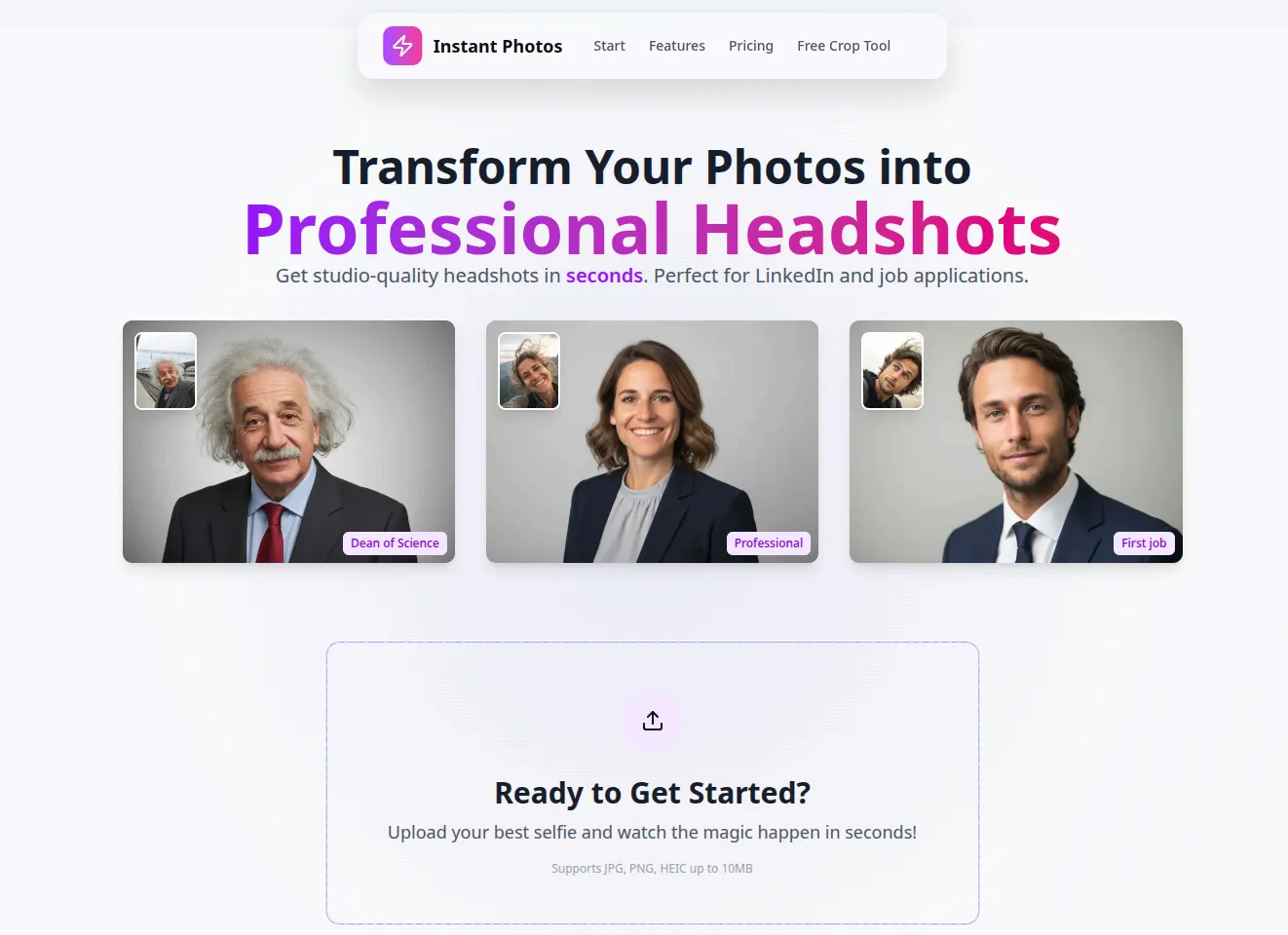
The service is based on optimized algorithms that instantly style and correct lighting without the need to train a cumbersome model for a specific user. This reduces wait times from hours to seconds.
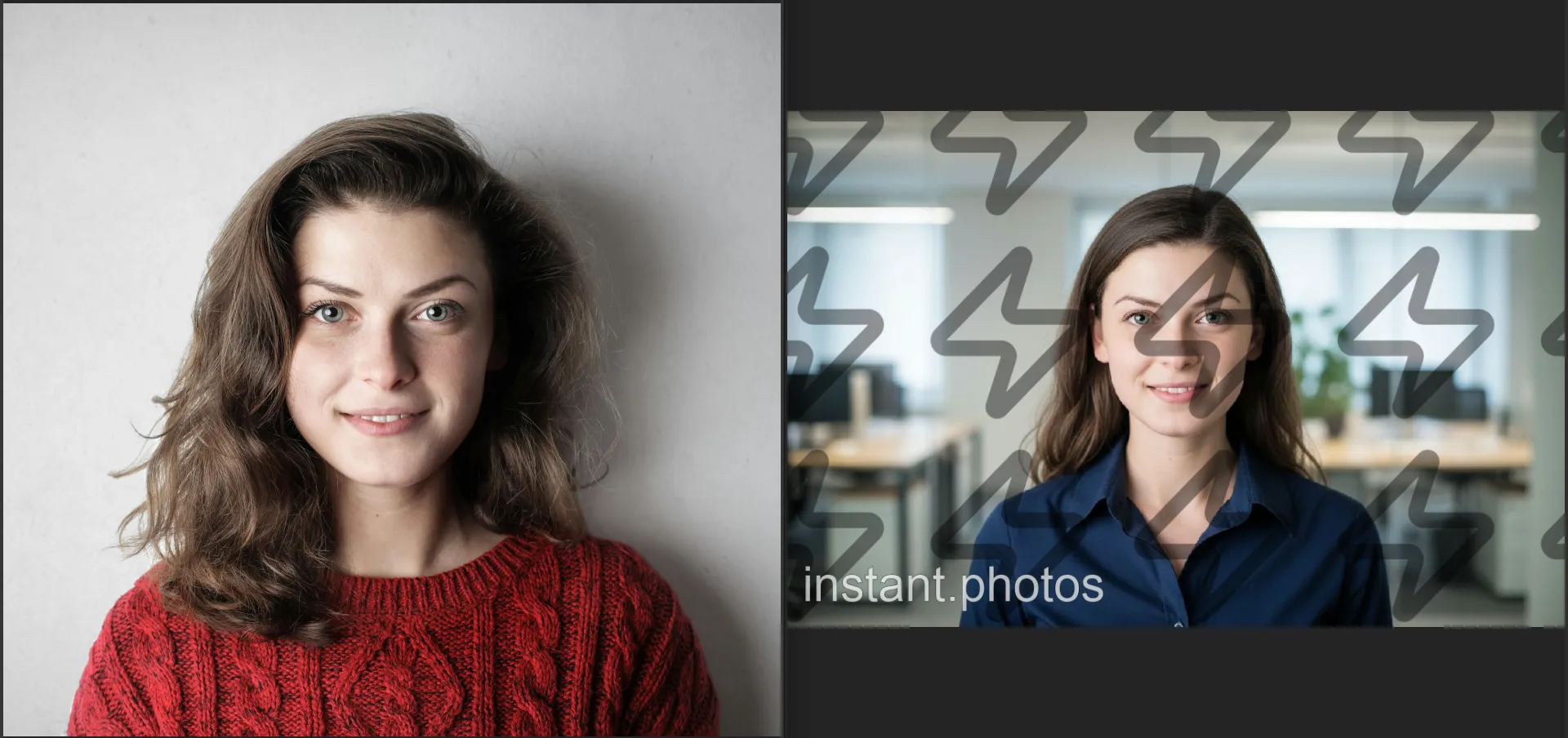
However, the AI noticeably smoothed out the natural skin texture. Fine pores and details visible in the original photo disappeared, making the face appear overly idealized. The hair texture in the generated portrait appears less defined and more uniform than in the original photo. On the left in the generated frame, the hair blends slightly into the background, losing its distinctive strands.
While the office background is well-integrated, the blur appears unnatural. Distant objects (such as the monitor on the desk to the right) could have been more blurred to better focus on the face.
Advantages
- There is no registration, so you can immediately proceed to generation.
- The service provides results within a minute.
- The ability to purchase one specific photo, rather than overpaying for a huge package.
- One selfie is enough; there's no need to collect a whole gallery of your photos from different angles.
Disadvantages:
- By using only one reference, AI may be less likely to achieve 100% similarity than trained models.
- The service offers fixed presets, preventing fine-tuning of wardrobe details or complex backgrounds.
- If you need a portfolio of 20+ different images, paying per headshot will cost more than services that offer a package.
Monica AI
Monica is a service that integrates portrait generation capabilities into a vast ecosystem of tools for working with text, video, and images. In the context of AI-powered portrait generation, it offers clear categorization of images.
- Business and Professional. A classic for LinkedIn and resumes.
- Academic. Ideal for teacher profiles or research publications.
- Technological. Modern images for IT professionals.
- Studio and City. Softer, lifestyle portraits for personal blogs.
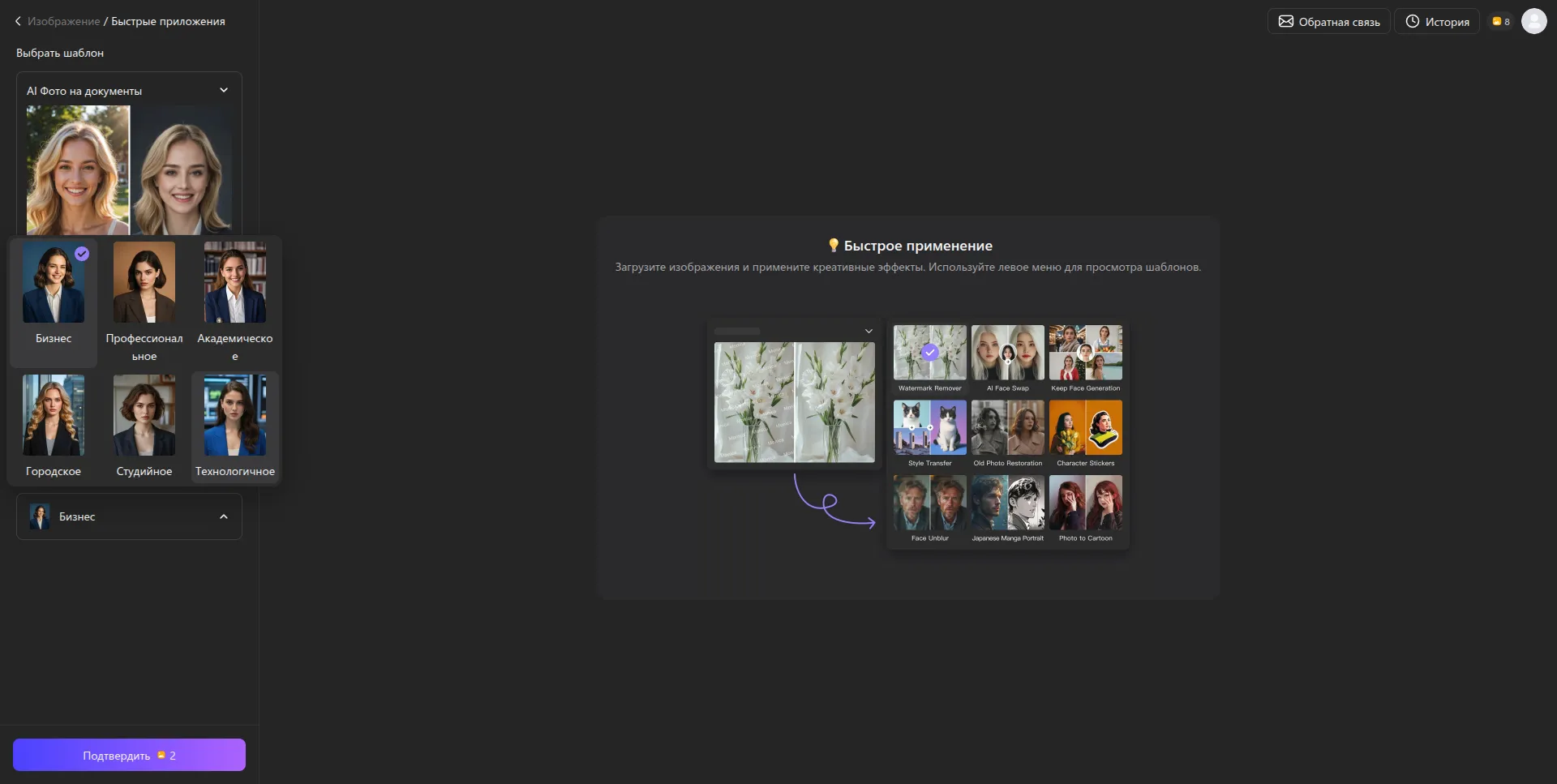
To start generating, select the desired template, upload the original photo, and the system will generate the finished result for 2 credits.
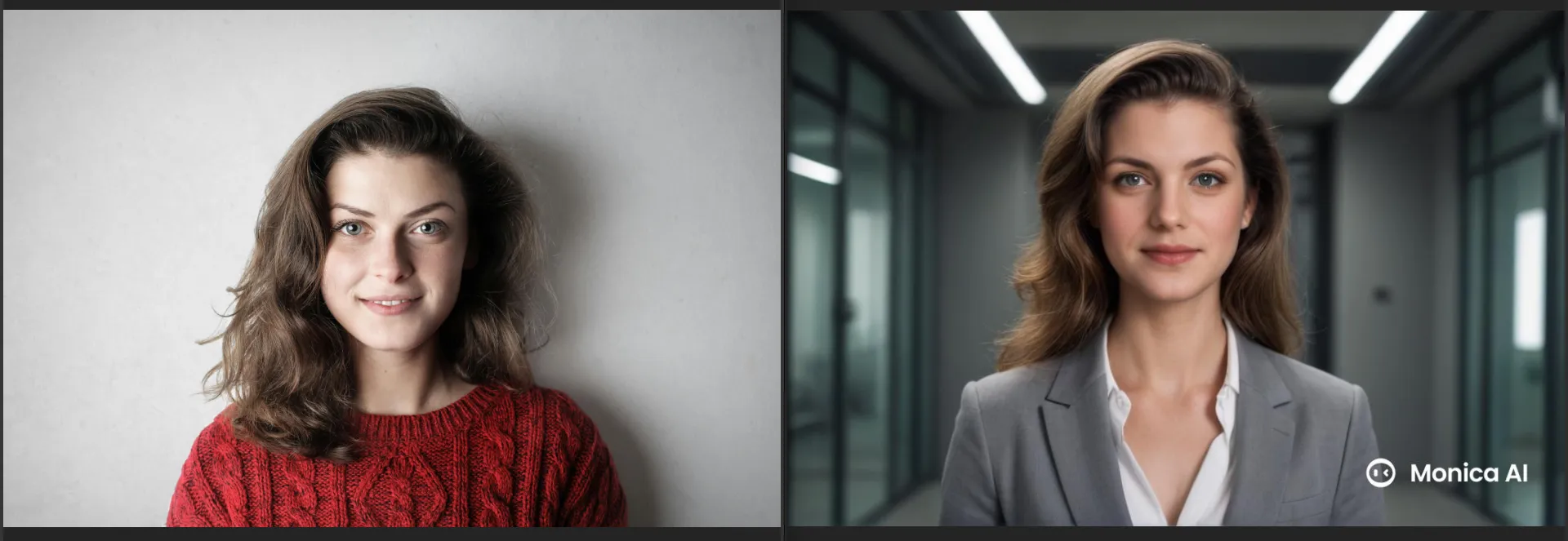
It's worth noting that the service demonstrates a high level of realism and similarity to the original photo. Its drawbacks include noticeable idealization. The face appears more symmetrical and smooth than in the original. Furthermore, the hairstyle has been noticeably overstyled.
Advantages
- Having narrow categories allows you to more accurately fit the dress code of a specific industry.
- An intuitive interface that will be understandable even to those who have never worked with neural networks.
- You can create up to 4 headshots with available test credits.
Disadvantages:
- Each action (generation, upscaling, background removal) uses up limits, which quickly run out in the free plan.
- As with most fast generators, you are limited to the range of angles included in the presets.
- Not suitable for creating a large number of different images.
Gemini and ChatGPT for headshot generation
Unlike traditional headshot generators, Gemini (Nano Banana) and ChatGPT (DALL-E) offer a concept of interactive creation. They allow for exceptional likenesses to be achieved through text dialogue and reference work. As a result, the user has complete control not only over scene selection but also over color, jacket style, and hairstyle.
Using Gemini (Nano Banana) to generate a portrait
The latest generative model, Nano Banana 2, is particularly focused on photorealism and flexible editing. It features an improved algorithm that delivers a high level of detail in skin, hair texture, and gaze depth, which is critical for headshots.
You can upload a regular photo of yourself and, using a text command, ask the neural network to dress you up in a business suit or change your background to an office one.
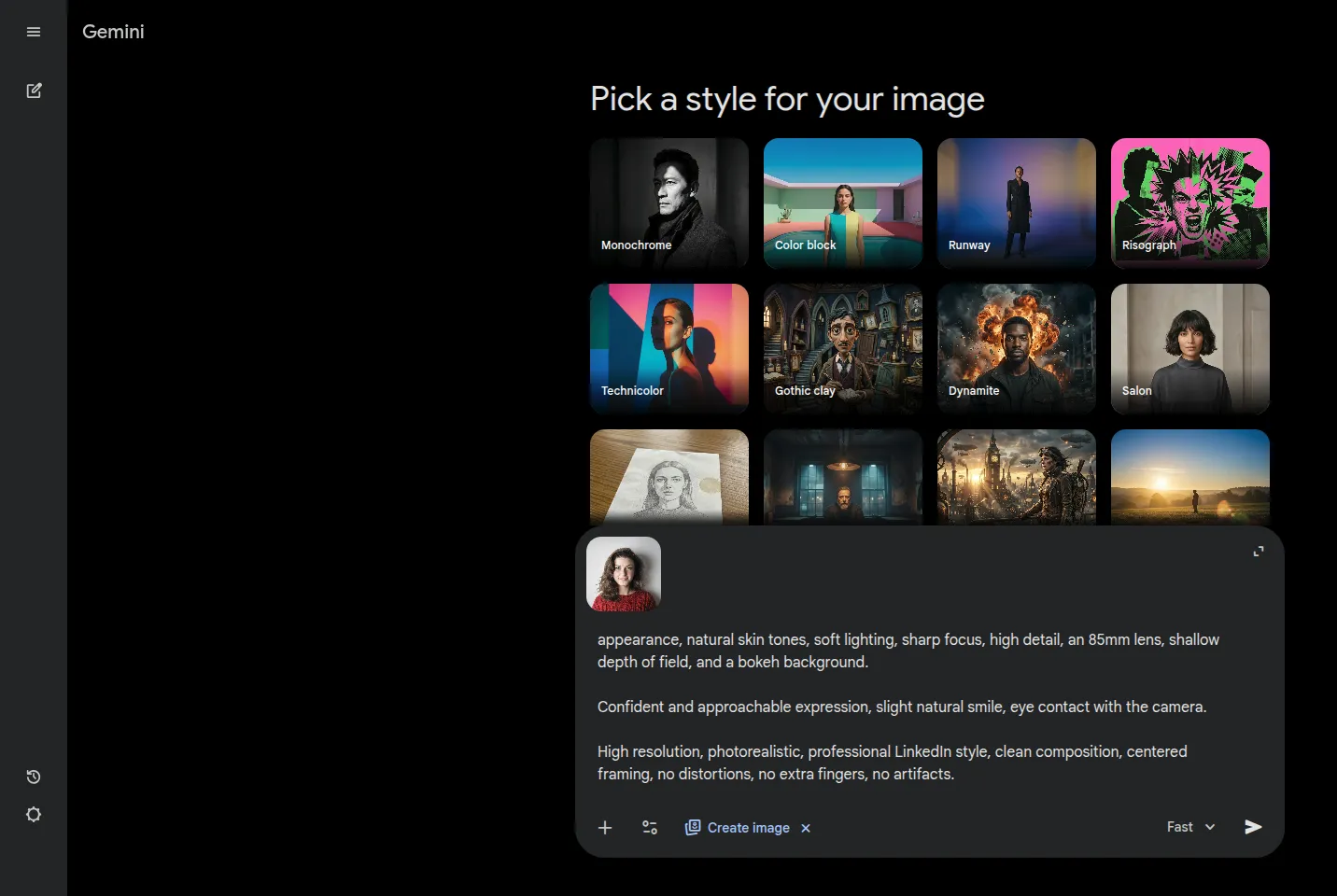
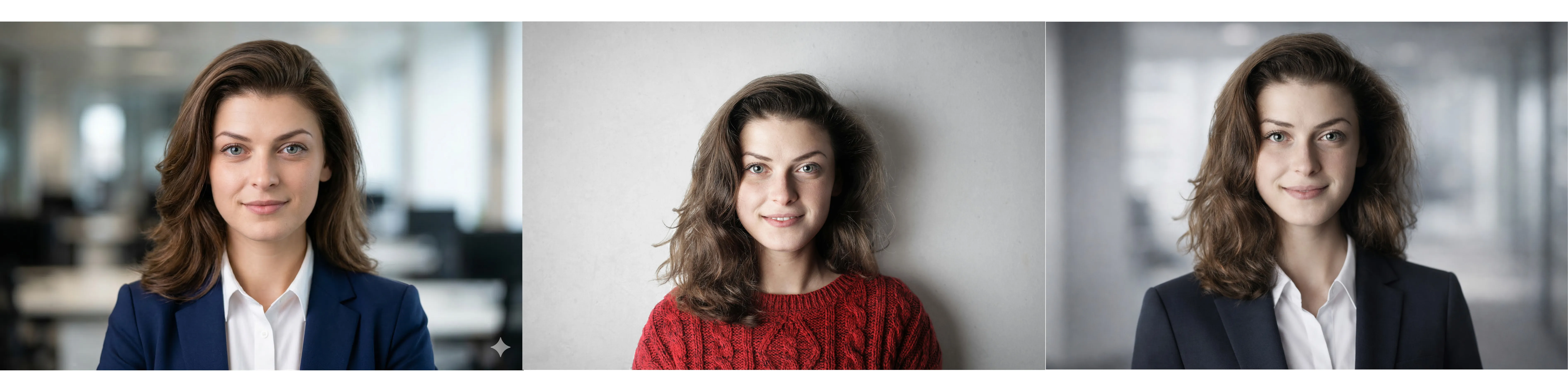
To test the efficiency of both neural networks, the same promt was used:
Create a professional business headshot based on the uploaded photo. Preserve the person's facial features, identity, and likeness. Corporate style, realistic portrait, studio lighting, neutral background (gray / office / blurred interior).
The person is dressed in formal business attire (blazer, shirt), with a well-groomed appearance, natural skin tones, soft lighting, sharp focus, high detail, an 85mm lens, shallow depth of field, and a bokeh background.
Confident and approachable expression, slight natural smile, eye contact with the camera.
High resolution, photorealistic, professional LinkedIn style, clean composition, centered framing, no distortions, no extra fingers, no artifacts.
As expected, the Nano Banana 2 did a really good job.
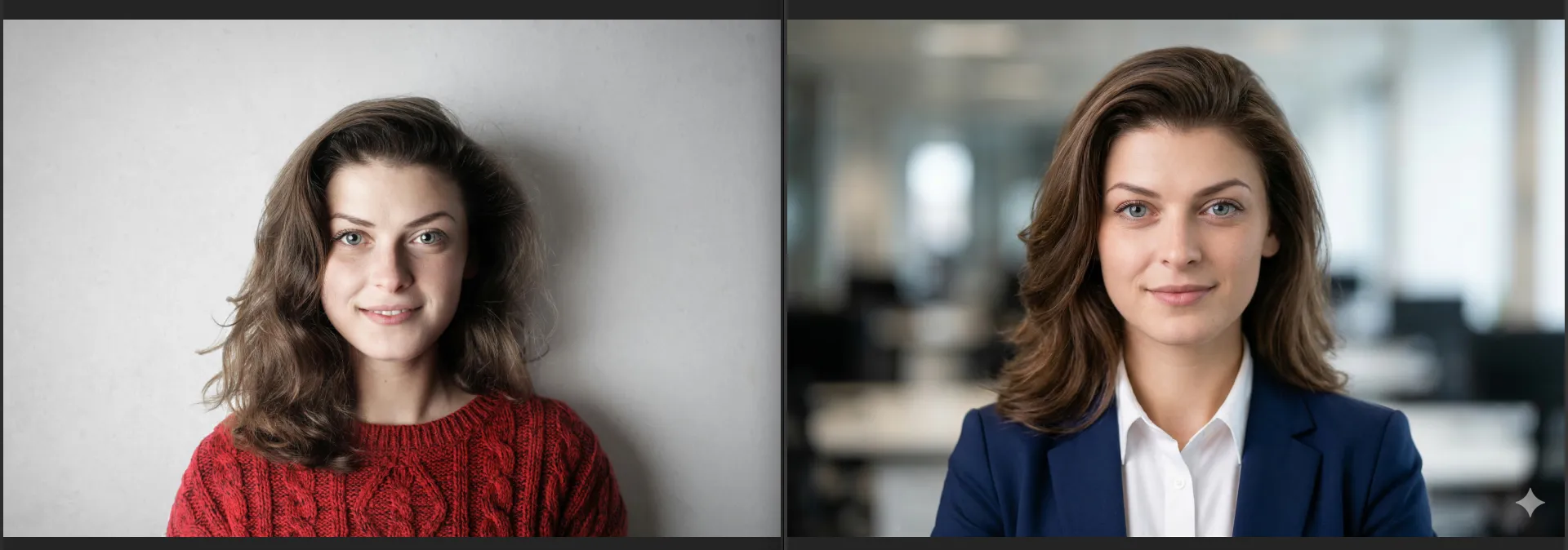
The resulting image looks like a professional studio photo with extensive retouching. Skin texture is present, but it appears very clean and smooth. Hair is detailed, and the lighting is controlled according to all the rules of office portraiture, giving the photo a high-quality, yet slightly "catalog-like" look.
Advantages
- High degree of realism of the final images.
- Maintaining similarity to the original photograph.
- Minimal requirements for source material. Can produce decent results even from a single photograph.
- A variety of styles and usage scenarios. The user can generate headshots in a variety of styles, from formal corporate to more creative.
- Saving time and money.
Disadvantages:
- Limited control over the details of the result.
- Risk of artifacts and inaccuracies.
- Sometimes the result is too idealized.
- Privacy issues.
Using ChatGPT (DALL-E) to generate a portrait
ChatGPT uses the DALL-E 3 model, which understands the complex nuances of text queries. You don't need to be a prompt wizard. Simply say, "Give me a LinkedIn photo where I look like a confident, minimalist CTO," and ChatGPT will automatically generate a detailed description.
Additionally, you can select an area directly in the chat interface and ask to add an object, change its color or shape.
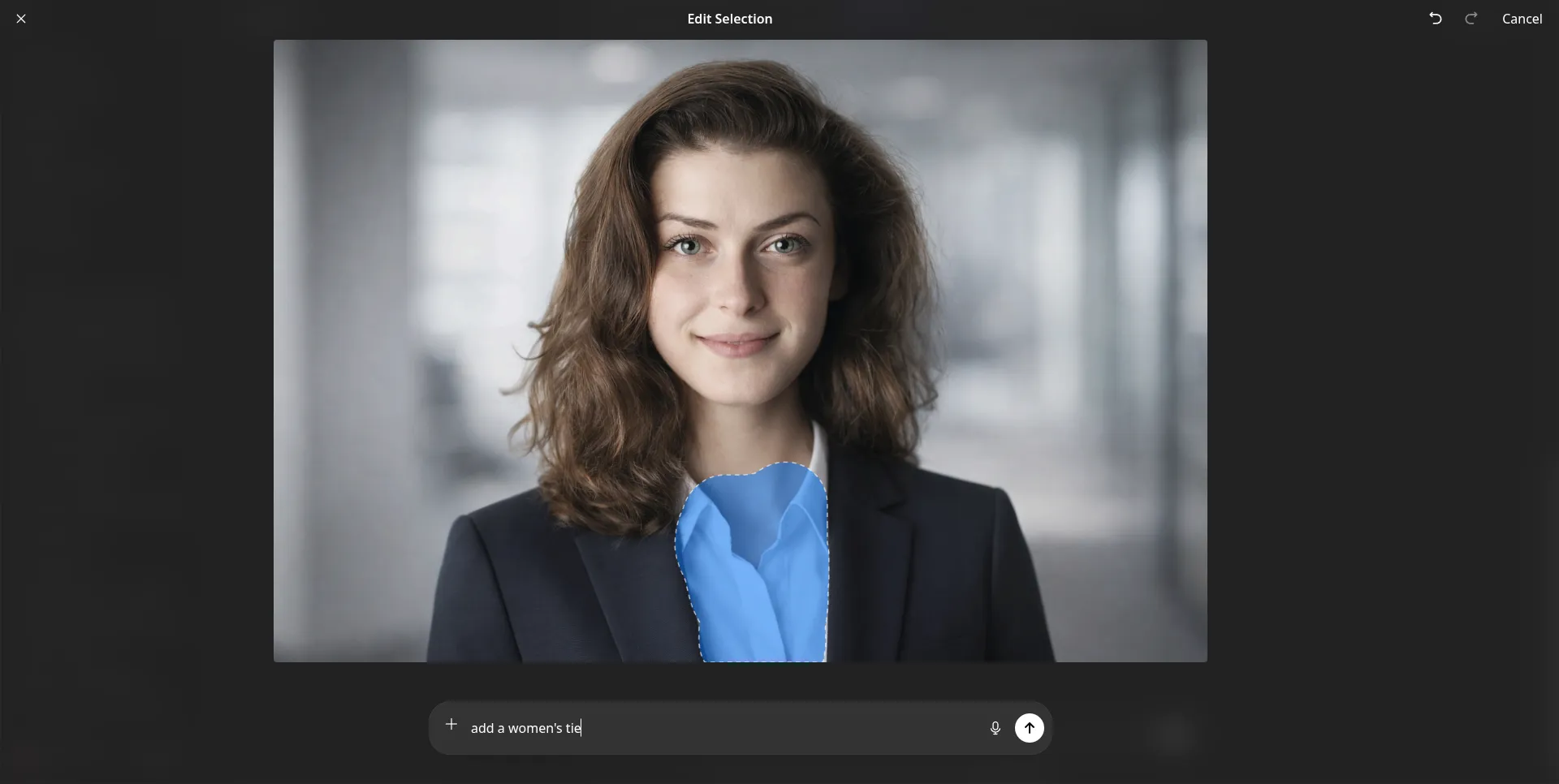
To evaluate the performance of the neural network, let's compare the obtained result with the original photograph.
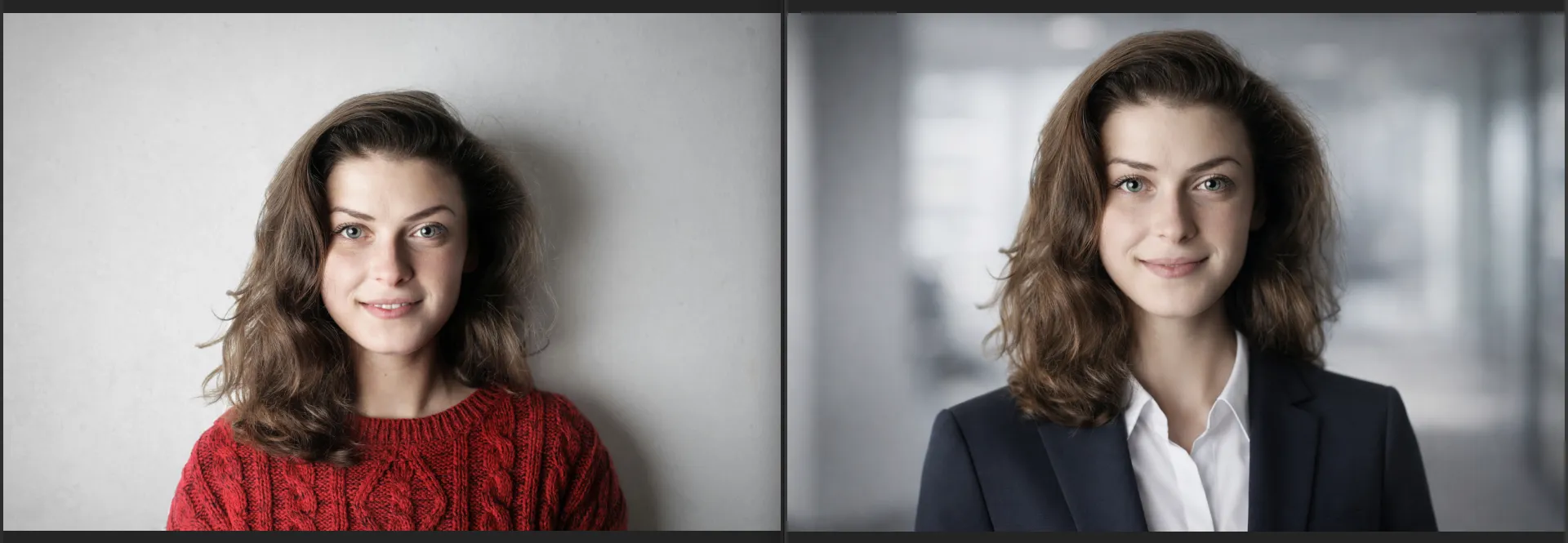
The final image has the digital smoothness characteristic of many DALL-E models: the skin is virtually devoid of pores and natural, fine irregularities, resembling high-quality 3D graphics. Light and shadows are poorly rendered.
Advantages
- Accessibility and ease of use.
- Flexibility and control over the result.
- Fast result generation.
- Possibility to create multiple portraits in different styles.
- Accessibility and ease of use.
Disadvantages:
- Limited accuracy of similarity to the original.
- Artifacts and inaccuracies.
- Limitations of free versions.
- Lack of complete control, as with professional filming.
How to quickly select photos for a business portrait
The quality of the final generated portrait depends 80% on the input data. But how can you find the perfect shot when your home photo archive contains not only your selfies but also photos from various events? Manual searches take longer than the generation process itself, so a photo manager is essential.
Unless you're a professional, it's difficult to navigate programs like Lightroom, which is also paid. Most free alternatives also lack an intuitive interface. But one option stands out from the crowd: Tonfotos.
This photo manager boasts a simple interface that feels more like a mobile app than a desktop program. Behind it lies powerful facial recognition AI, capable of accurately identifying people even if they're not looking at the camera or are accidentally captured.
With Tonfotos, you can quickly find all your photos and select the ones that are best suited for creating a portrait. Simply tag yourself in the photo once.
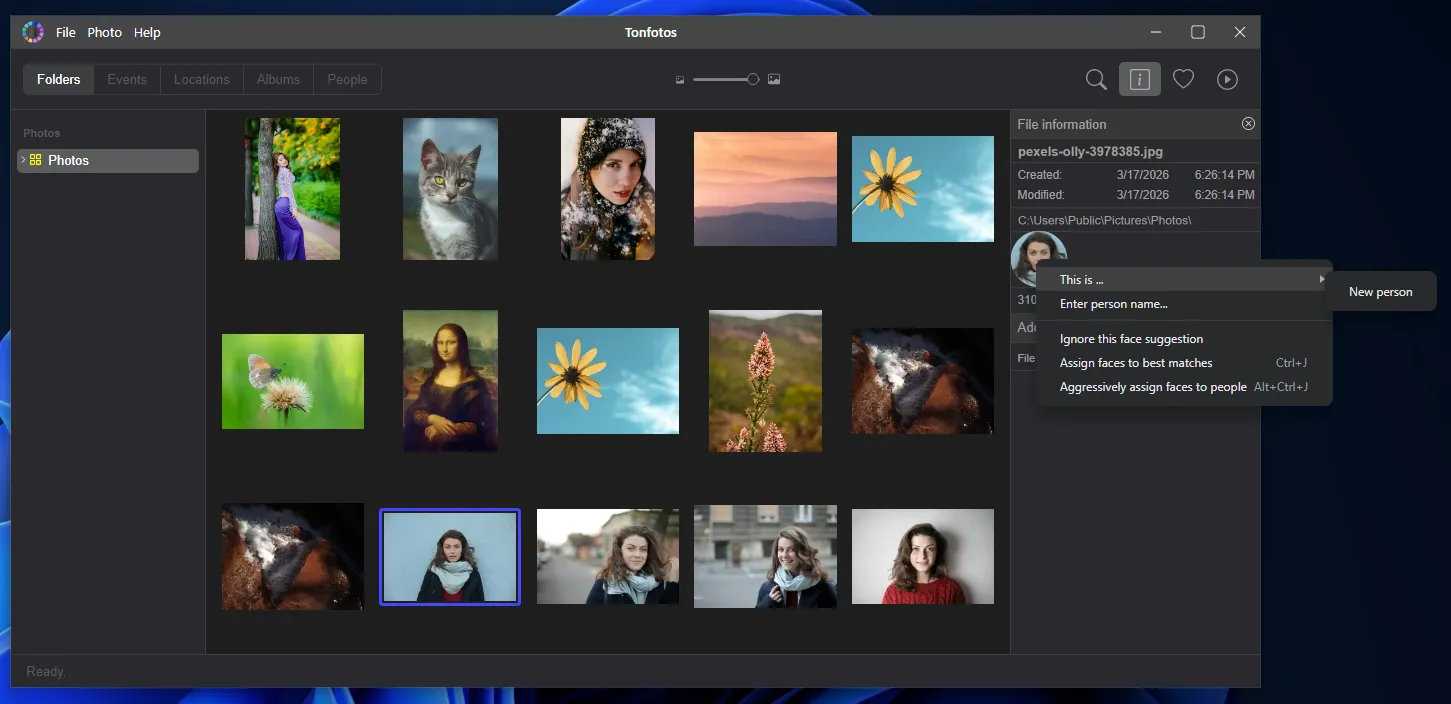
To view the full list of found photos, go to the "People" section of the program's main menu.
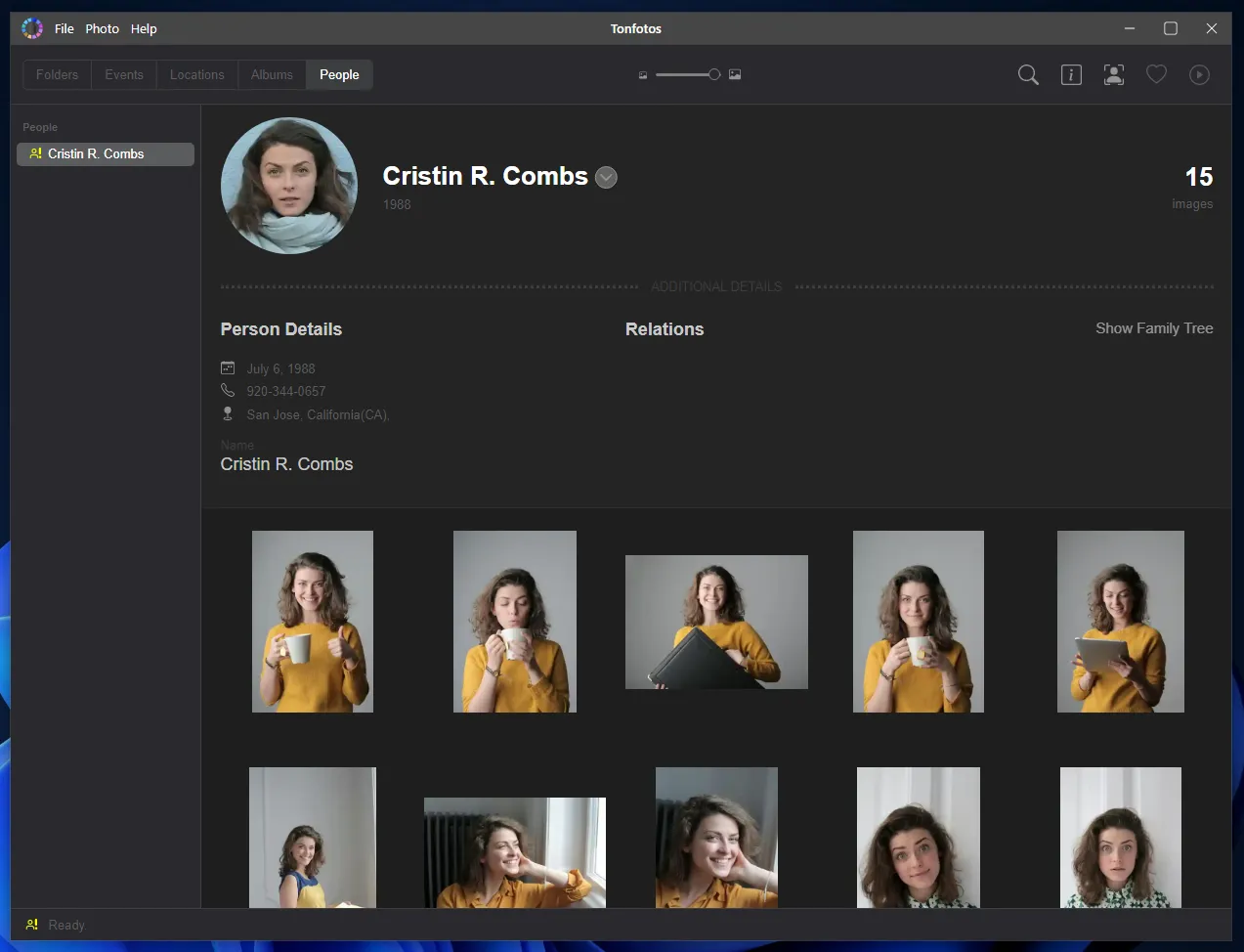
In a person's profile, you can additionally include contact information, education, address, and other useful information; you can also build relationships with other people whose photos are in your archive.
Tonfotos helps you transform a chaotic photo archive into a structured database where you can find suitable images in minutes. This not only speeds up preparation for generating a business portrait but also increases the likelihood of a more accurate and natural result, since you're using truly relevant and diverse source images, rather than a random selection.
Conclusion
Free AI-powered portrait generators have become a fully-fledged tool for everyday tasks: from designing a LinkedIn profile to creating a professional image for corporate platforms. They allow you to quickly achieve visually high-quality results without the expense of a studio or photographer, which is especially valuable when time and budget are limited.
However, it's important to understand their true role. Free solutions are primarily a way to test the technology and cover basic needs. They're great when speed and simplicity are key. However, with higher demands on realism, image stability, and resolution, limitations inevitably emerge: credits, watermarks, artifacts, and insufficient detail.
The optimal strategy is to use free services as a starting point. They can help you understand which styles suit you, which source photos produce the best results, and how comfortable you are with AI headshots overall. If you need a portrait for tasks where a flawless appearance is essential (high-profile resumes, public speaking, personal branding), it makes sense to consider either advanced paid solutions or a hybrid approach with manual retouching.
Ultimately, the quality of an AI portrait depends less on the service chosen than on the careful selection of source photos and an understanding of the technology's capabilities. With the right approach, even free tools can produce results that are visually on par with studio photography.